2.7 Removing and Installing Riser 1 and Riser 2
2.7.1 Remove Riser 1
1. Power off the compute module and disconnect the power cable(s).
2. Remove the air duct. See section 2.3.1
.
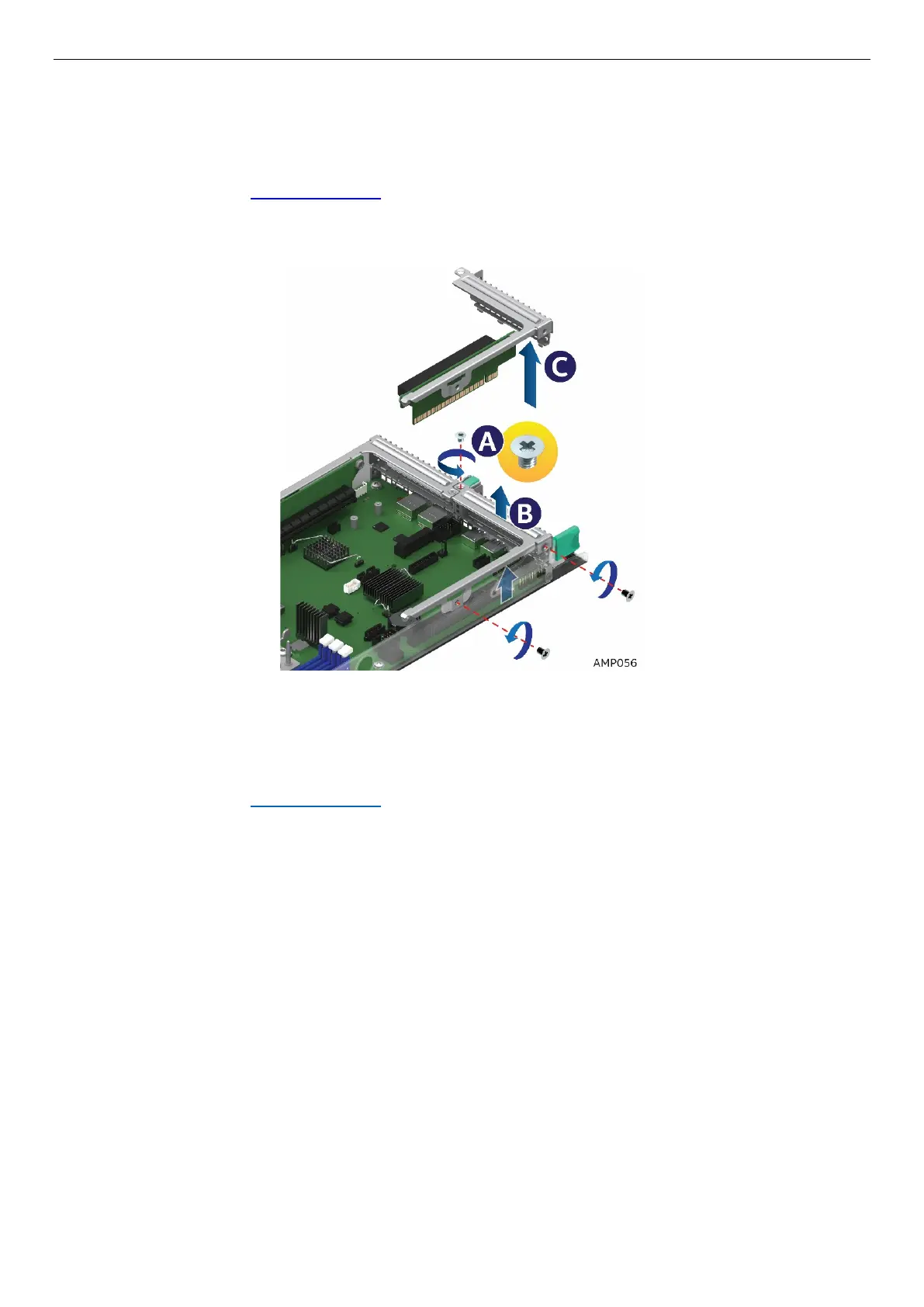
3. Loosen the 3 screws (See A )
4. Pull the riser straight up and out of the system (See B and C)
Figure 50. Removing Riser 1
2.7.2 Install Riser 1
1. Power off the compute module and disconnect the power cable(s).
2. Remove the air duct. See section 2.3.1
.
3. Align and insert Riser 1 into Riser Slot 1 (See A)
4. Ensure that the Riser is all the way down and fully seated (See B)
5. Tighten the 3 screws (See C)



 To Next Page