Maintenance
Electrical System
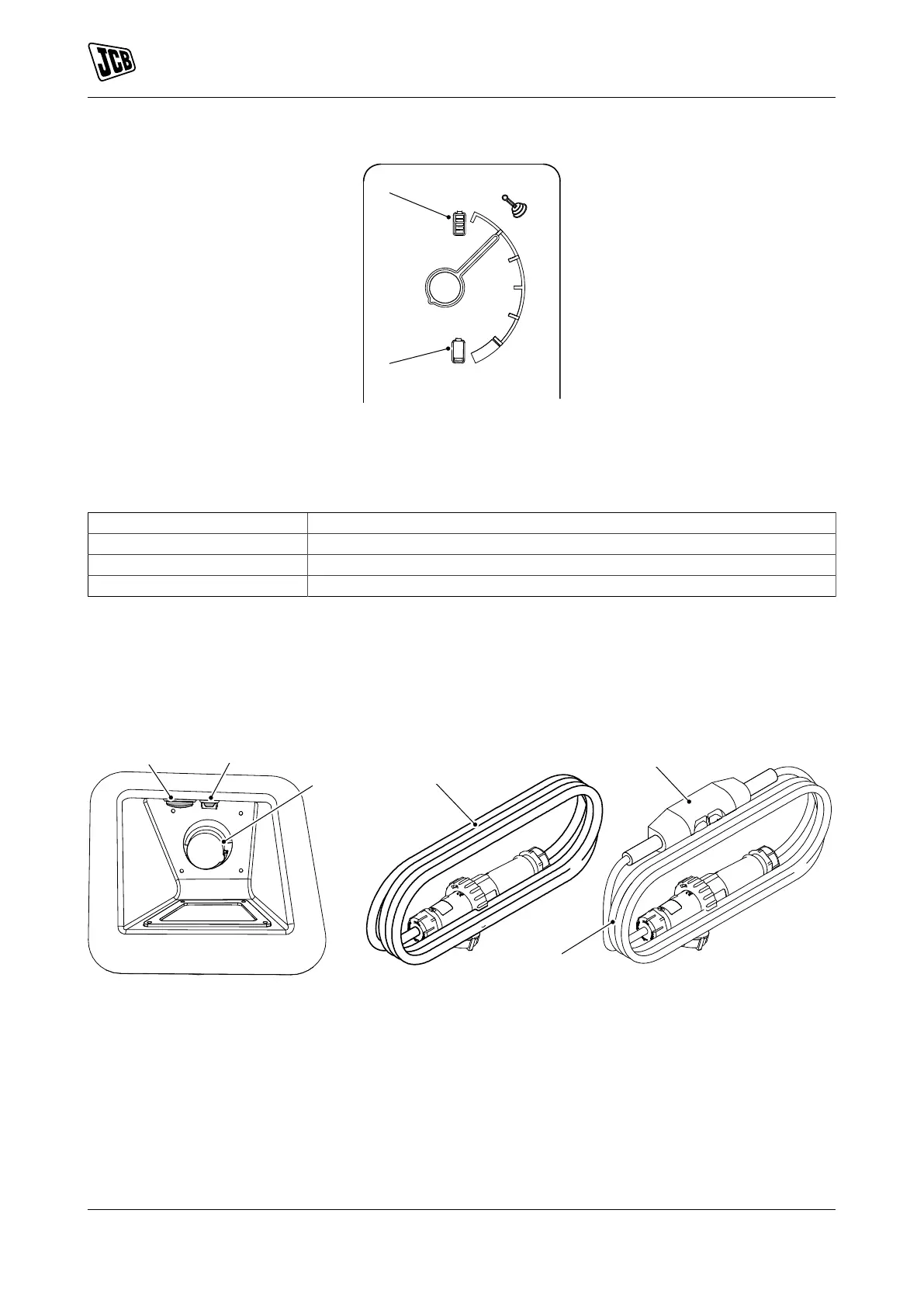
Figure 109.
A Battery full charge indicator B Low battery indicator
Charge the battery in a well ventilated place. Use an appropriate grounded industrial power supply with the
correct AC (Alternating Current) input voltage to charge.
Table 13.
Flashing green Charging in process
Solid green Charging paused (completed or waiting for battery to cool)
Flashing green/red alternate Check main supply
Solid red Fault occurred. Consult your local JCB dealer.
Charge the Machine - Standard Charger
1. Make the machine safe with the ignition key removed.
Refer to: Maintenance Position (Excavator End Lowered) (Page 116).
2. Connect the charger cable to the machine.
Figure 110.
A Charge indicator light B Operating status light (Blue= batteries are in
operation)
C Charging socket D Charger cable
E Inline residual-current device (if installed)
2.1. You must use the JCB specified charger cable provided with the machine.
3. Lock the charger cable to the machine with the locking collar.
4. Connect the other end of the charger cable to mains power.
144 9831/8250-4 144
JCB © Admin Pimteam - 23/06/2021 05:32.


 To Next Page