Table 20: LEDs on the AC PSU
(Connued)
Callout Color State Descripon
On The system has detected an error in the
PSU. Replace the PSU immediately. To
maintain proper airow thorugh the
chassis, leave the PSU installed in the
chassis unl you are ready to replace it.
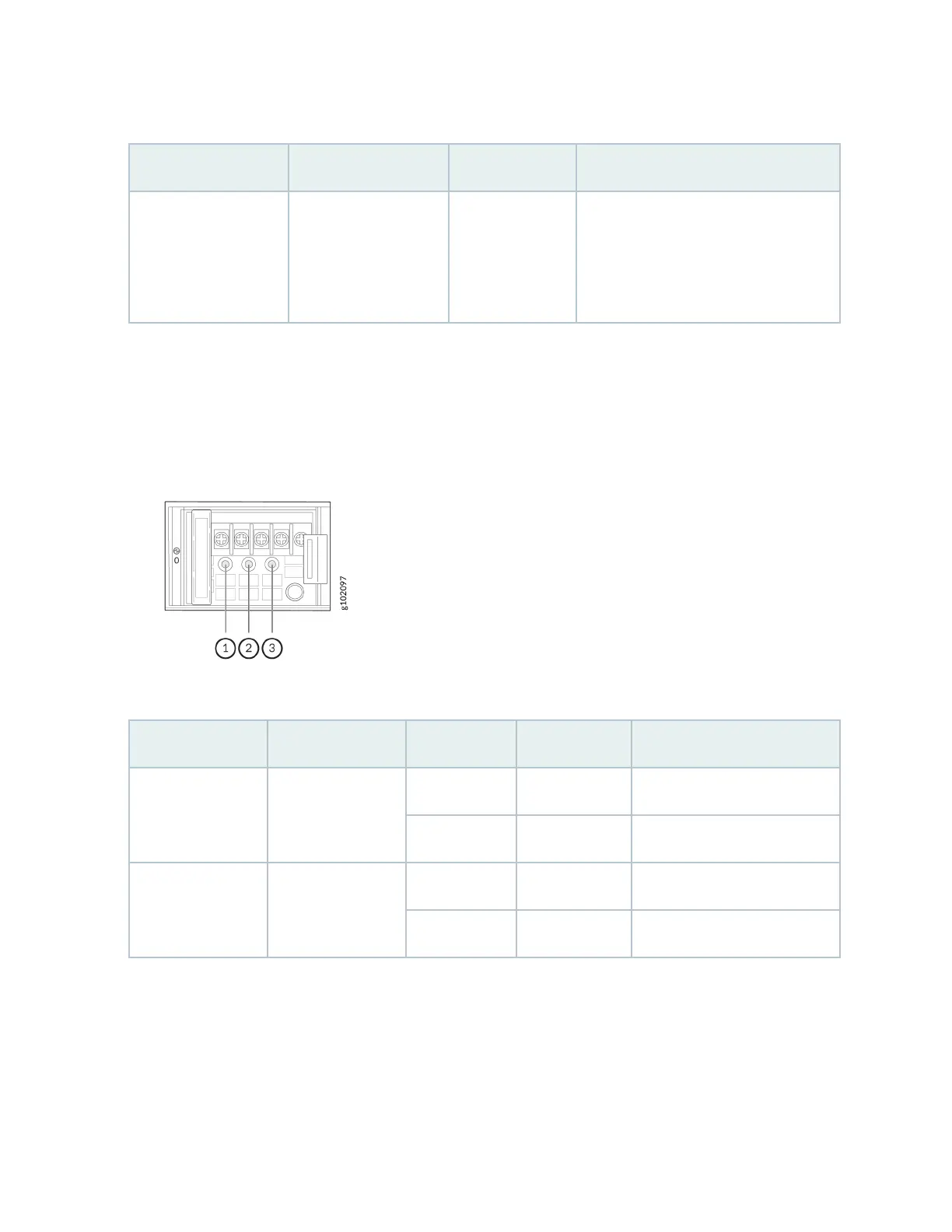
Figure 14 on page 29 shows the locaon of the LEDs on the DC PSU and Table 21 on page 29
describes the LEDs.
Figure 14: LEDs on the DC PSU
Table 21: LEDs on the DC PSU
Callout Name Color State Descripon
1 Input Unlit O No power input.
Green On The PSU is operang normally.
2 Output Unlit O No power output.
Green On The PSU is operang normally.
29












 To Next Page