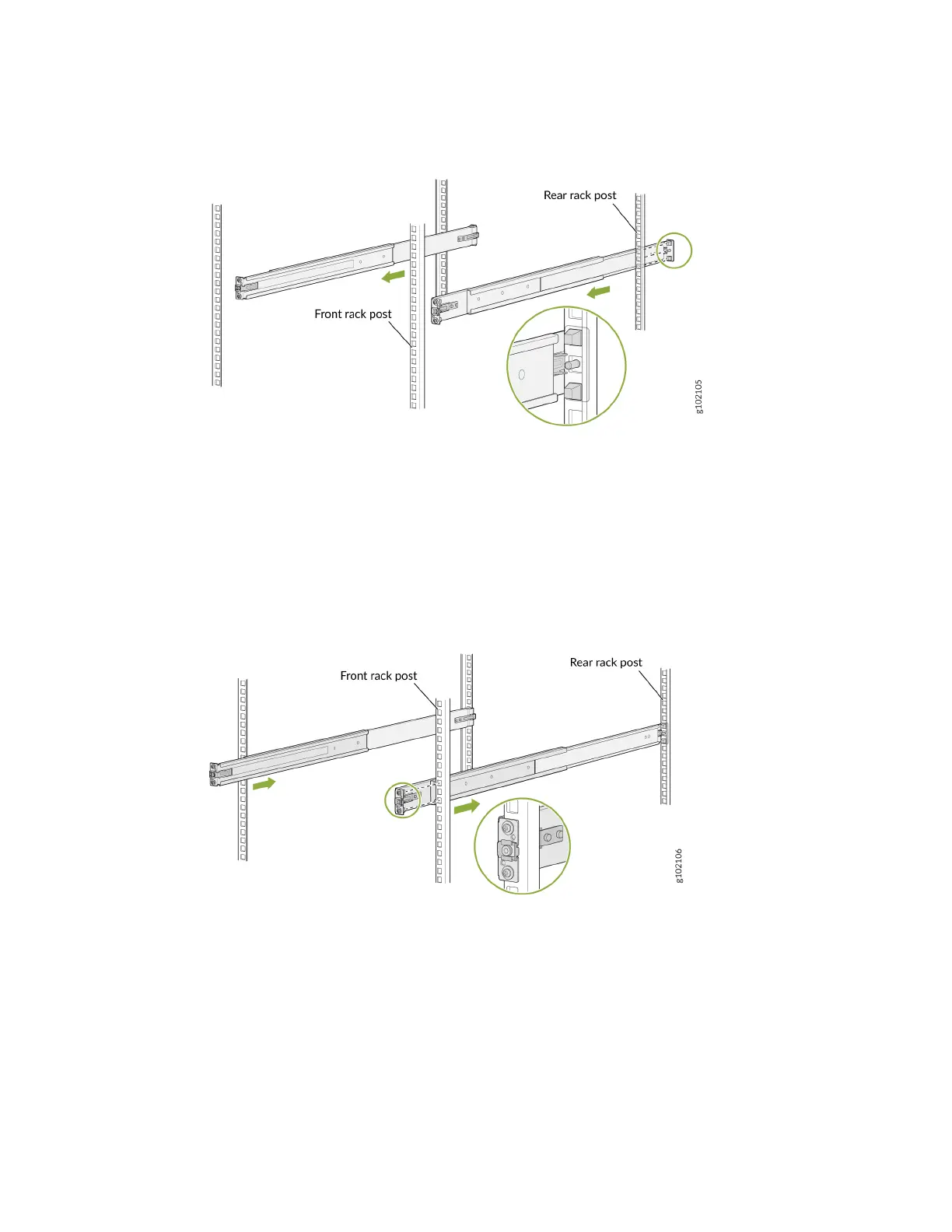
Figure 18: Install the Rear Mounng Rails
b. Align the guide blocks of the front mounng rails with the front-post holes. Push the front
mounng rails toward the rear of the rack to lock the rails in place. You will hear a disnct click
sound when the latch locks into the corresponding rack holes.
Figure 19: Install the Front Mounng Rails
c. Visually ensure that the front and rear latches are locked into place on the mounng rails. The
mounng rails should be securely installed on the rack.
6. Li the device and posion it in the rack, aligning the side mounng-brackets with the mounng rails.
Slide the device into the channels of the rack mounng rails.
48












 To Next Page