108
394149/D
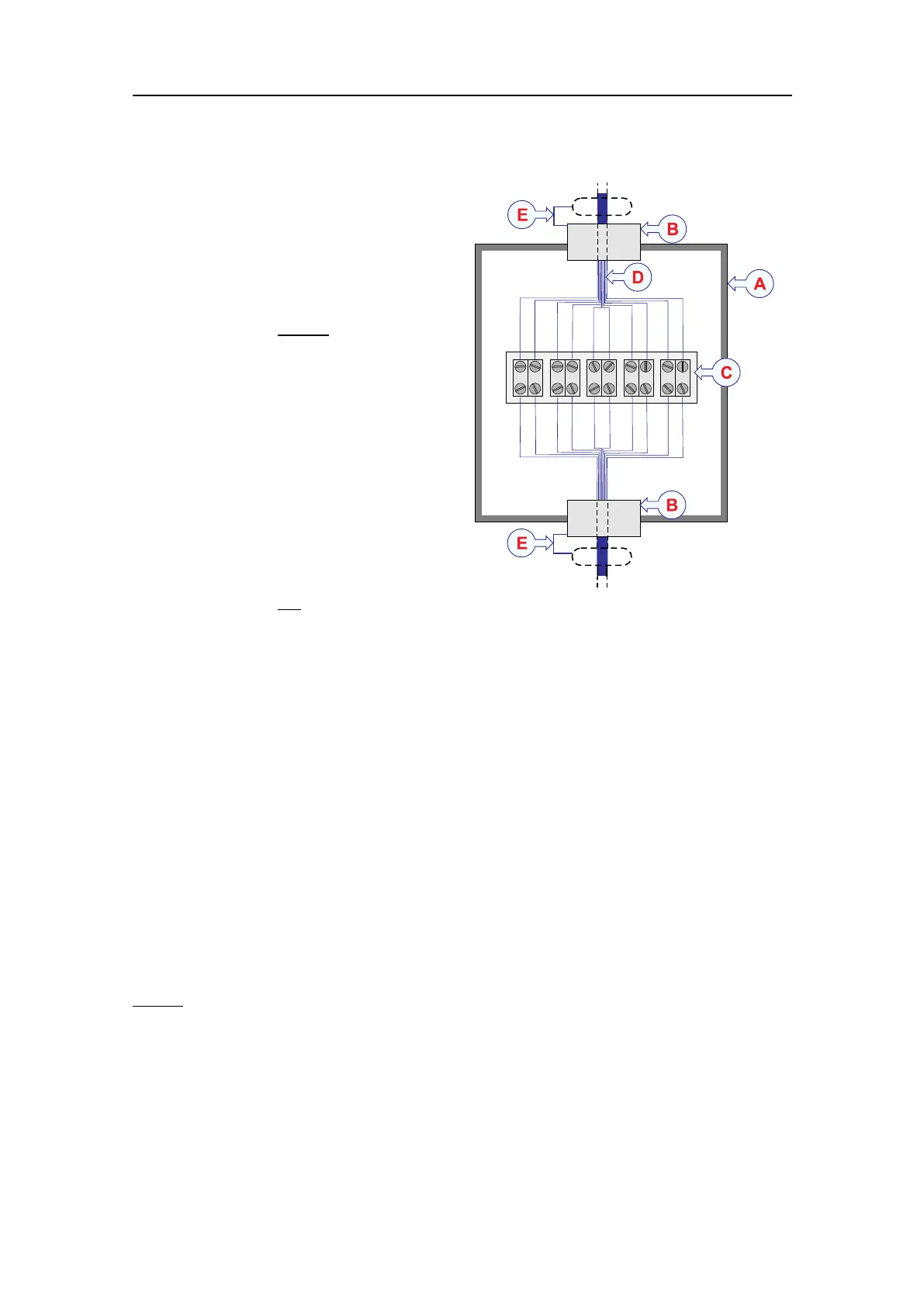
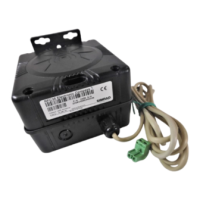
AThejunctionboxisisolated
fromvesselground.
BCablegland
CTerminalblock
DCable
ECablescreen(Donot
connect
thecablescreentovessel
ground.)
Procedure
1Mountthejunctionboxina
suitablelocation.
2Terminatethesteelconduits
containingthetransducercable
asclosetothejunctionboxas
possible.
3Makesurethatthejunction
boxchassisisnot
connected
tovesselground.
Useadditionalinsulationifthisisnecessarytoisolatethejunctionboxcompletely.
4Removetheinsulationfromthetransducercable.Connecttheindividualwires
totheterminalblock.
5Removetheinsulationfromtheextensioncable.Connecttheindividualwires
totheterminalblock.
6Makesurethatyouhaveconnectedthewires1:1,andthatthecoloursmatch.
7Connectthecablescreenstothecableglandsinthejunctionbox.
Relatedtopics
Splicingthetransducercable,page107
Cablelayoutandinterconnections,page85
Splicingthecableusingagroundedjunctionbox
Donotsolderthewirestogetherusingonlyelectricaltapeforinsulation.Thiswillresult
inelectricalnoiseandreducedoperationalperformance.
SimradEK80InstallationManual




 To Next Page