394149/D
69
InstallingtheWBTPowerSupply
ThepowersupplyprovidedwiththeWideBandTransceiver(WBT)isacommercialtype
custommadefortheEK80.Adedicatedinstallationprocedureisprovided.
Prerequisites
Asuitablelocationforthepowersupplymustbedenedpriortoinstallation.Ifyou
placetheunitonthebridge,observethecompasssafedistance.
Youmustbeequippedwithastandardsetoftools.Thistoolsetmustcomprisethe
normaltoolsforelectronicandelectromechanicaltasks.Thisincludesdifferent
screwdrivertypes,pliers,spanners,acablestripper,asolderingiron,etc.Eachtool
mustbeprovidedinvarioussizes.Werecommendthatalltoolsaredemagnetizedto
protectyourequipment.
Context
Thepowersupplycanbeinstalledinmanyways.
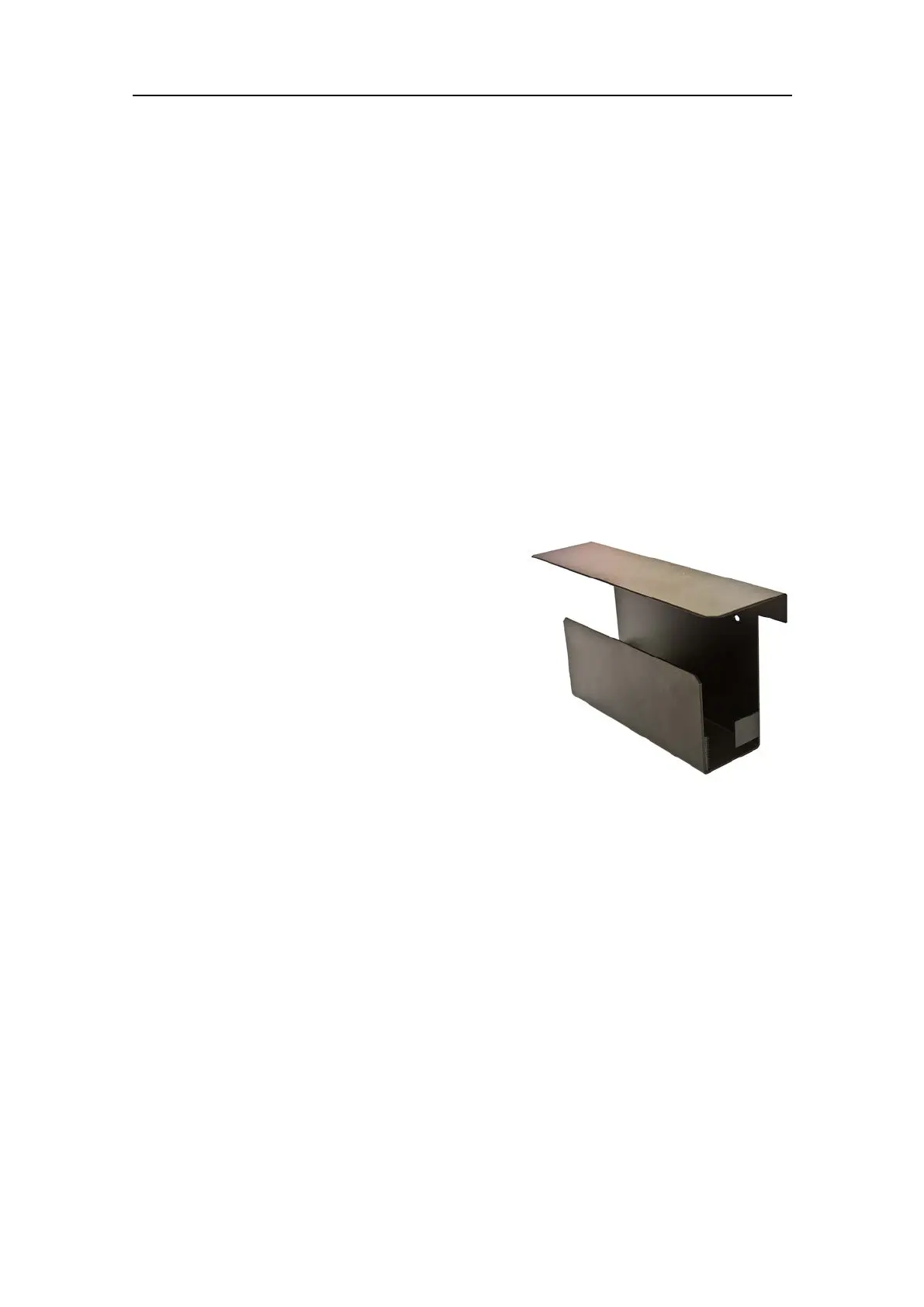
•Youcanmountitonadesktopusingthe
bracketsprovidedwiththeunit.
•Youcanmountitonabulkheadusingthe
optionalwallbracket.
•Youcanmountitusinganymeansavailable.
Thesepointsmustallbeconsideredtoreduce
electricalnoiseonanEK80system.
•IfyoumorethanoneWideBandTransceiver
(WBT),installtheseinsuchawaythatthe
transducercableshavethemaximumdistancetothepowerandEthernetcables.
•EnsuremaximumphysicaldistancebetweentheWideBandTransceiver(WBT)and
thePowerSupplyUnit.
•EnsuremaximumphysicaldistancebetweeneachPowerSupplyUnit.
•Ifpossible,installthetransceiversinasonarroomthatiselectricallyshielded.
•Makesurethatallunitsareproperlygrounded.
Procedure
1Findasuitablelocationforthepowersupply.
2Preparethelocationandthenecessarytools.
3Observetheinstallationrequirements.
aThechosenpositionmustttheavailablecablelengthsbetweenthepower
supply,thetransceiverandtheACmainspoweroutlet.
bIfyouplacetheunitonthebridge,observethecompasssafedistance.
InstallingtheEK80hardwareunits





 To Next Page