70
394149/D
cMakesurethatenoughspaceismadeavailableformaintenancepurposes.
dMakesurethatadequateventilationisavailabletoavoidoverheating.
eMakesurethattheinstallationmethodallowsforthephysicalvibration,
movementsandforcesnormallyexperiencedonavessel.
Note
Inordertoallowforfuturemaintenance,werecommendtomounttheunitwithits
cablesandconnectorsavailableforeasyaccess.
4Makesurethatthechosenlocationmeetstheinstallationrequirements.
5Bulkheadinstallation
aMountthewallbracketusingsuitableboltsorscrews.
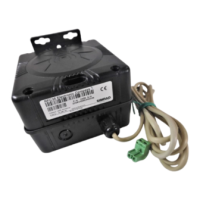
bPlacethepowersupplyinthebracketsothatthesmalllampisvisible.
6Desktopinstallation
aPlacetheunitinasuitablelocation.
bPositionandfastentheunitusingthebracketandthemountingscrews.
7"Adhoc"installation
aPlacetheunitinasuitablelocation(horizontallyorvertically).
bPositionandfastentheunitusinganymeansavailable.
8Connectthecables.
Note
Whenyouconnectthecables,makesurethattheyareallproperlysecured,andable
towithstandthevibrationandmovementsofthevessel.
Relatedtopics
InstallingtheEK80hardwareunits,page64
388697WideBandTransceiver(WBT)outlinedimensions,page308
Equipmenthandling,page320
Compasssafedistance,page301
SimradEK80InstallationManual





 To Next Page