5-31
bizhub PRESS C71cf
5
)Recover from Abrupt Stop of Power Supply
NOTICE
Do not pull out paper from the main body before turning on the main body.
A Turn on the power of the main body.
For details on how to turn the power on, refer to page 1-1.
Right after the abrupt stop of power supply, the conveyance fixing unit and secondary transfer roller
are attached to the media. If the paper is pulled from the delivering section at that moment, the fusing
belt may be damaged or media may be torn inside the machine.
If the paper is pulled from the feeding section, waste toner may spatter inside the machine.
B Pull the media from the delivering section and check if the media does not wind
around the conveyance fixing unit.
If paper cannot be pulled out of the delivery section, the media may wind around the conveyance fixing
unit. Contact your service representative.
C If the power of Roll Winder RW-101/Roll Winder RW-201 is off, turn on the power.
For details on how to turn the power on, refer to page 1-5.
D Prepare the machine to print.
For details, refer to page 2-4.
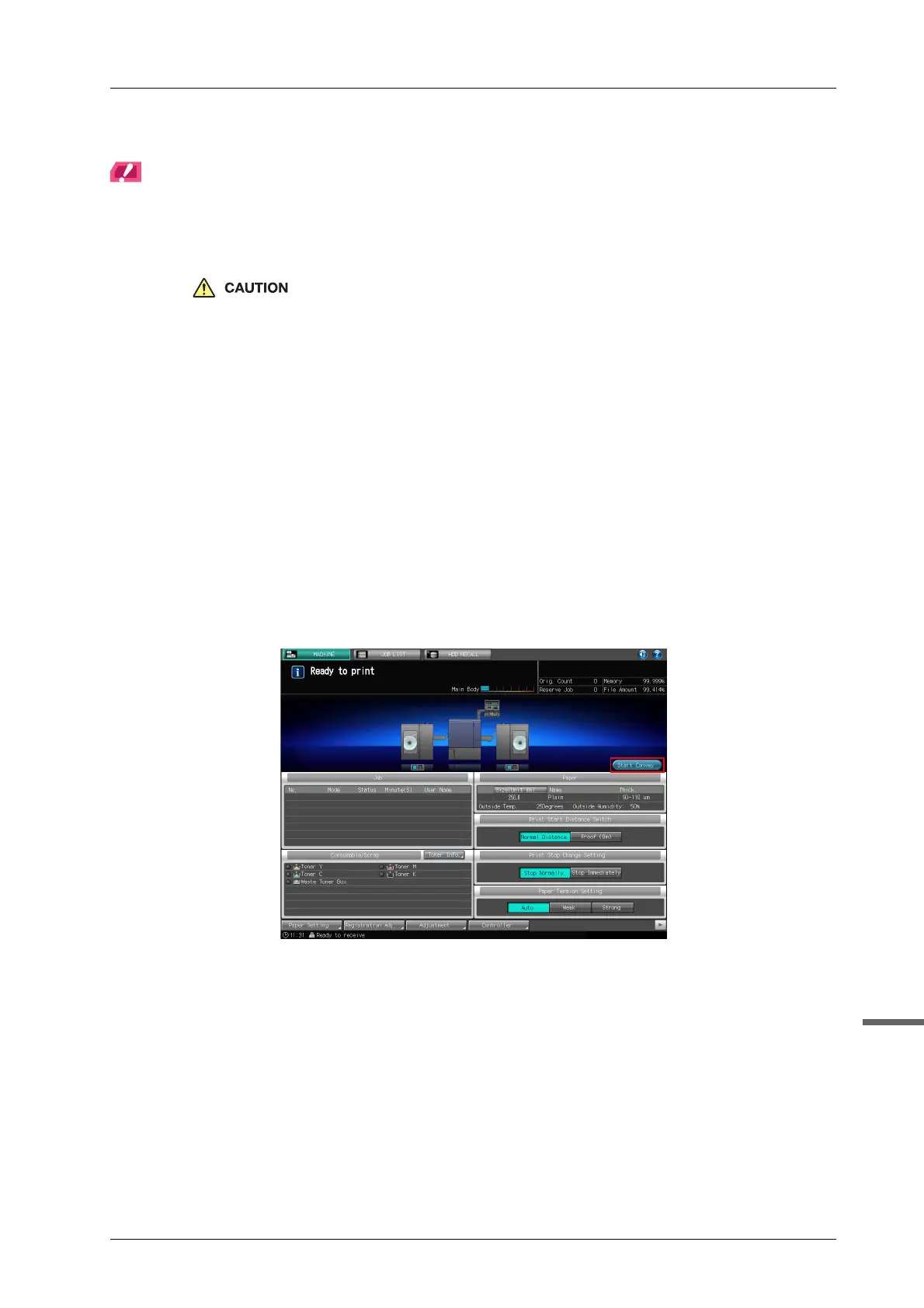
E Press [Start Convey] on the [MACHINE] screen on the touch panel of the main body
to deliver the media in the main body.
F Press [Stop Convey] on the [MACHINE] screen to stop media conveyance.
Unfixed toner attached to the media may soil the delivering rollers, the squeezing bars of Roll Winder
RW-201, or the rubber roller. Check those conditions above and clean the components if necessary.
For details about how to clean the machine, refer to page 4-9, page 4-11.



 To Next Page