4-1
4.1 Cleaning parts and intervals
4 Cleaning
4.1 Cleaning parts and intervals
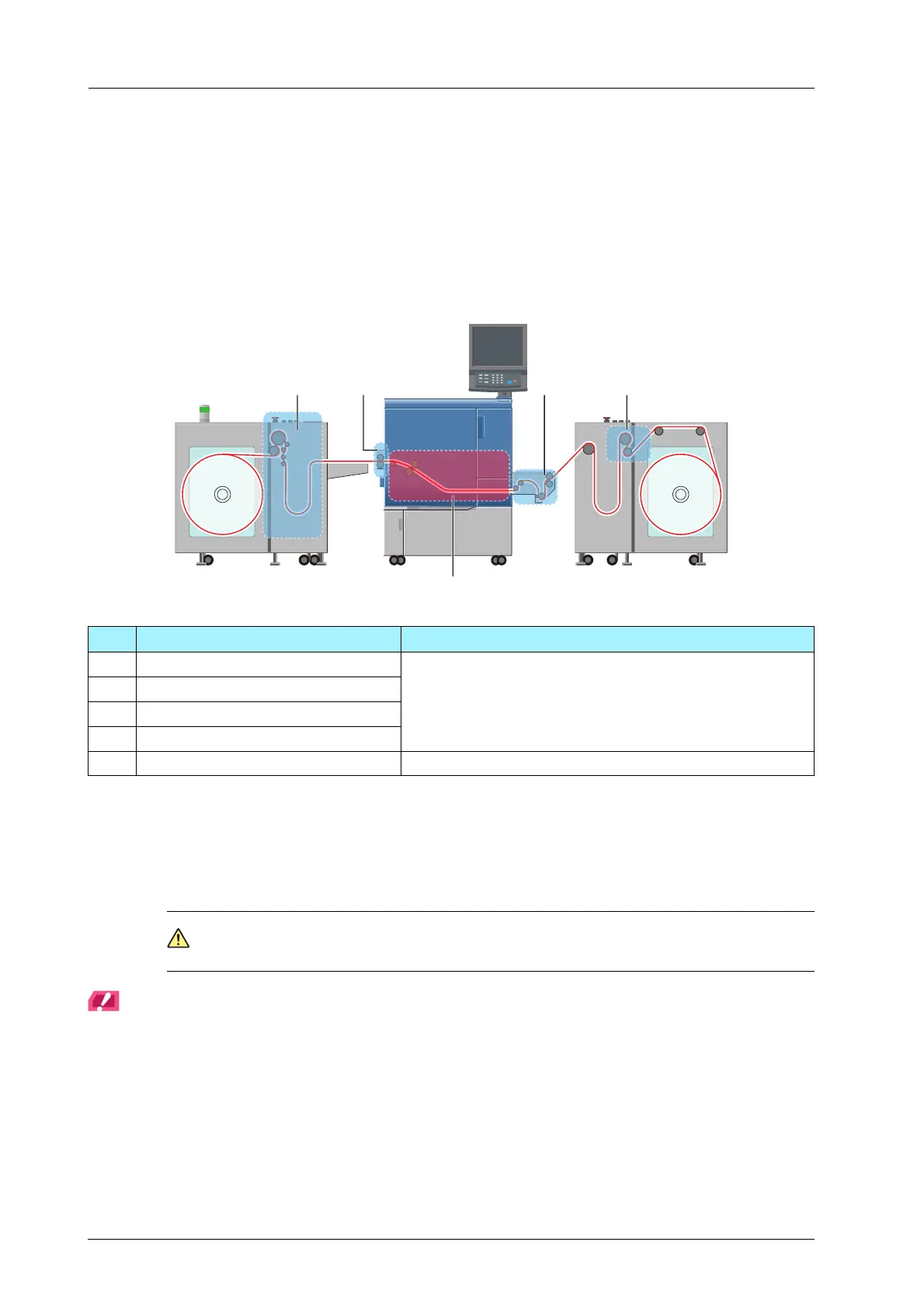
This section describes the parts and intervals to clean the main body.
- Using tack paper sticks adhesive on the conveyance route, and it may cause a media conveyance failure. In
order to realize the best performance, it is recommended to clean the machine in the following frequency.
- Properly clean the exterior of the machine and the control panel.
For details about cleaning, refer to the following:
- Daily Cleaning: page 4-2
- Weekly Cleaning: page 4-20
- Cleaning the Exterior of the Main Body: page 4-30
- Cleaning the Control Panel: page 4-31
CAUTION
When cleaning, be careful not to injure your hands with the edges of the metal plates and paper.
NOTICE
Depending on paper, cleaning may need to be performed at intervals shorter than the recommended ones.
Follow the procedures below to timely check for adhesive and perform cleaning.
1. Open the top cover of Roll Winder RW-201 and make sure that no adhesive has stuck to the ends of the rubber
roller or the media guides. If any adhesive has stuck to these parts, clean them. For details, refer to page 4-11.
2. Make sure that no adhesive has stuck to Roll Winder RW-101, leading section, delivering section, or the
machine interior. If any adhesive has stuck to these parts, clean them. For details, refer to page 4-2 and
page 4-20.
No. Cleaning Parts Recommended Intervals
1 Roll Winder RW-101 Daily or every 1,200 m / 3936.96' of printing
2 Leading section
3 Delivering section
4 Roll Winder RW-201
5 Internal Machine Items Weekly or every 6,000 m / 19684.8' of printing



 To Next Page