6-8
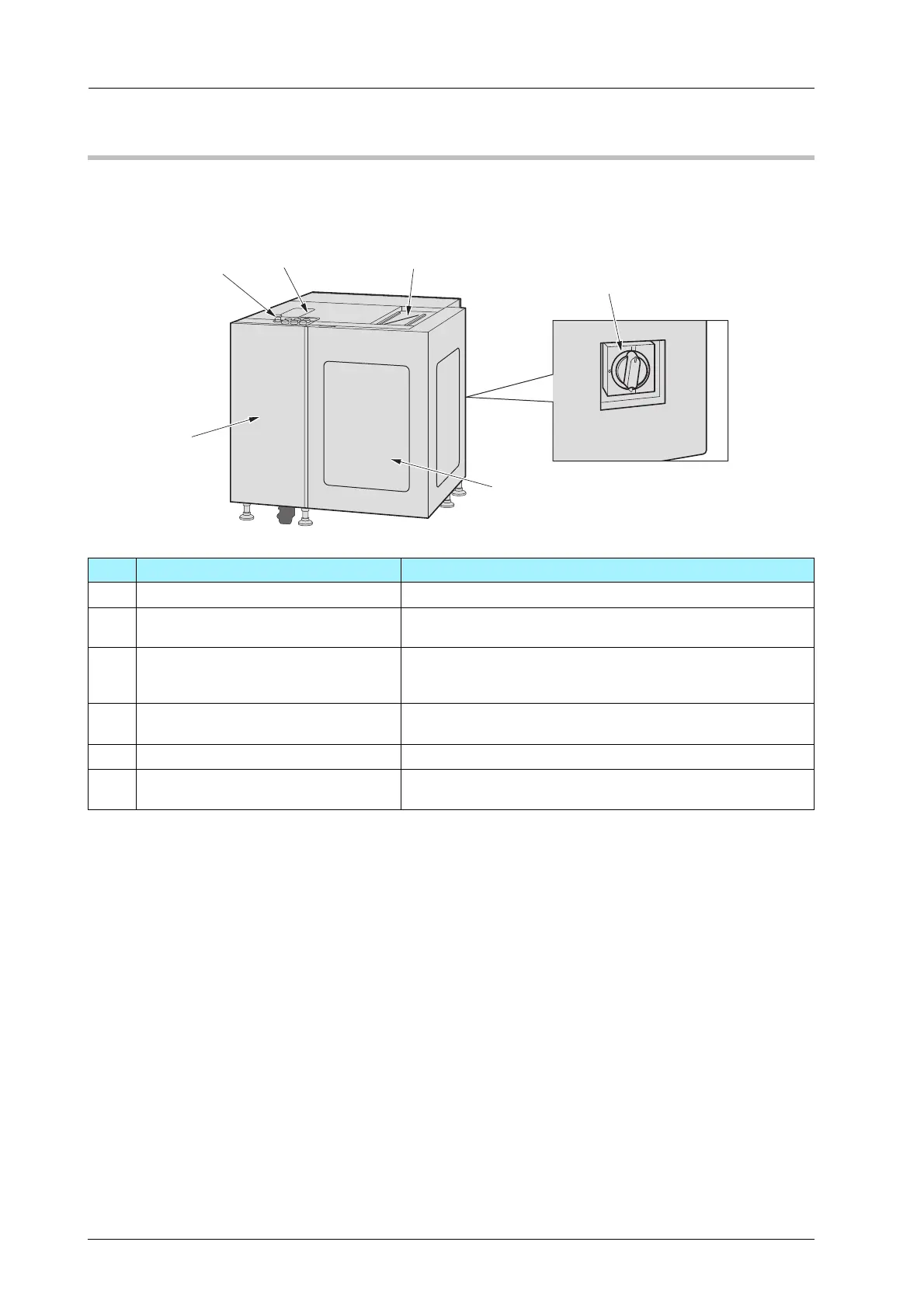
6.2 Name of each Component
Roll Winder RW-101
)External Machine Items
ON
O
F
F
TRI
PP
ED
R
ESE
T
2
3
1
4
5
6
No. Name Description
1 Control panel Press to operate.
2 Top cover Protects the rollers in Roll Winder RW-101. If the top cover
opens, the machine stops immediately.
3 Workbench Tape the both edges of the old and new media on it when re-
placing the media. A guide groove when cutting media is sup-
plied.
4 Media cover Protects the media and feeding shaft. If the media cover
opens, the machine stops immediately.
5 Front door Opens to operate the lever.
6 Power switch Turns ON/OFF the power of Roll Winder RW-101/Roll Winder
RW-201.



 To Next Page