3-20
3.3 Replacing the Media Core
3.3 Replacing the Media Core
This section describes how to replace the media core of Roll Winder RW-201.
- To replace the media when the print job is finished
- To replace the media when the winding diameter reaches the maximum value 500 mm / 19.69"
NOTICE
Before taking the media from Roll Winder RW-201, make sure that this machine stops.
Set the Media core to the Winding Shaft
Before setting the media core to the winding shaft, prepare the following items.
- Scissors
- Masking tape (width more than 30 mm / 1.18")
- Ruler
- Phillips screwdriver and other tool
- Lifter
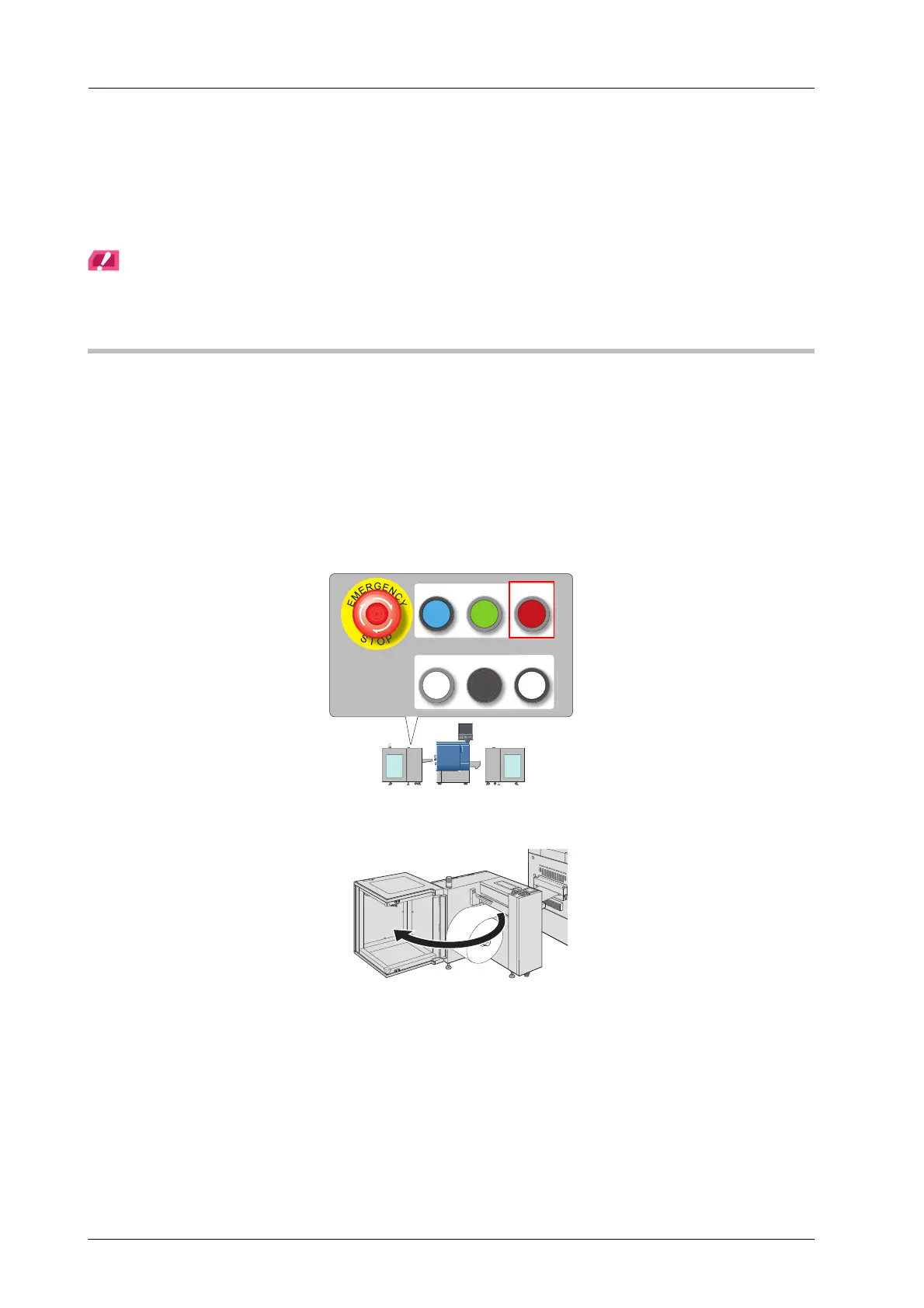
A Press the REWIND MOTOR OFF on the control panel of Roll Winder RW-201.
The motor of Roll Winder RW-201 stops.
B Open the media cover of Roll Winder RW-201.
REWIND MOTOR
ON
REWIND MOTOR
OFF
EMG.RESET
READY JOG
STOP



 To Next Page