2-19
bizhub PRESS C71cf
2
2.3 Operation After Printing
Step 1: Replace the Media Core
Remove the media after printing and install a new media core.
For details, refer to page 3-20.
Step 2: Idle the machine
After printing, perform the following operations to idle the machine.
- Turn the Winding Motor OFF
- To prevent the winding motor from deteriorating, turn the motor OFF.
- Detach the rubber rollers of Roll Winder RW-101/Roll Winder RW-201.
- To prevent the rubber rollers and the media from attaching to each other, detach the rubber rollers on Roll
Winder RW-101/Roll Winder RW-201.
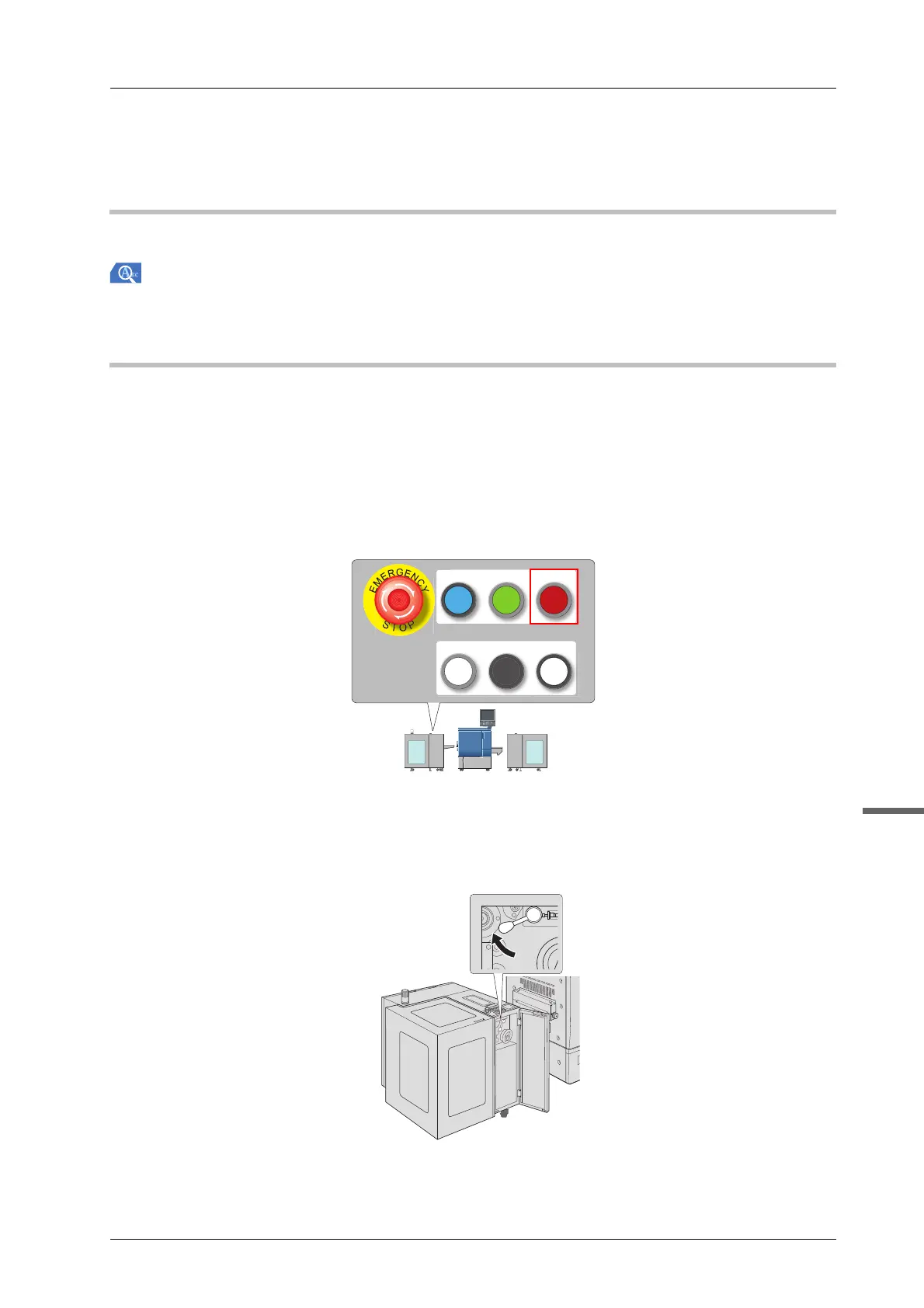
A Press the REWIND MOTOR OFF on the control panel of Roll Winder RW-201.
The motor of Roll Winder RW-201 stops.
B Open the front door of Roll Winder RW-201 and move the lever to detach the rubber
roller.
C Close the front door of Roll Winder RW-201.
REWIND MOTOR
ON
REWIND MOTOR
OFF
EMG.RESET
READY JOG
STOP



 To Next Page