6-10
6.2 Name of each Component
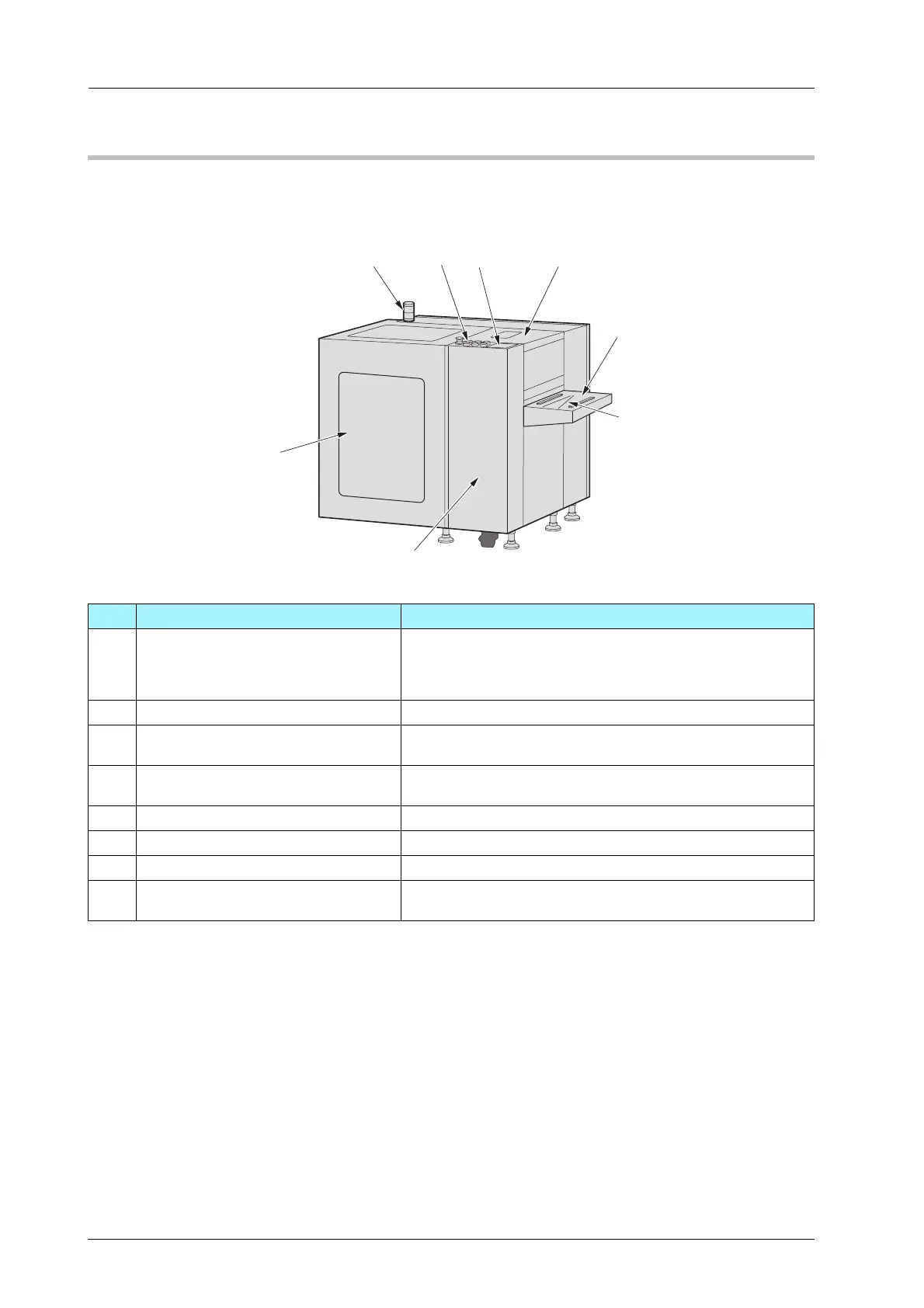
Roll Winder RW-201
)External Machine Items
No. Name Description
1 Status indicator light Notifies the status of Roll Winder RW-101 and Roll Winder
RW-201. Lights in green when printing and conveying the media
and lights in red when an error occurs. Does not light when the
machine stops.
2 Control panel Press to operate.
3 Touch panel Displays the status of Roll Winder RW-101 and Roll Winder
RW-201. When errors occur, displays the positions of errors.
4 Top cover Protects the rollers in Roll Winder RW-201. If the top cover
opens, the machine stops immediately.
5 Workbench Tape and cut the media here.
6 Cutter groove Cuts the media along the groove.
7 Front door Opens to operate the lever and side plates moving handle.
8 Media cover Protects the winding shaft and media. If the media cover
opens, the machine stops immediately.



 To Next Page