3-10
3.2 Changing the Media
Adjust the Media Tension
Adjust the tension according to the type and thickness (weight) of the media before conveying.
NOTICE
If the tension is not set to fit the media, it may cause paper jams or media meandering.
)Specify the Paper Type and Thickness (Weight)
Before printing, specify paper conditions such as the paper type and thickness (weight) on the main body to suit the
media type.
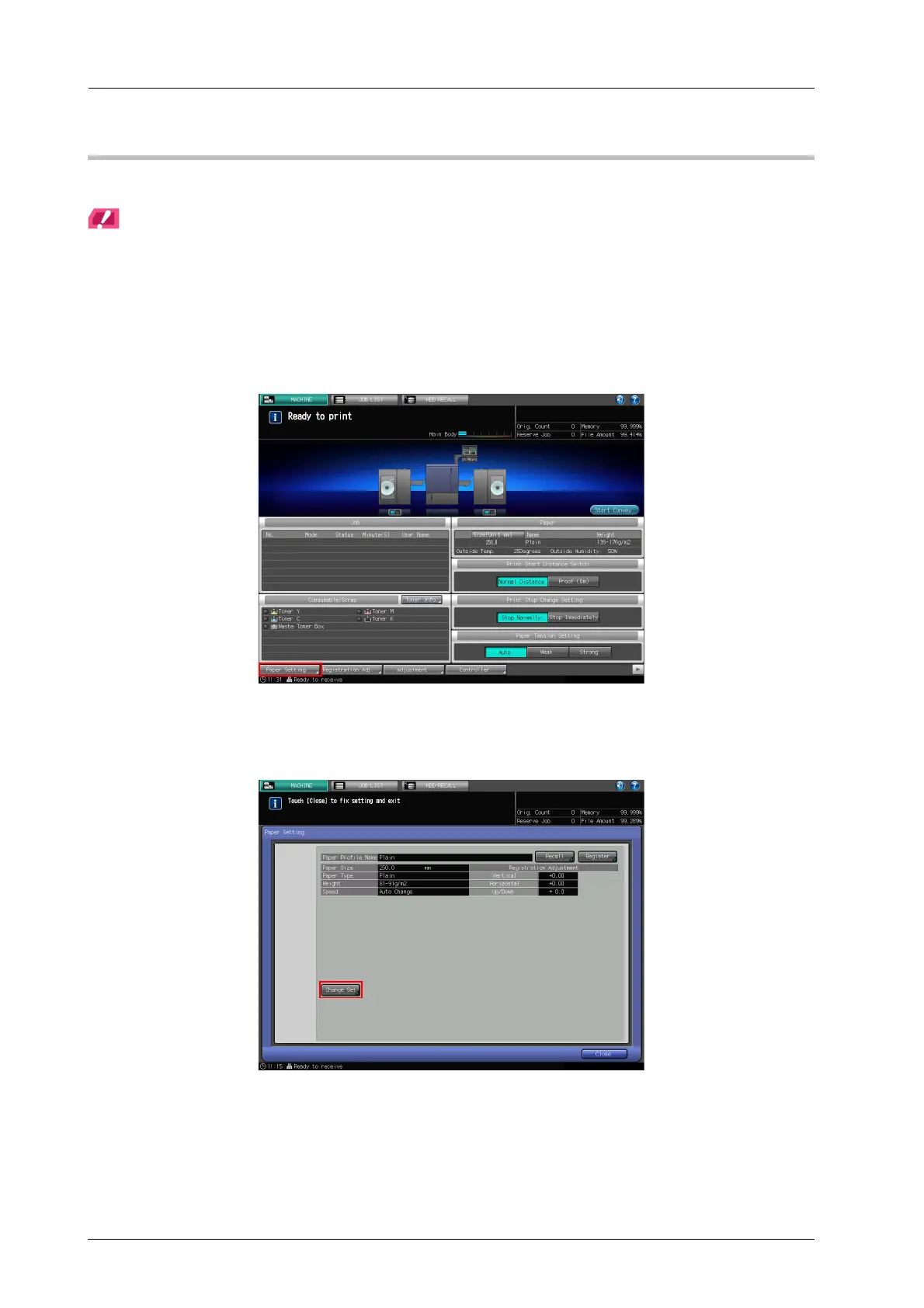
A Press [Paper Setting] on the [MACHINE] screen.
The [Paper Setting] screen is displayed.
B Press [Change Set].
The [Change IndividualSet] screen is displayed.



 To Next Page