1-10
1.2 Machine Panel
Touch panel (Roll Winder RW-201)
Operate the touch panel on Roll Winder RW-201 to check the status and change the settings of Roll Winder RW-
101 and Roll Winder RW-201.
When the power switch of Roll Winder RW-101 and Roll Winder RW-201 is turned ON, the [Menu] screen is
displayed.
If no operations are made on the touch panel for 30 minutes, the touch panel enters sleep mode. When you press the
touch panel during sleep mode, the machine exits sleep mode.
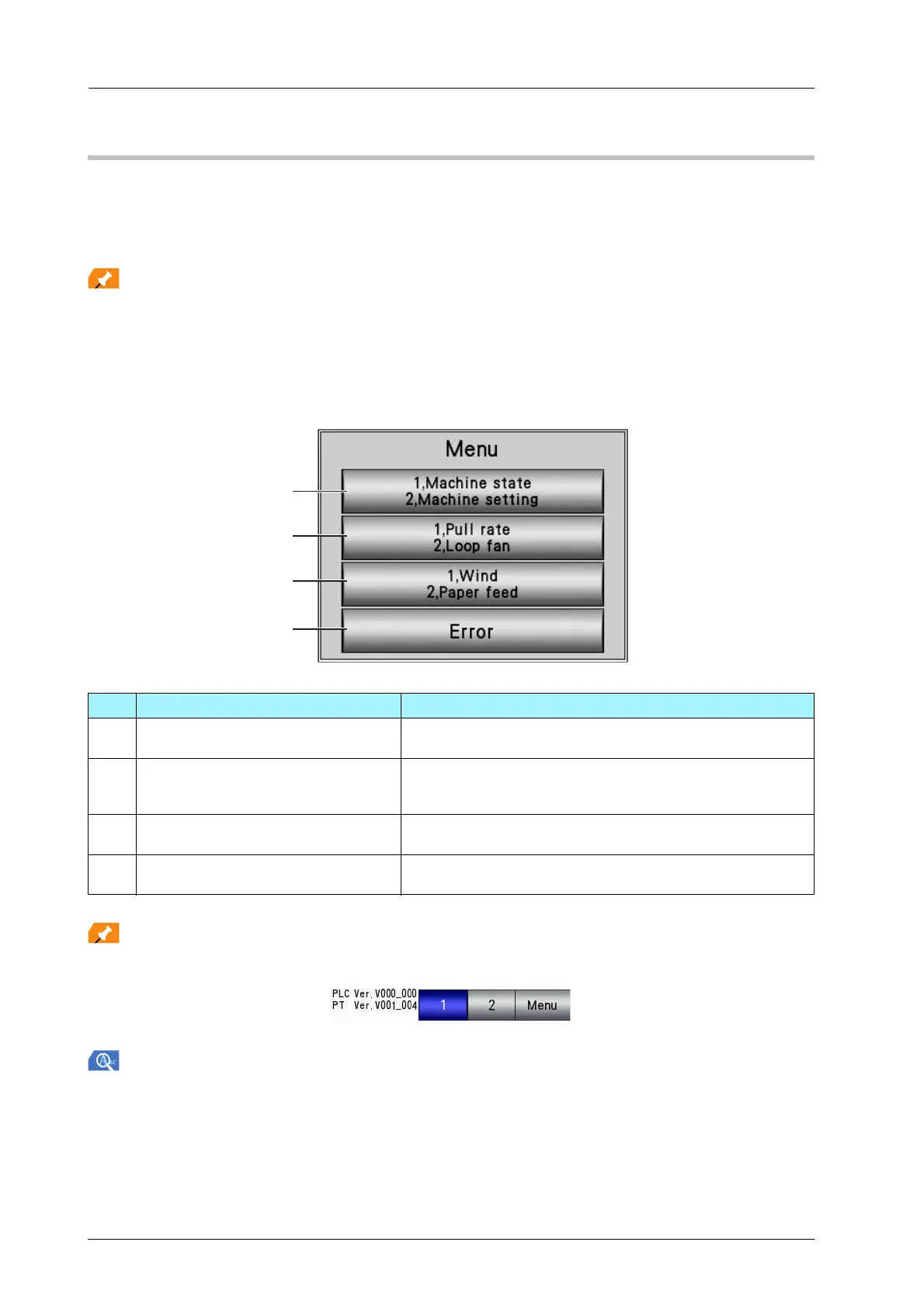
)[Menu] Screen
This section describes the [Menu] screen.
Press [Menu] in the taskbar displayed on the top of each screen to display the [Menu] screen.
For details on the display of the touch panel of Roll Winder RW-201, refer to the HTML User's Guide.
No. Name Description
1 [1. Machine state/2. Machine setting] Check the status and specify the settings of Roll Winder RW-
101 and Roll Winder RW-201.
2 [1. Pull rate/2. Loop fan] Configure operation settings of the paper feed loop fan or
winding loop fan, and the pull rate of the pull roller on Roll
Winder RW-101 and Roll Winder RW-201.
3 [1. Wind/2. Paper feed] Displays the current roll diameter and specifies the maximum
roll diameter alert and preliminary alert diameter settings.
4 [Error] Displays the [Error] screen if an error occurs on Roll Winder
RW-101 or Roll Winder RW-201.



 To Next Page