3-23
bizhub PRESS C71cf
3
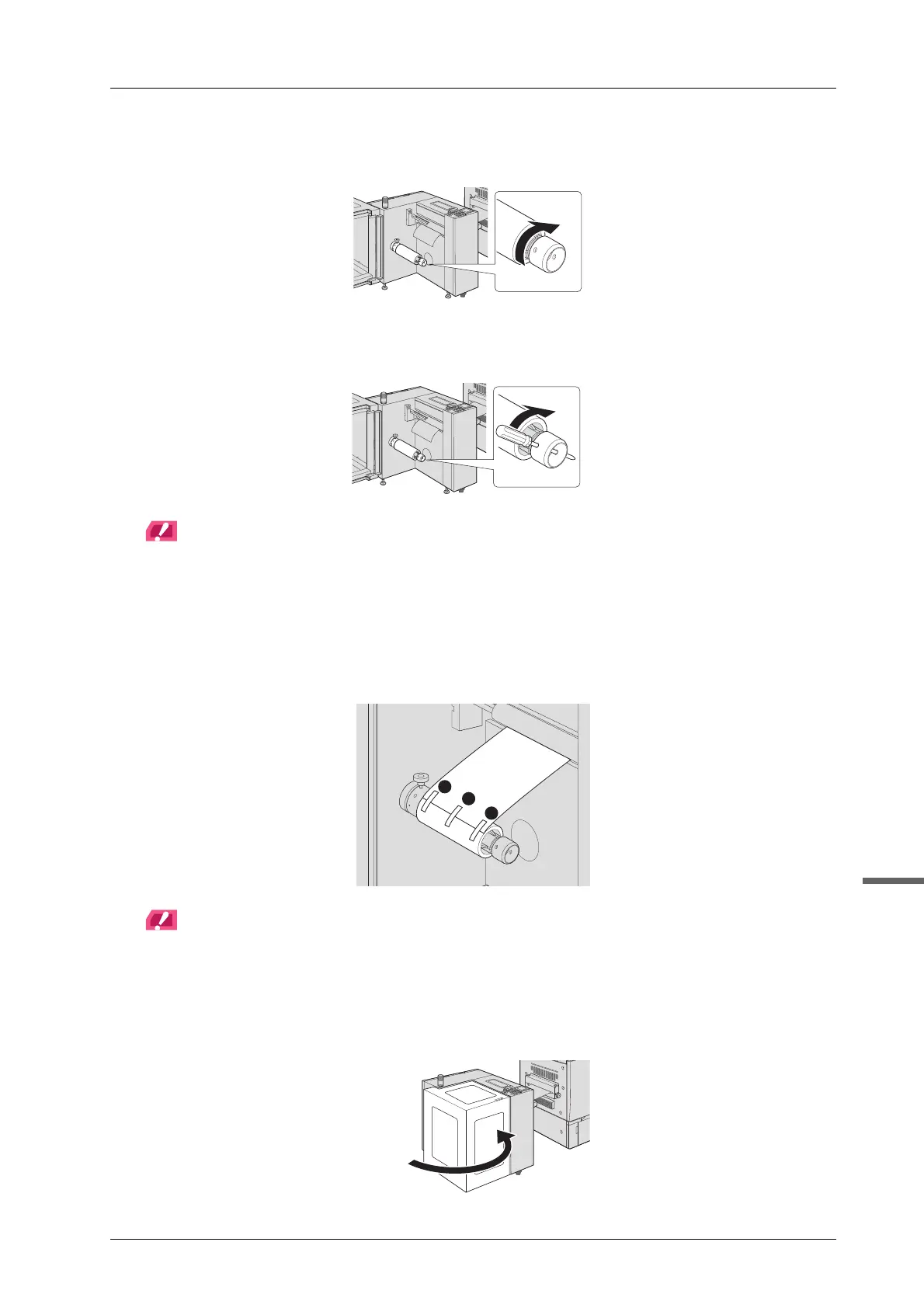
H Clockwise turn the lug protruding/retracting handle by hand until it stops to fix the
media core.
I Insert a Phillips screwdriver etc. through the hole of the lug protruding/retracting
handle and tighten clockwise.
NOTICE
If the media is not firmly fixed with the winding shaft, it may cause the running idle. Please note that if lug
protruding/retracting handle is rotated hard, the media core may be damaged.
When fastening the lug protruding/retracting handle, insert a Phillips screwdriver or similar tool through the
hole of the winding shaft to fix the winding shaft, or hold the fixing handle of the winding shaft by hand to fix
the winding shaft.
J Attach the media to the media core with pieces of masking tape.
NOTICE
Be sure to attach in three positions, center, back, and front in the order to equalize the tension on the front and
back.
Make sure the paper is securely attached to the media. Otherwise, the media may lean to one side.
K Close the media cover.



 To Next Page