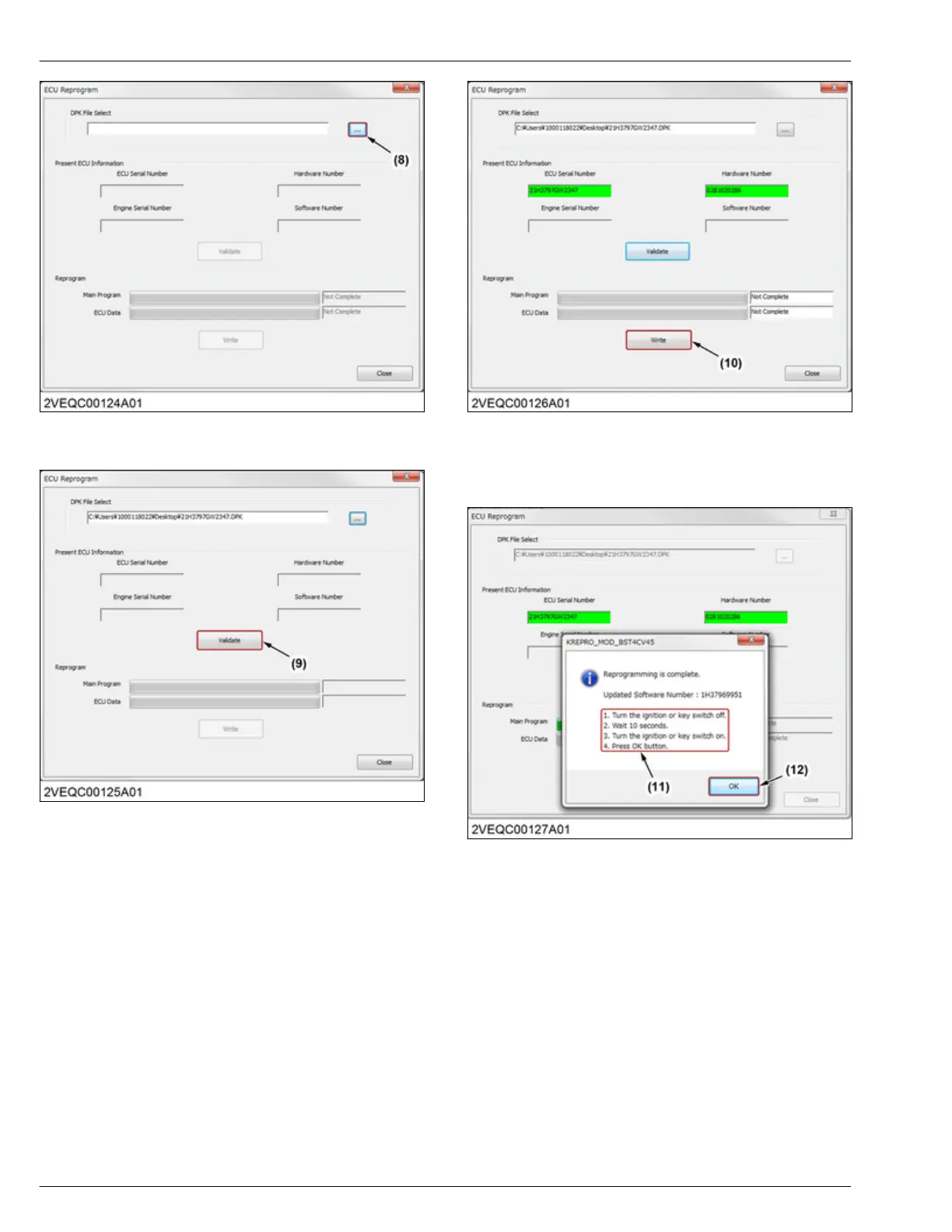
(8) Browse button
3. Click the [Validate] button (9).
(9) Validate button
4. If
"Present ECU Information" is correct (green
color), click the
[Write] button (10).
(10) Write button
5. After the main program rewriting is complete, follow
the
"instruction" (11), then click the [OK] button
(12).
(11) Instruction (12) OK button
6. After
the engine ECU data rewriting is complete,
follow
the "instruction" (13), then click the [OK]
button (14).
4. ENGINE
SERVICING
7. Servicing
D1803-CR-E4,D1803-CR-TE4,D1803-CR-TIE4,V2403-CR-E4,V2403-CR-TE4,V2403-CR-TE4BG,V2403-CR-TIE4




 To Next Page