Windows Software Reference (Single Chamber Mode)
8-39
ON/OFF
Auto
mated Soil
C
O
2
Flux
S
ystem
ON/OFF
P
O
WE
R
IRGA R
E
ADY
ACT
IV
E
LOW
BA
TT
E
R
Y
READY
ON/O
FF
ON/O
FF
ON/O
FF
Auto
mated Soil
C
O
2
Flux
S
ystem
ON/O
FF
P
O
WE
R
IRGA R
E
ADY
ACT
IV
E
LOW
BATT
E
R
Y
READY
ON/O
FFON/O
FF
LI-8100A #1
LI-8100A #2
iPod Touch
Computer
Wired Ethernet Network
File Server
Hardware Access Point
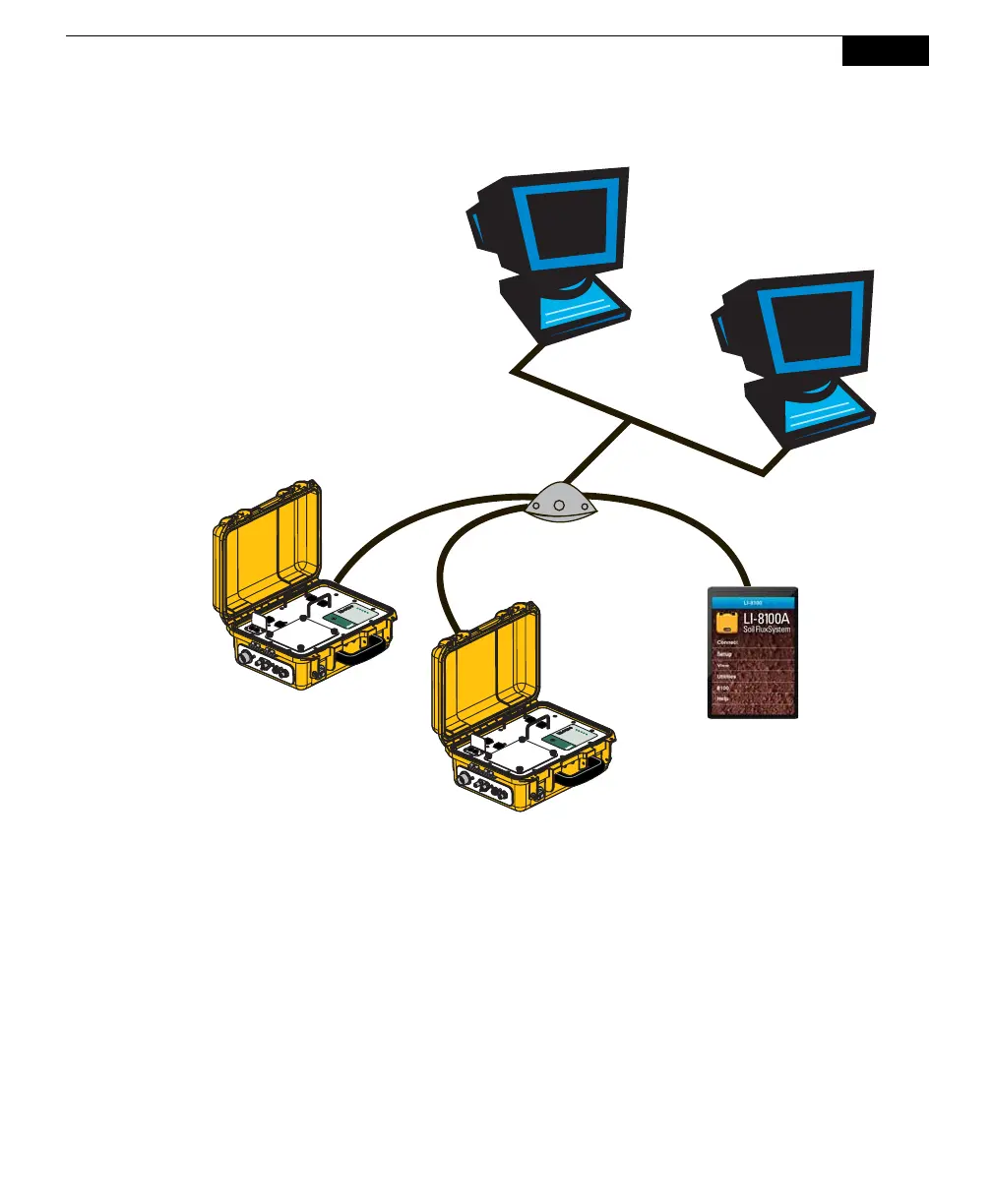
Figure 8-2. A hardware access point can be used to bridge wireless and wired network
devices.
Connecting to the LI-8100 on a wired network
The LI-8100A also has the ability to support a wired network interface card.
However, the instrument cannot support both a wired and wireless Ethernet card
simultaneously. The wired network can also be setup as a peer-to-peer network,
but in this case, the network devices connect to each other with a hub or a switch.
Network Setup
In order to communicate with other devices on any type of network, the LI-8100A
must be given a unique IP address, netmask, and gateway. Additionally, if
communicating on a wireless network, the connection type, network name,
channel and data encryption options can be set.



 To Next Page