Using the LI-8150 Multiplexer
10-9
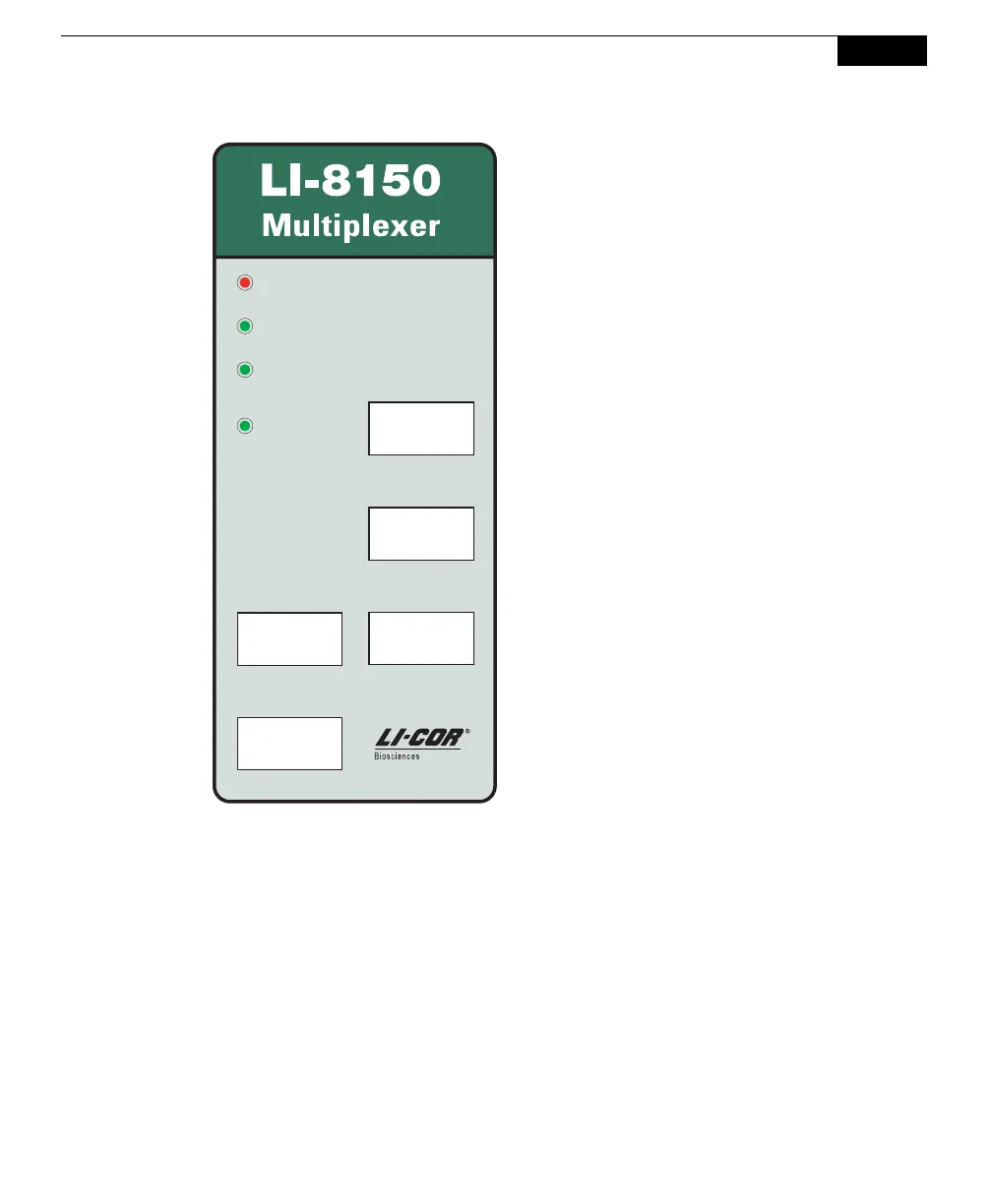
Power
Active
Chamber
V3V2
V4
Check Error Log
Active
Valve
Activate All Chambers
Power – Illuminates when power is applied
to the instrument, and the power switch is
turned On.
Check Error Log – illuminates when an
error condition is detected (e.g. a chamber
failed to close, flow rate is too low, etc.).
The Error Log can be viewed in the
Windows application software, under the
View Menu, and in the Palm software, by
pressing the “E” indicator when present.
Activate All Chambers – illuminates when
Chamber Actuator Button is pressed. All
connected chambers will close in series (4
at a time); (1-4), (5-8), (9-12), and (13-16).
Active Chamber – displays chamber that is
currently performing a measurement.
Active Valve – displays currently active
(open) solenoid valve. When a measure-
ment is being performed, this will always
match the Active Chamber. When the
instrument is idle, however, a valve can be
operated independent of the chamber(s).
V2-V4 – shows the port from which the
indicated voltage output is coming.



 To Next Page