3-4
Measurement Quick Start
The Chamber Volume and Soil Area values are automatically entered. Enter a
value for the Chamber Offset. The Chamber Offset is the distance (in cm)
between the soil surface and the bottom of the soil chamber, and is dependent
upon the depth that the collar is inserted into the ground (discussed in Section
2, Initial Setup). Ultimately, this offset will affect the total volume of air in the
chamber that is used to calculate flux.
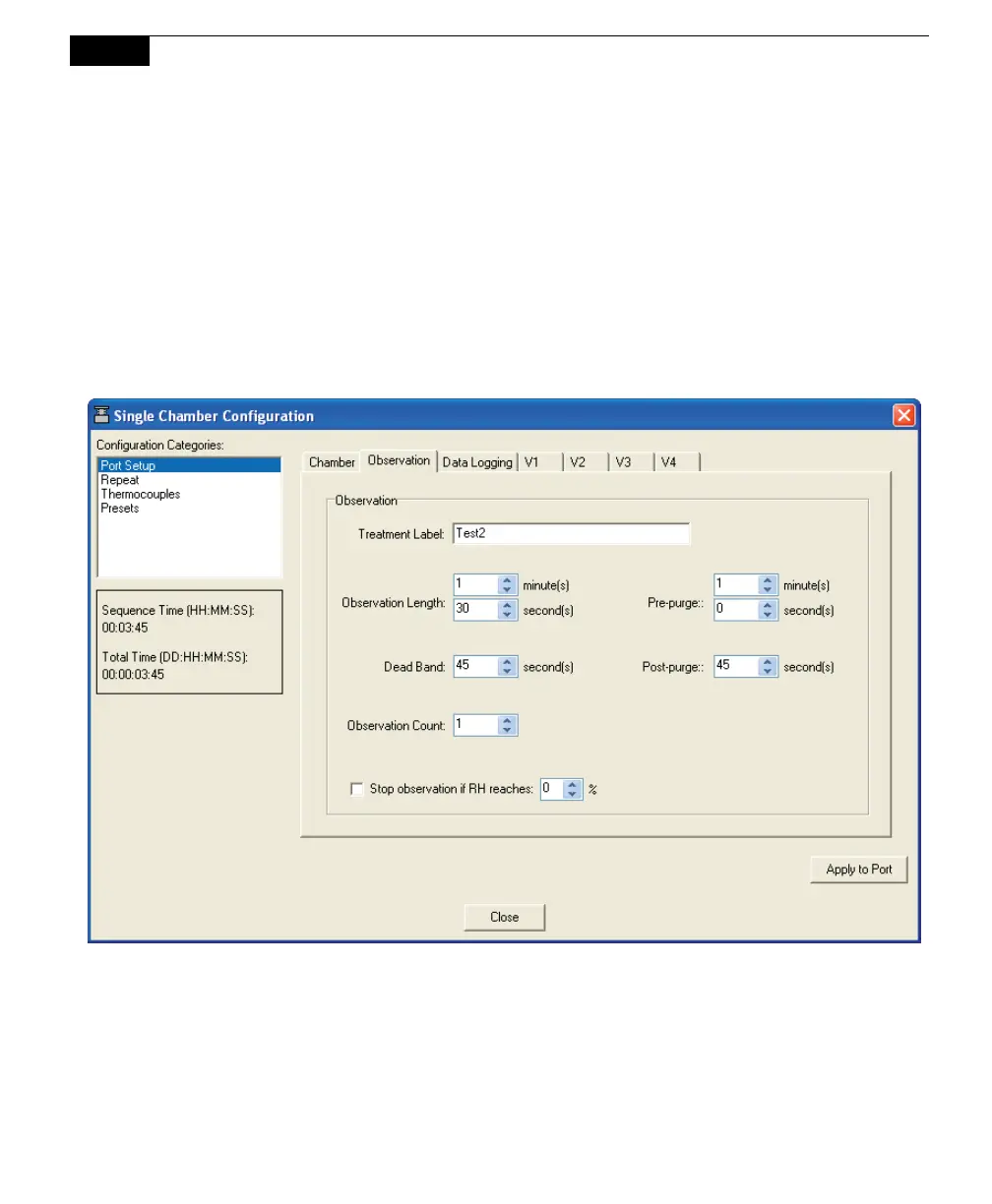
8. Click on the Observation tab.
For this example, we'll simply use the default values that appear in the
window. Enter a Treatment Label if desired.
9. Choose Instrument Settings from the 8100 menu.



 To Next Page