MX-FR Series Modular Matrix Frames – User's Manual 113
DVI-OPT Output Port
Supported Boards:
▪ MX-DVI-OPT-OB
Description:
Port Parameters and Settings
The actual setting is in the response, see the legend.
Setting the Parameters
The Laser has been enabled, the others left unchanged.
Legend
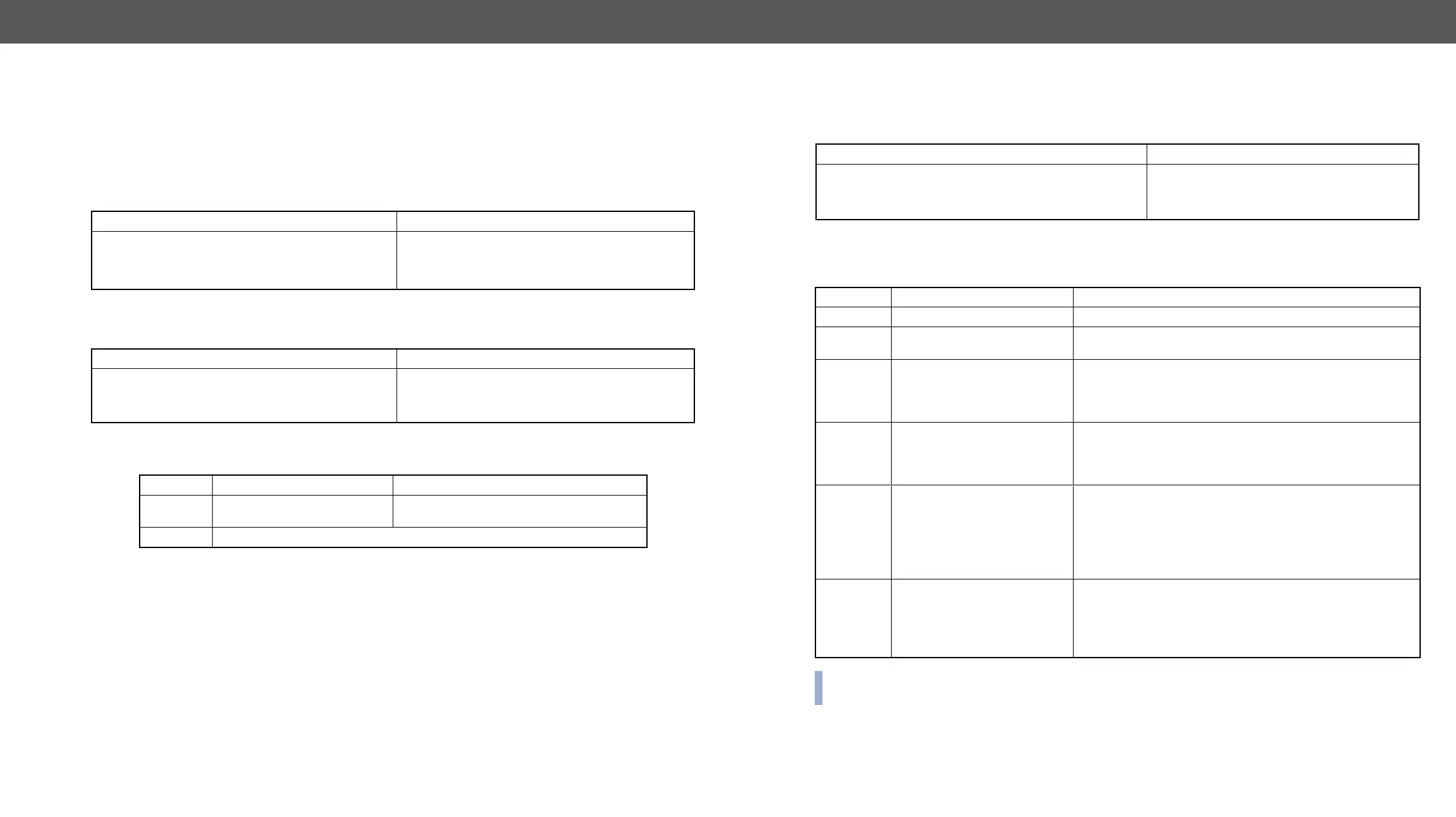
Format
Command
→
{:TOSA#9@SO=?}
Response
(TOSA#9@SO=<laser>;<opt_cod>;)CrLf
←
(TOSA#9@SO=1;C;4TCDP1081BT;LC;30;31;26;
31;22;24;22;24;3;2;0)CrLf
Format
Command
→
{:TOSA#9@SO=?}
Response
(TOSA#9@SO=<laser>;<opt_cod>;)CrLf
←
(TOSA#9@SO=1;C;4TCDP1081BT;LC;30;31;26;
31;22;24;22;24;3;2;0)CrLf
Parameter Description Parameter Values
<laser> Laser beam setting
0 = disable laser
1 = enable laser
<opt_cod> Optical module-related parameters for internal use
RICOD Related Commands
Setting the RICOD MASTER Command
Description: Sets the RICOD command for the selected input port.
Legend
INFO:
on this input.
Format
Command
→
{:ricod#1@SI=10;2;1;}
Response (RICOD#<in>@<S>I=<A1><A2>;<B>;<C>;)CrLf
←
(RICOD#1@SI=10;2;1;)CrLf
Parameter Description Parameter Values
<in> Input port number Input number in 1 or 2 digit ASCII format (01, 3, 04 etc.)
<S/A> Affected ports
S = single selected input
A = all inputs
<A1>
RICOD enable parameter on
the input
1: The RICOD function is enabled to this input port on the
local device (where the command was given).
0: The RICOD function is disabled to this input port on the
local device (where the command was given).
<A2>
Remote lock enable parameter
(it takes effect only if RICOD is
enabled by <A1>)
1: The front panel buttons (of a transmitter) or the output
(of a video matrix) is locked on the remote device.
0: The front panel buttons (of a transmitter) or the output
(of a video matrix) is unlocked on the remote device.
<B> The selected video input
- (hyphen) = There is no video switch command.
A = Automatic input select must be performed on the
remote device if available. (i.e. Autoselect function)
0 (zero) = The output needs to be muted if available.(switch
to zero)
1 , 2 , ... , 80: Use the given input number if available.
<C> The selected audio input
- (hyphen) = There is no video switch command.
A = Automatic input select must be performed on the
remote device if available. (i.e. Autoselect function)
0 (zero) = The output needs to be muted if available.
1, 2, ... , 80: Use the given input number if available.


 To Next Page