MX-FR Series Modular Matrix Frames – User's Manual 114
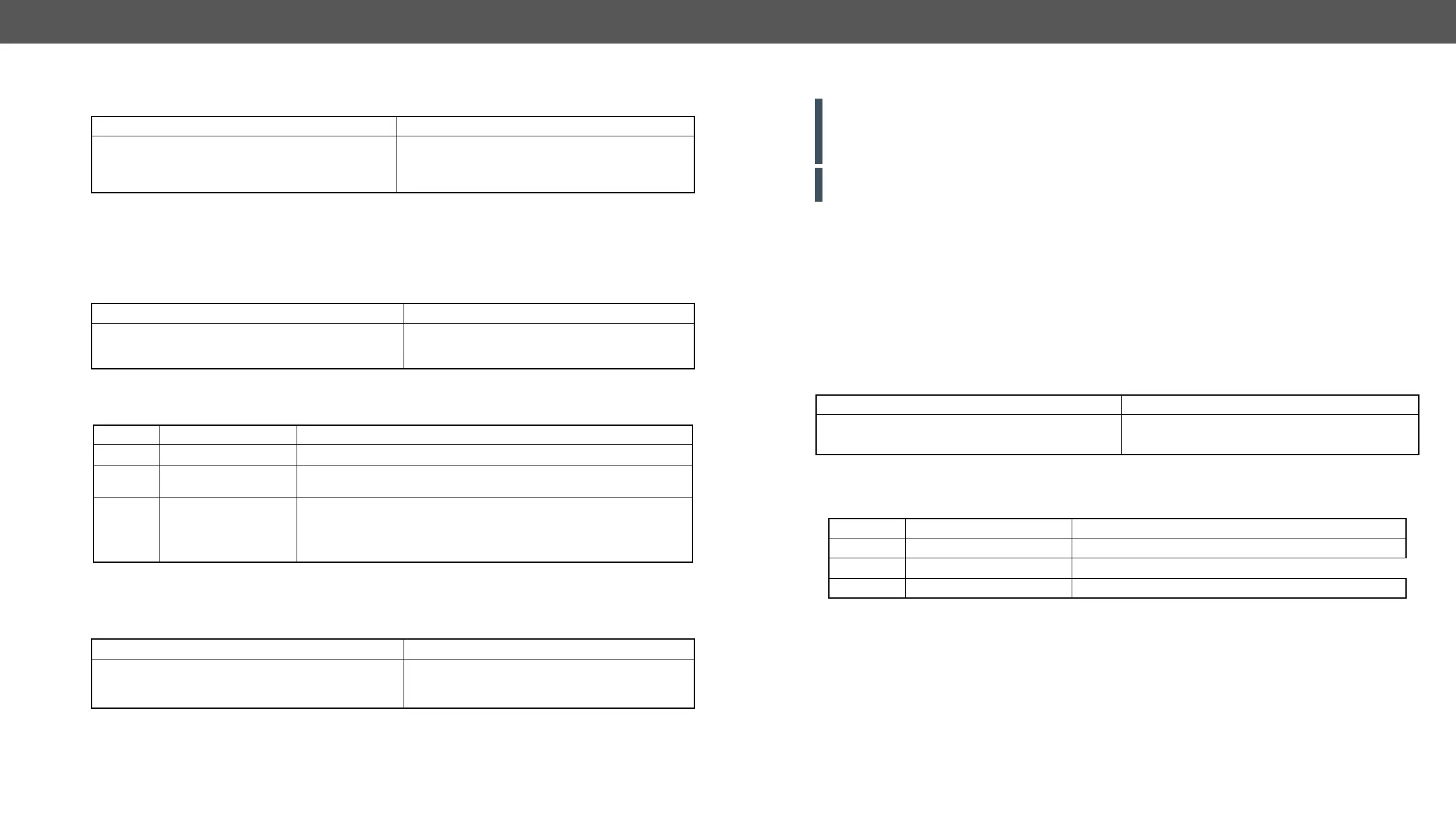
Description: Checks the status of the previously set RICOD command for the selected input port.
Legend: See previous section.
Description: Checks the previously set RICOD status for the selected output port of the local device.
Legend
Setting the RICOD SLAVE Status
Description: Enables or disables the reception of RICOD commands over the selected output port of the
local device.
Legend: See previous section.
Format
Command
→
{:ricod#1@si=?}
Response (RICOD#<in>@<S>I=<A1>
<A2>;<B>;<C>;)CrLf
←
(RICOD#1@SI=11;1;1;)CrLf
Format
Command
→
{:ricod_slen#1@SO=?}
Response (RICOD_SLEN#<out>@<S>O=<num>)CrLf
←
(RICOD_SLEN#1@SO=1)CrLf
Parameter Description Parameter Values
<out> Output port number Output number in 1 or 2 digit ASCII format (01, 3, 04 etc.)
<S/A> Affected ports
S = single selected input
A = all inputs
<num>
RICOD enable
parameter on the
output
1: The RICOD functionality is enabled on the given output port. If a
RICOD command is detected it will be executed.(If it is possible.)
0: The RICOD functionality is disabled on the given output port. Any
incoming RICOD command will be rejected.
Format
Command
→
{:ricod_slen#1@SO=1}
Response (RICOD_SLEN#<out>@<S>O=<num>)CrLf
←
(RICOD_SLEN#1@SO=1)CrLf
RS-232 over Fiber Commands
ATTENTION!
from the end point to avoid the overload of the data transmission (e.g. see the SERIAL command in the
Setting the Serial Parameters section).
ATTENTION!
break between the data packets then the sent data could be lost.
Important Notices
▪ The data rate can be 9600, 14400, 19200, 38400, 57600 baud. There is one stop bit and no parity bit.
▪ Maximum 64-byte data can be sent and 54-byte data can be received at once.
▪ There are two methods for sending data: ASCII and binary modes.
▪ HDMI-OPT-TX100R, HDMI-OPT-TX200R, MX-HDMI-OPT-IB: the baud rate can be set on the HDMI-OPT
transmitter unit via a rotary switch.
▪ MX-HDMI-OPT-OB, HDMI-OPT-RX100R, HDMI-OPT-RX200R: the baud rate can be set on the router via
protocol command or from the LCD menu. The baud rate can be set independently on each port.
Description:
remote controlled device responses the matrix is able to receive and show it.
Legend
Important Notices about the Escape Characters
The text may contain any characters except "{" and "}" which are used for command framing. The following
escape sequences are supported: \r (carriage return); \n (new line); \t (bs); \x [hex code].
send the {power on}\r\n string to the second output:
{:S#2@SO=\x7Bpower on\x7D\r\n}
It is possible to send the real characters (new line-carriage return) instead of \r\n, but curly brackets must
be escaped. Other characters can also be escaped if it is preferred:
{:S#1@SO=\x7Bpower\x20on\x7D\r\n}
Format
Command
→
{:s#17@so=Blind text\r\n}
Response No response by the matrix No response by the matrix
Parameter Description Parameter Values
<in
2
>/<out
2
> Input or output port number Output number in 1 or 2 digit ASCII format (01, 3, 04 etc.)
<I/O> Input or output port type I = input, O = output
ASCII text Text to be sent


 To Next Page