LM 287 User Manual – 30.10.2023
28
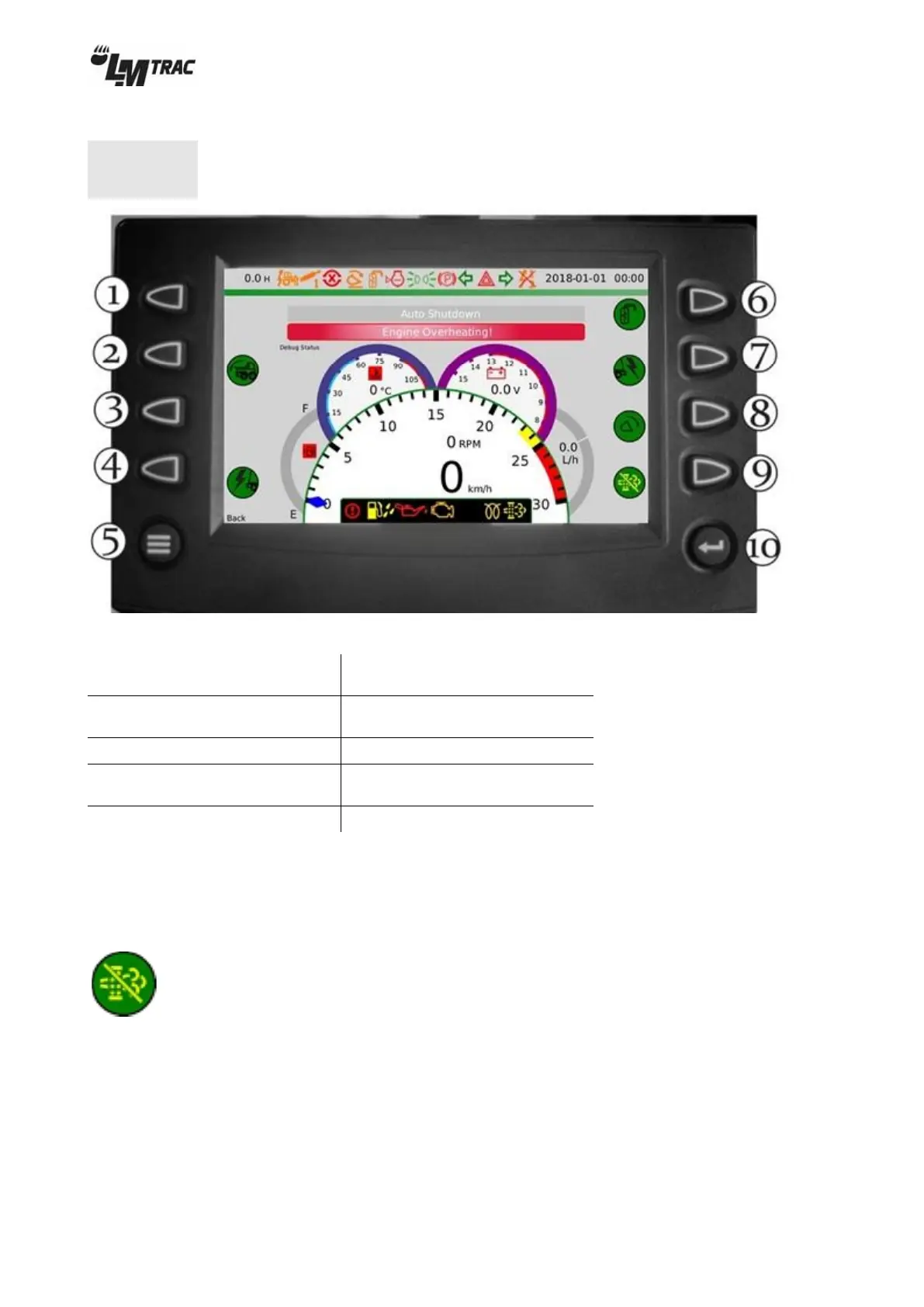
4.4.2 Tool view screen buttons
Some of the screen buttons might have different functions
depending on your machine’s equipment.
Figure 30 – screen buttons on tool view
6. Mirror heating
(optional accessory)
2. Hydraulic bonnet tilting
(optional accessory)
7. Front power take-out 12V
(optional accessory)
4. Rear power take-out
12V(optional accessory)
9. Preventing of regeneration
5. Back to previous view (≡)
4.4.2.1 Regeneration
Regeneration is fully automatic.
Preventing regeneration
Regeneration can be prevented by pressing screen button (9) on the tool view.
When regeneration is prevented, background of symbol is green.


 To Next Page