LM 287 User Manual – 30.10.2023
49
5.7.8 Using the hydraulic bonnet tilting (optional accessory)
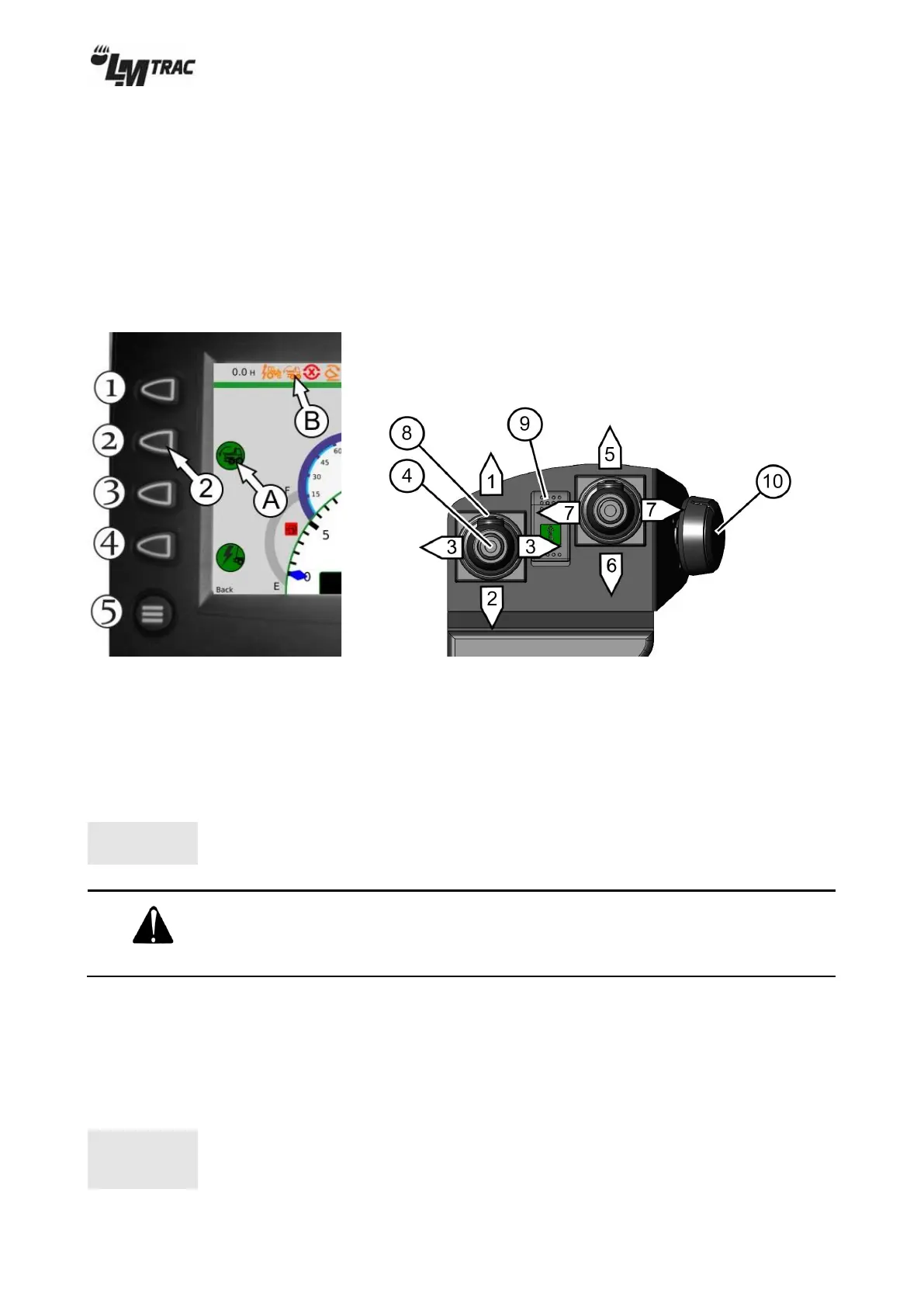
Press screen button (2) on tool view menu to change between front cylinder hydraulics 1 and bonnet tilting. Right joystick
controls bonnet tilting when background of the bonnet tilting symbol (A) is green and rear hydraulics symbol changes to
bonnet tilting symbol (B).
The bonnet is lifted / lowered with right joystick:
5. Front cylinder hydraulics 1 / Lowering the bonnet.
6. Front cylinder hydraulics 1 / Lifting the bonnet.
Figure 62 Figure 63
The bonnet can be used as a platform for installing different tools.
When loading the platform, pay attention to its load‐bearing capacity. See 3.7 ”Maximum loads” on page 22.
The mass of the tool located on the bonnet must be taken into account while driving. A load on the platform clearly
changes the machine’s center of gravity. Unless the high center of gravity is taken into account when cornering, the
machine may easily tip over.
5.8 Tools with hydraulic motor operation
Tools with hydraulic motor operation can be attached to the front of the machine.
Rear motor hydraulics is available as an optional accessory.
Motor hydraulics output is 0-47 l/min.
Always remember to check the highest permitted output from the tool
manual or type plate. Never exceed the highest permitted output of the tool.
Whenever possible, use the lowest possible output of the tool.


 To Next Page