L-DALI User Manual 153 LOYTEC
Version 5.2 LOYTEC electronics GmbH
7.4.2 Starting Stand-Alone
The L-DALI can also be used without LNS-based tools. In this case, the LINX Configurator
needs to be started as a stand-alone application. Go to the Windows Start menu, select
Programs, LOYTEC LINX Configurator and then click on LINX Configurator. This
starts the LINX Configurator.
If the L-DALI is not yet connected to the network, go to the Model menu and select the
L-DALI model to be configured. If the L-DALI is already connected to the network it is
recommended to connect the configuration software to the L-DALI.
To Connect to an L-DALI Stand-Alone
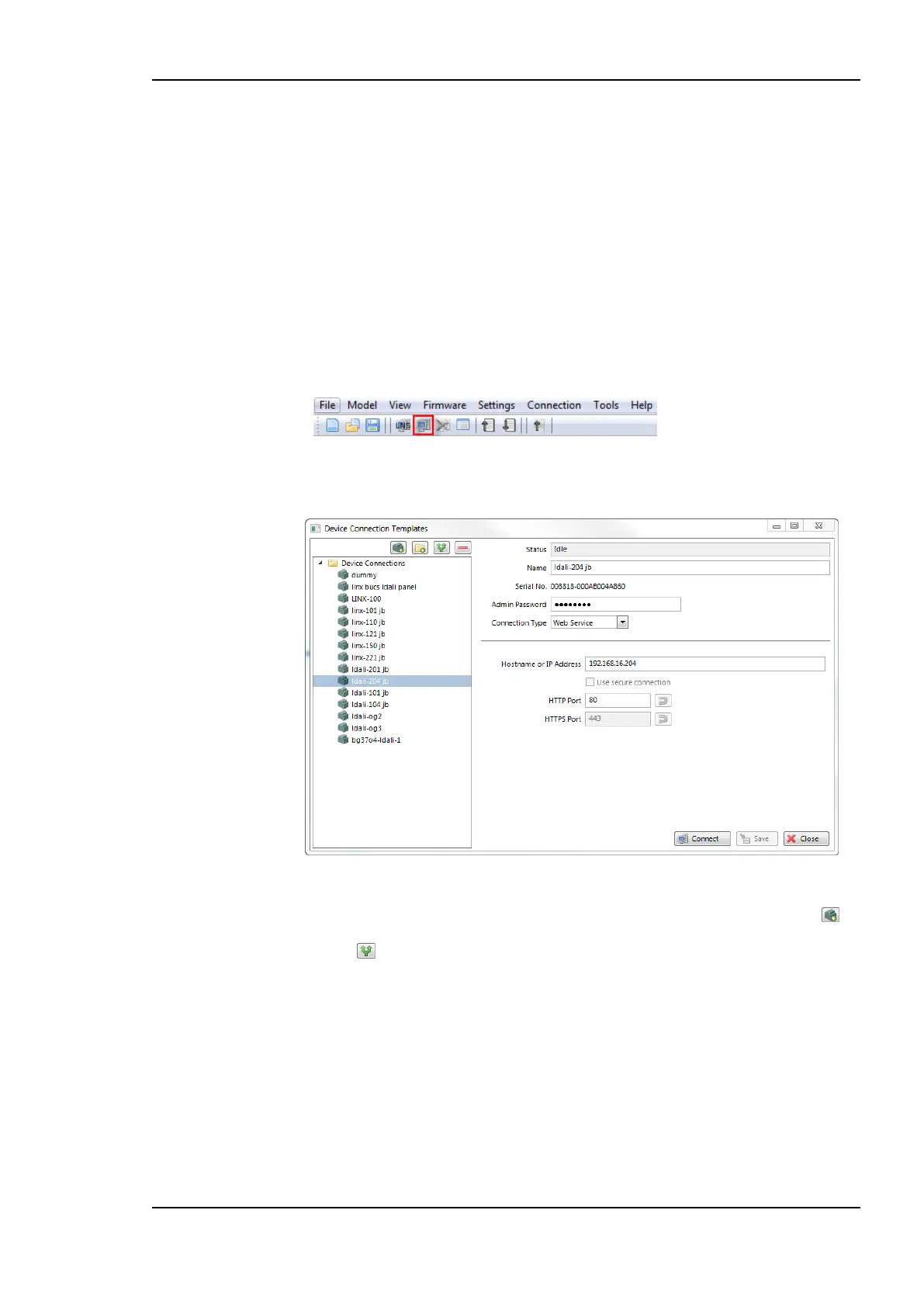
1. Select the direct connection method by clicking on the Connect to device button
in the tool bar of the main connections window. The connect dialog as shown in Figure
141 opens.
Figure 141: Connection dialog.
2. To add a new device connection, click on the New Device Connection button or
select an existing connection in the tree on the left-hand side and click on the Duplicate
button .
3. Enter a name for the connection.
4. Enter the admin password. The default password is ‘loytec4u’ (older firmware versions
used ‘admin’).
5. Choose a Connection Type. Possible options are:
a. Web service (recommended): Firewall friendly connection using HTTP.
b. TCP/IP: This uses the IP protocols FTP and Telnet to connect to the device.



 To Next Page