L-DALI User Manual 181 LOYTEC
Version 5.2 LOYTEC electronics GmbH
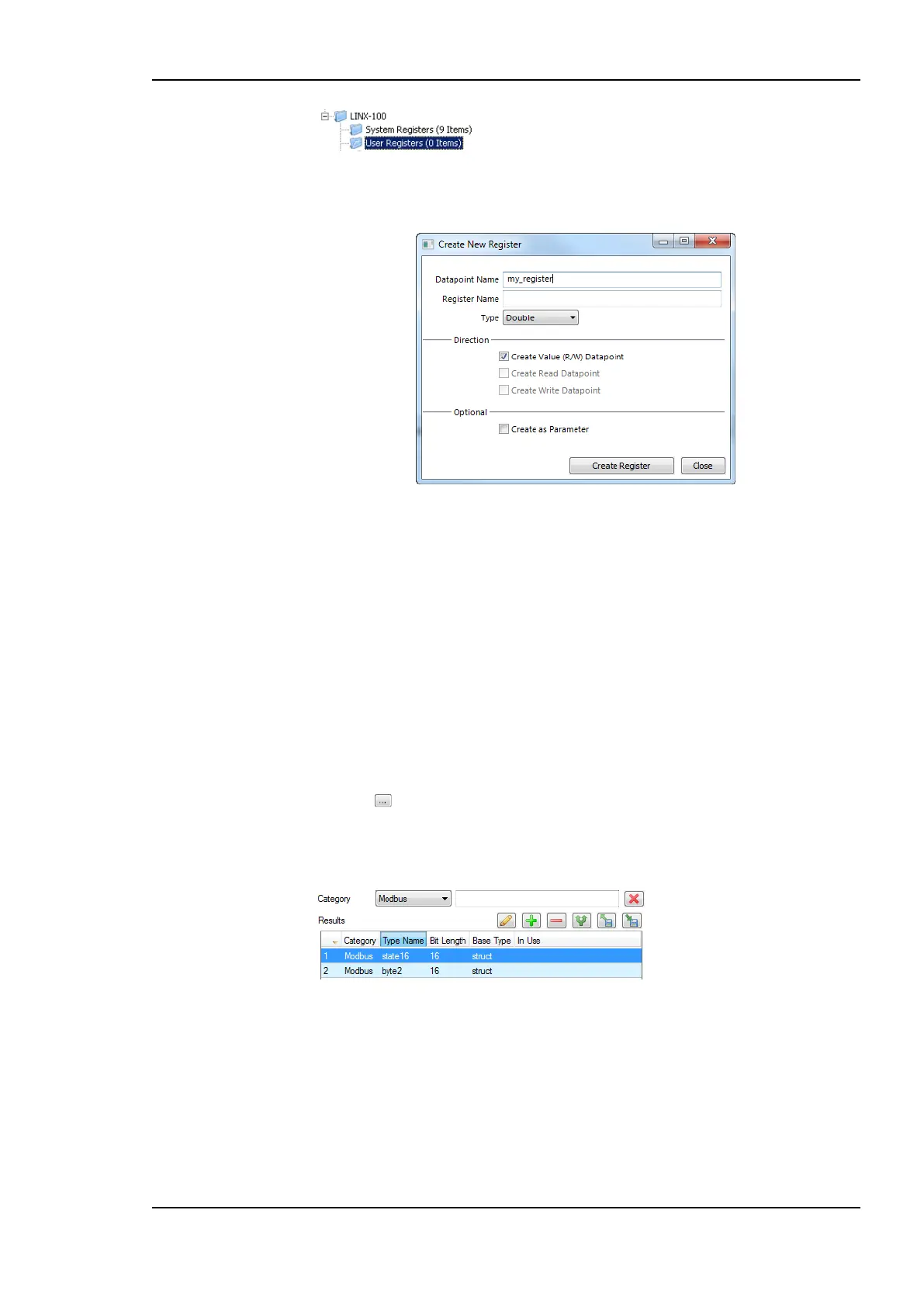
2. Right-click in the data point list and select New Datapoint… in the context menu. This
opens the register creation dialog as shown in Figure 166.
Figure 166: Create a user register.
3. Enter a Datapoint Name for the register. You may leave the Register Name blank to
give the underlying register the same name as the data point.
4. The standard setting is a value data point for read/write. Optionally, deselect the value
option and select the read data point or write data point check box. This is necessary
when configuring for an older firmware version.
5. Select Create as Parameter if needed. In this case, the register will be a persistent
parameter. It can be done later in the data point properties also.
6. Select a Type. Available are “Double”, “Boolean”, “Signed Integer”, “String”,
“Variant” or “User”.
7. When selecting User, a register with a user-defined structure is going to be created.
Click on next to Custom Type in order to select a structure type.
8. In the dialog Select Custom Type choose the type Category in the drop-down list and
the desired user type. Then click the button Select.
9. Click Create Register.
10. If needed create additional registers from the dialog. Finally, click Cancel to exit the
dialog.
7.7.12 Build XIF for CEA-709 Interface
When using a non-standard static CEA-709 interface on the device, the Configurator can
export a new XIF file for the changed static interface. Before exporting the XIF for the
interface it is recommended to download the configuration into the device. In this case, the
Configurator can verify that the model number of the port is correct.



 To Next Page