L-DALI User Manual 35 LOYTEC
Version 5.2 LOYTEC electronics GmbH
3.4.4 Grouping Lamps
Lamps which are assigned to a group can be controlled together by the corresponding group
object. We will create three groups: One for the lamps near the window, one for the lamps
near the corridor and one for all lamps in the room.
1. In the LINX Configurator software switch to the DALI Groups tab.
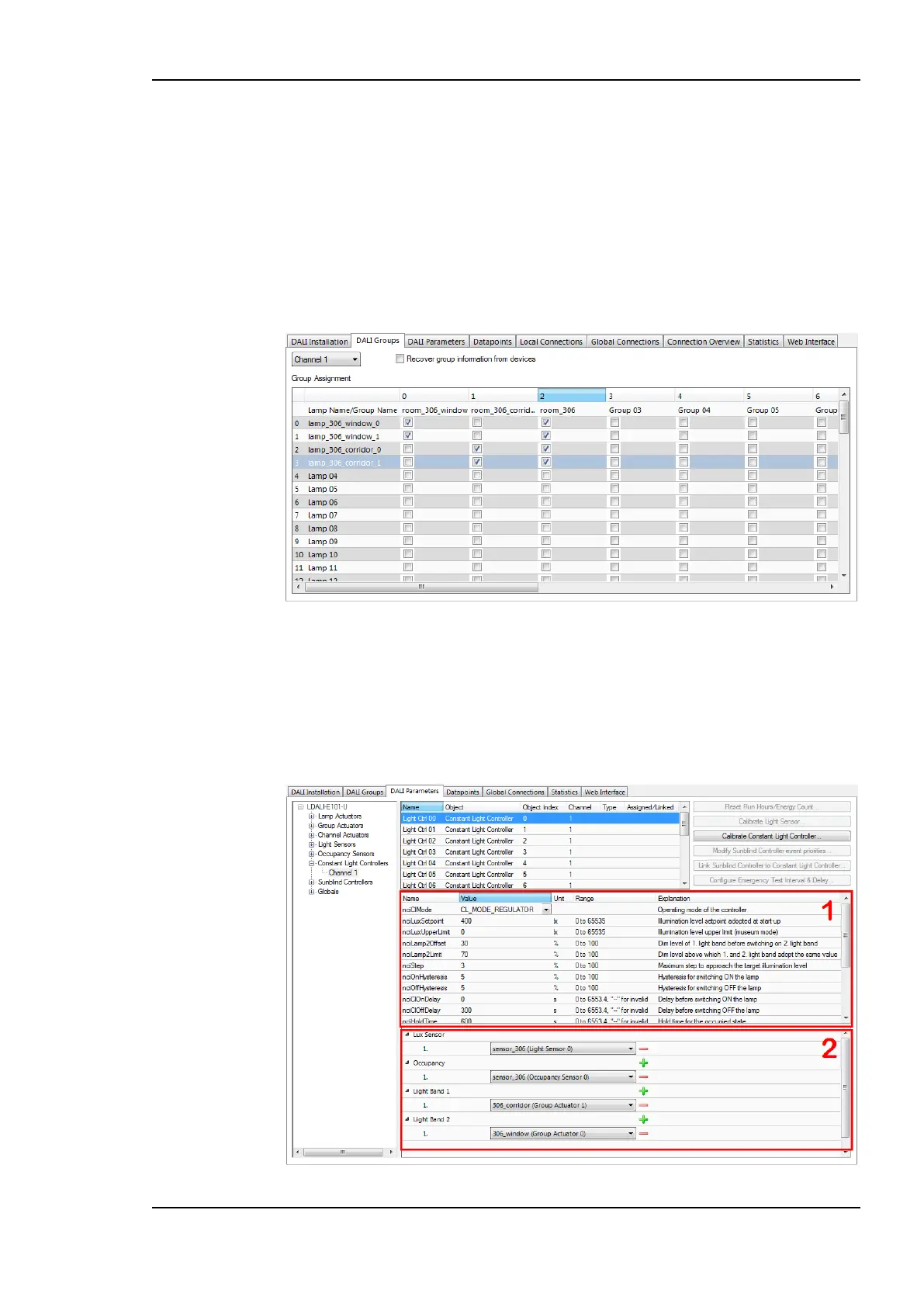
2. Add the two lamps near the window to group 0, the two lamps near the corridor to
group 1 and add all lamps in the room to group 2. Assign names to the groups as shown
in Figure 20.
Figure 20: LINX Configurator software, DALI group configuration.
3.4.5 Parameterize the Constant Light Controller
1. In the LINX Configurator software switch to the DALI Parameters tab.
2. Select the constant light controller with index 0 as shown in Figure 21. The parameters
of the selected constant light controller are displayed in the middle of the window (1).
Figure 21: Parameterize Constant Light Controller.



 To Next Page