L-DALI User Manual 73 LOYTEC
Version 5.2 LOYTEC electronics GmbH
5.2.20 Documentation
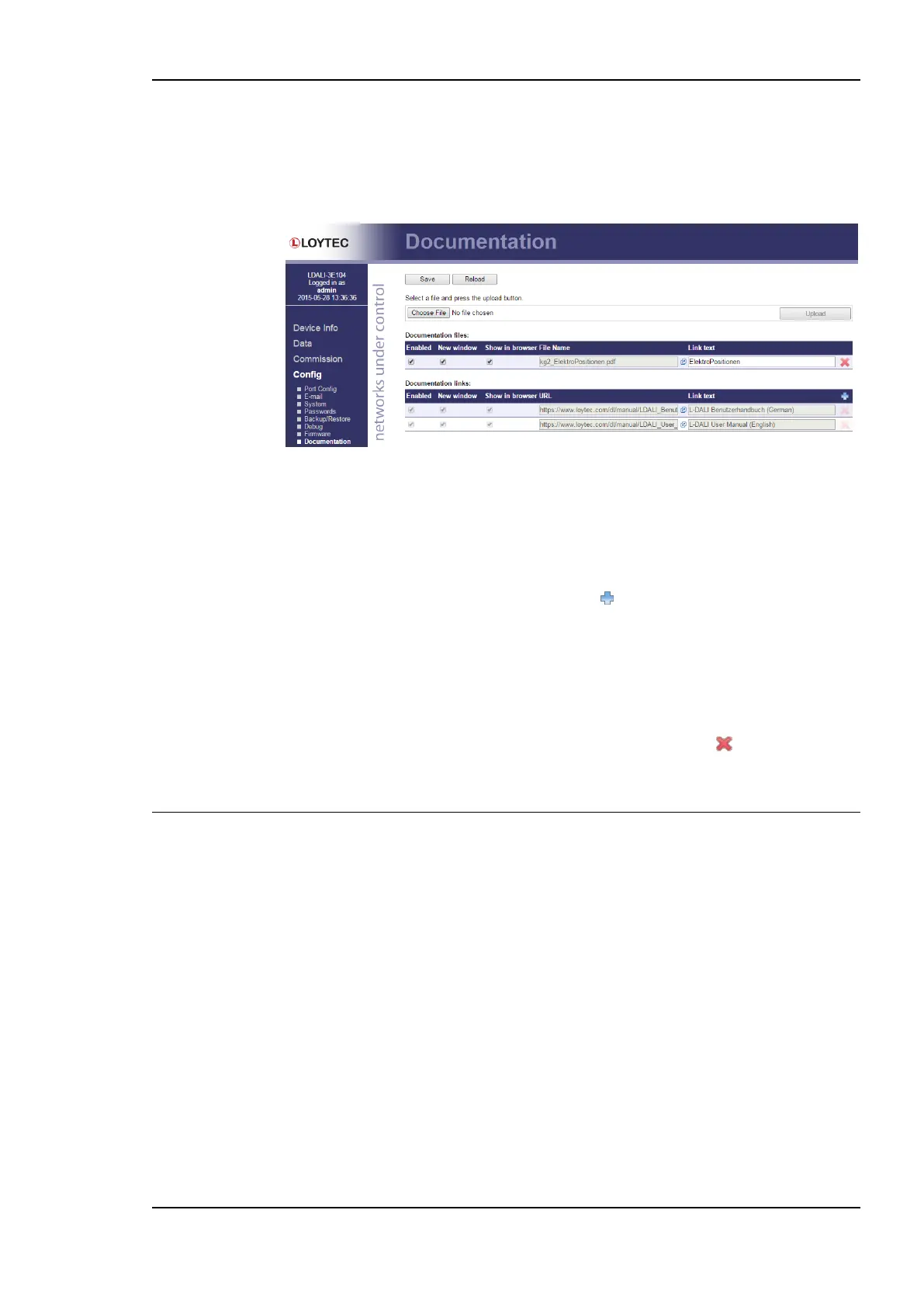
The Documentation page in the Config menu allows uploading documentation files or
configuring links to external documentation (e.g. Wiring plans, etc.). The documentation
configured on this page is accessible via the Documentation menu (see Section 5.6).
Figure 67: Upload and configure documentation.
To upload a documentation file click on the Choose File button. This opens a file dialog.
Chose the file to upload. Click on the Upload button to start the upload of the selected file.
After the upload is completed the file appears in the Documentation files section. Enter a
link text used to display the uploaded file on the Documentation page.
To add a documentation link, click on the symbol in the header row of the
Documentation links section. Enter the URL and the text used to display the link on the
Documentation page.
Links and files can be set active and inactive on the Documentation page by checking the
Enabled check box. Inactive entries are not displayed on the Documentation page. The
check box New window determines if the link or file is opened in a new browser tab. If
Show in browser is checked the browser will try to render the file in the browser, otherwise
it will try to download the file. To remove a link or file click on the symbol on the right
side of the row. To commit your changes click on the Save button.
5.3 Commission
The commissioning pages allow performing commissioning tasks.
5.3.1 BACnet (LDALI-20X only)
The commissioning Web UI allows assignment of physical devices to existing devices in the
data point configuration, that have been created with the commission later option. Under the
Commission menu choose the BACnet technology to open the BACnet commissioning
interface.
The Web page shows a list of all Devices in configuration. An example is shown in Figure
68. Each line represents a device and shows the device name, the device Instance and the
optional BACnet Address. The Static Binding checkbox defines, whether static device
binding is configured for this device and requires a BACnet address. The Status column
shows their current status. It can be one of the following:
OK: The device is configured for communication.
Offline: The device is configured for communication but appears offline.



 To Next Page