L-DALI User Manual 207 LOYTEC
Version 5.2 LOYTEC electronics GmbH
To configure an E-mail Rate Limit, configure the settings:
Max. E-mails per day: This setting defines how many e-mails can be sent on average
per day. The actual number of transmitted e-mails on a specific day may be slightly
higher than this setting, depending on burst rates. The default is 100 e-mails per day.
This results in an average interval of one e-mail per 14 minutes.
Send burst count: This setting defines how many e-mails may be transmitted shortly
after each other not limited by the above average interval. After the burst count, the
average mails per day limit takes effect. The default is a maximum of 20 e-mails in a
row.
7.11 Local Schedule and Calendar
7.11.1 Create Calendar Patterns
When working with global definitions for calendar-based exception days such as
“Holidays” a local calendar is used and needs to be configured with calendar patterns. A
calendar pattern represents a class of days such as “Holidays”. The calendar patterns can
then be used in a schedule to define daily schedules for exception days. The available
calendar patterns should be created when the system configuration is engineered. The
actually dates in the calendar patterns can be modified later at run-time.
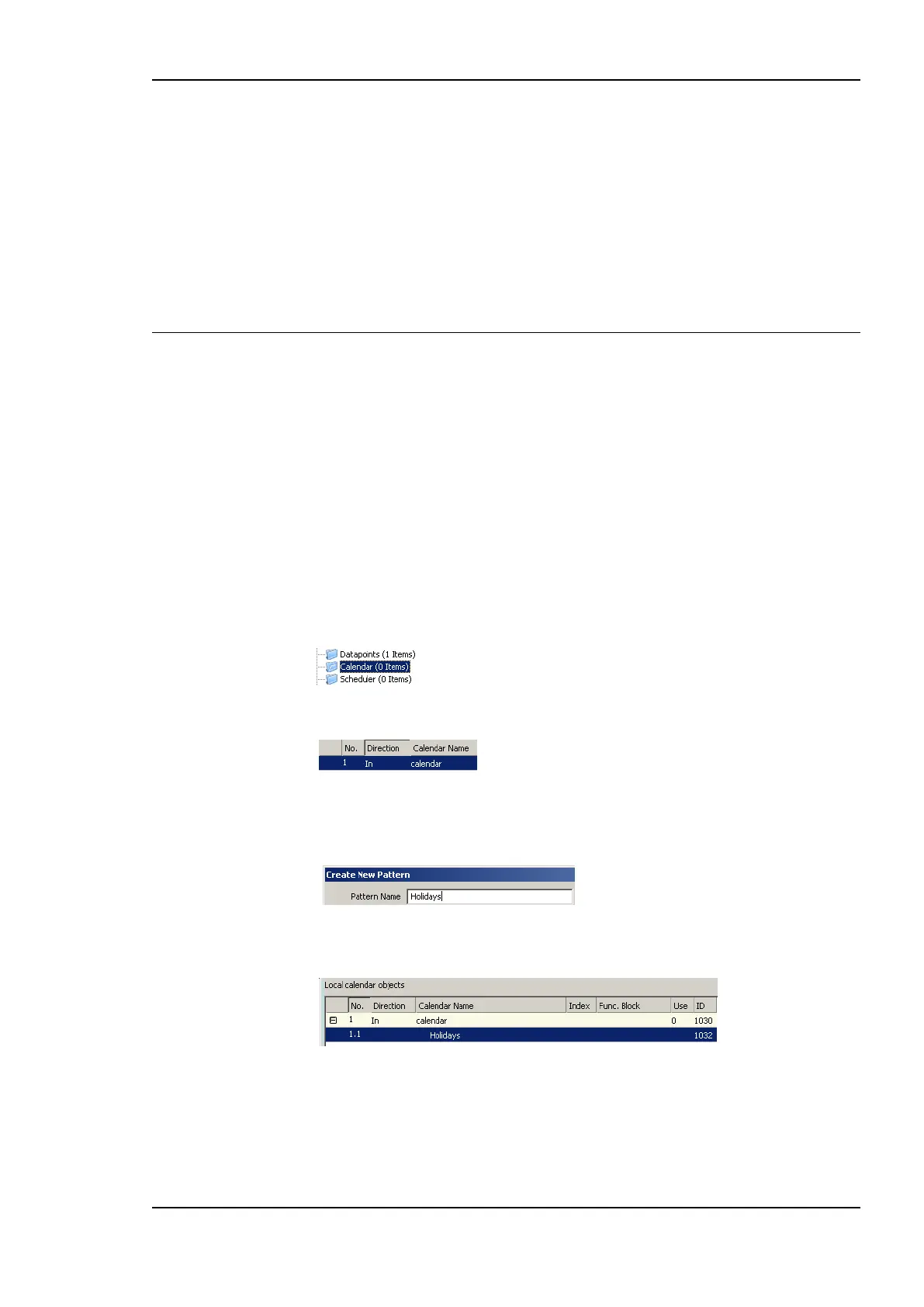
To Create a Calendar Pattern
1. Locate the calendar object. When using a generic scheduler the corresponding generic
calendar already exists in the Scheduler folder under the device folder. For a
technology calendar, select the Calendar sub-folder of the respective port.
2. Select the calendar data point.
3. Right-click and select Create Calendar Pattern…
4. Enter a Pattern Name in the Create Calendar Pattern dialog
5. Click Create Pattern. The dialog closes and the calendar pattern appears beneath the
calendar data point.
7.11.2 Create a Local Scheduler
For scheduling data points, a scheduler object must be created. Under each port folder,
multiple local scheduler objects can be created. These local schedulers can then be
configured to schedule data points.



 To Next Page