L-DALI User Manual 36 LOYTEC
Version 5.2 LOYTEC electronics GmbH
3. Change the parameter nciClMode to CL_MODE_REGULATOR. This parameter
selects the operating mode. The REGULATOR mode is used if a light/occupancy
sensor is installed which measures the indoor illumination.
4. Change the setpoint of the constant light controller (nciLuxSetpoint) to the desired light
level (e.g. 400 lux).
5. You can leave the default values for the remaining parameters. For a description of the
constant light controller functionality and the parameters refer to Section 8.2.8.
6. Determine which sensors (occupancy & lux) are used as inputs to the constant light
controller instance and which groups are controlled in the lower part of the window (2).
7. Click on the to add an input or output. Use the drop down box to select a sensor
(input) or a light group (output). In our example we use “sensor_306” for lux and
occupancy sensor inputs, group “306_corridor” as output of the first (brighter) light
band and group “306_window” as output for the second (darker) light band.
3.4.6 Parameterize the DALI button
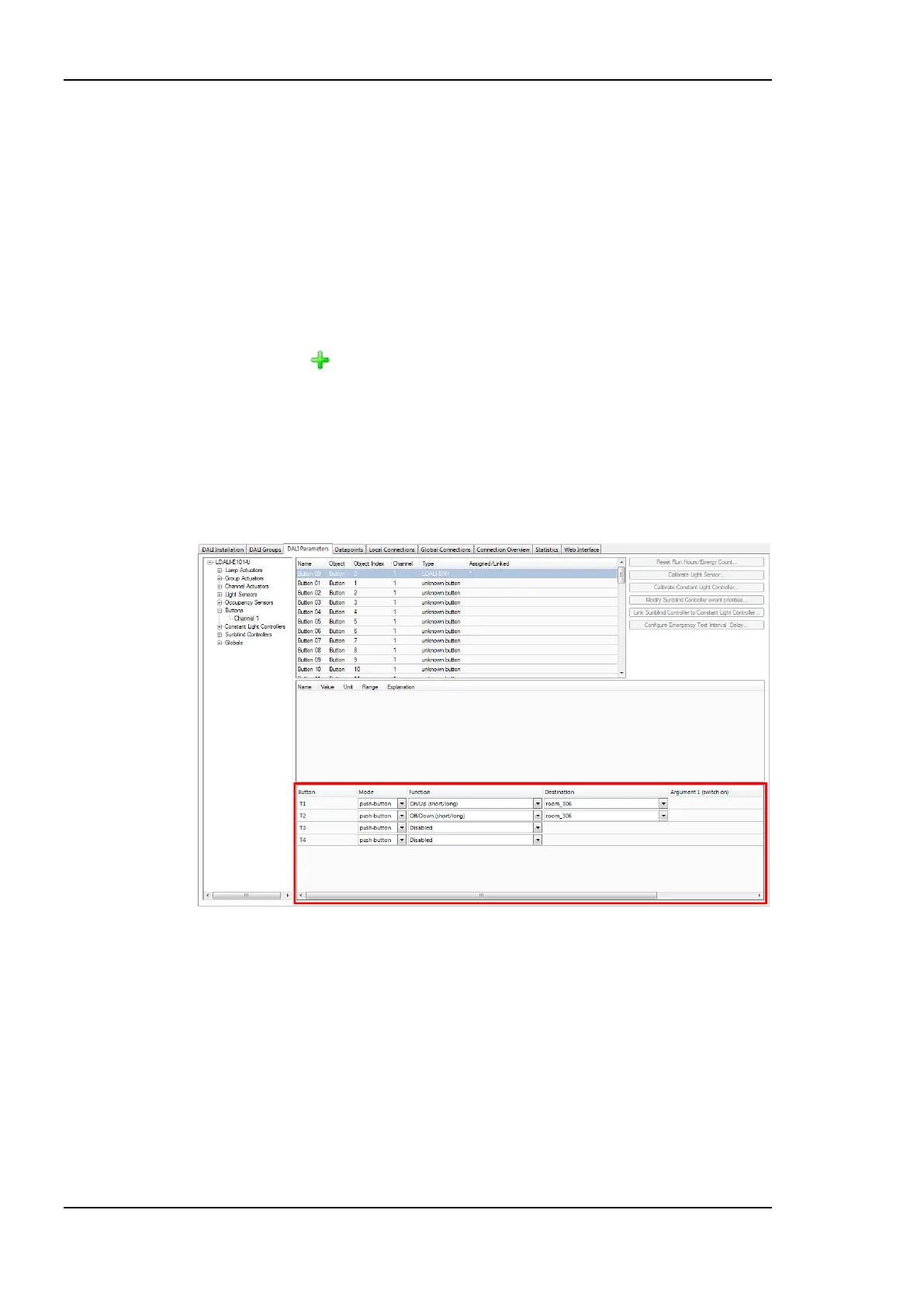
1. Stay on the DALI Parameters tab and select the button object to which you have
assigned your DALI button as shown in Figure 22.
Figure 22: Parameterize DALI button functions.
2. Determine which function is executed and which group is controlled by which button
input in the lower part of the window. In our example we use button T1 for “On/Up”
and T2 for “Off/Down”, both controlling group “room_306”. This will allow us to
control all lights in the room together.
3.4.7 Download Configuration
1. To download the configuration into the L-DALI device click on the Download
Configuration button in the toolbar.



 To Next Page