L-DALI User Manual 59 LOYTEC
Version 5.2 LOYTEC electronics GmbH
An empty port number field sets the default port number.
An empty time value field disables the time setting.
5.2.1 Port Configuration
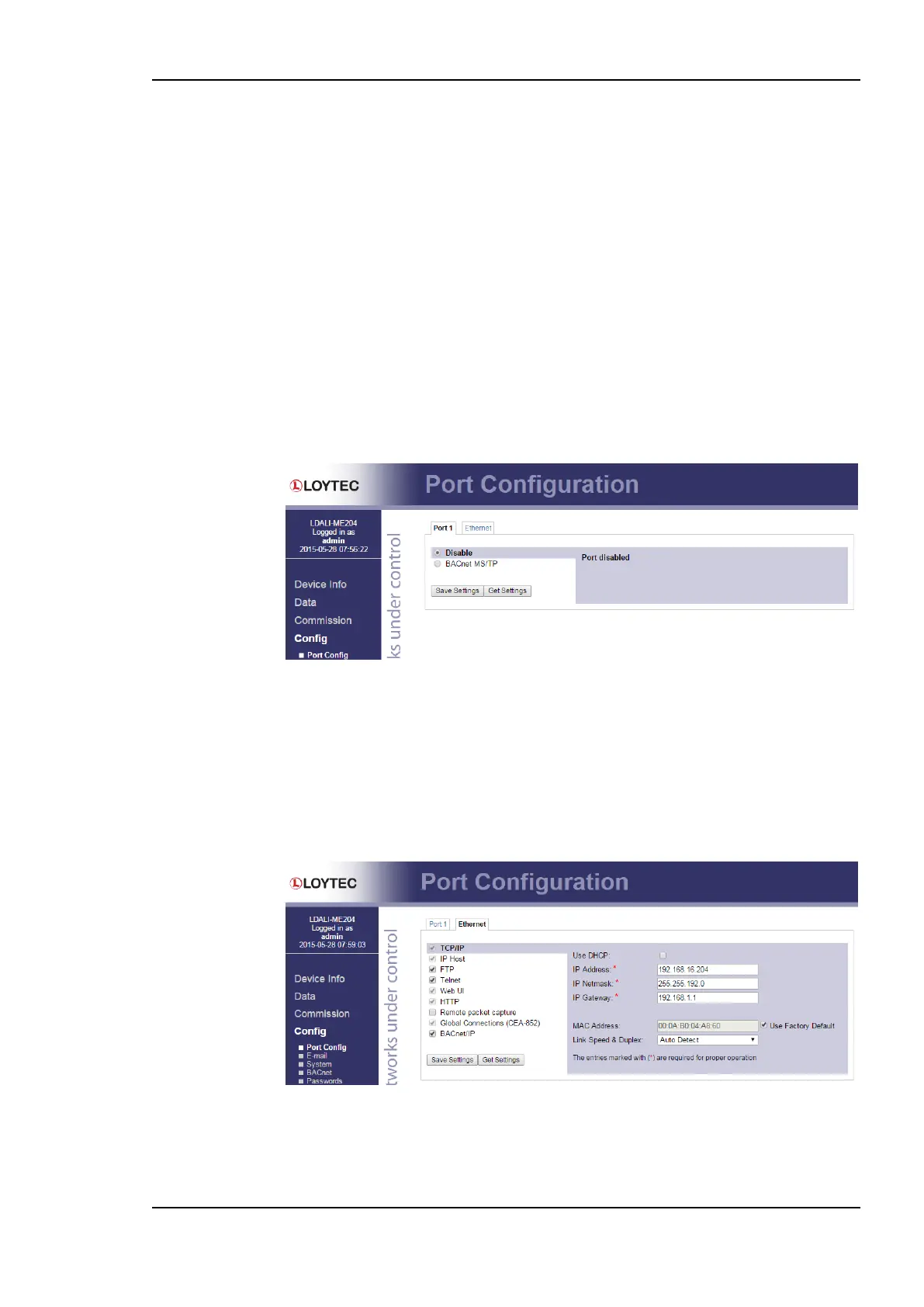
This menu allows configuring the device’s communications ports. For each communication
port, which is available on the device and shown on the label (Port 1, CEA-709, Ethernet), a
corresponding configuration tab is provided by the Web UI. An example is shown in Figure
46. Each port tab contains a selection of available communication protocols. By selecting a
checkbox or radio button the various protocols can be enabled or disabled on the
communication port. Some ports allow exclusive protocol activation only, other ports (e.g.,
the Ethernet port) allow multiple protocols bound to that port.
When selecting a protocol on a communication port, the protocol’s communication
parameters are displayed in a box on the right-hand side. To save the settings of the
currently opened protocol, click the Save Settings button. Pressing Get Settings retrieves
the current settings from the device.
Figure 46: Port Configuration Page.
5.2.2 IP Configuration
The TCP/IP configuration is done under the Ethernet port tab as shown in Figure 47. The
mandatory IP settings, which are needed to operate the device, are marked with a red
asterisk (IP address, netmask, gateway). The Enable DHCP checkbox switches between
manual entry of the IP address, netmask, and gateway address, and automatic configuration
from a DHCP server.
Figure 47: IP Configuration Page.
The device comes configured with a unique MAC address. This address can be changed in
order to clone the MAC address of another device. Please contact your system administrator
to avoid MAC address conflicts.



 To Next Page