L-DALI User Manual 89 LOYTEC
Version 5.2 LOYTEC electronics GmbH
5.3.5 DALI Scene
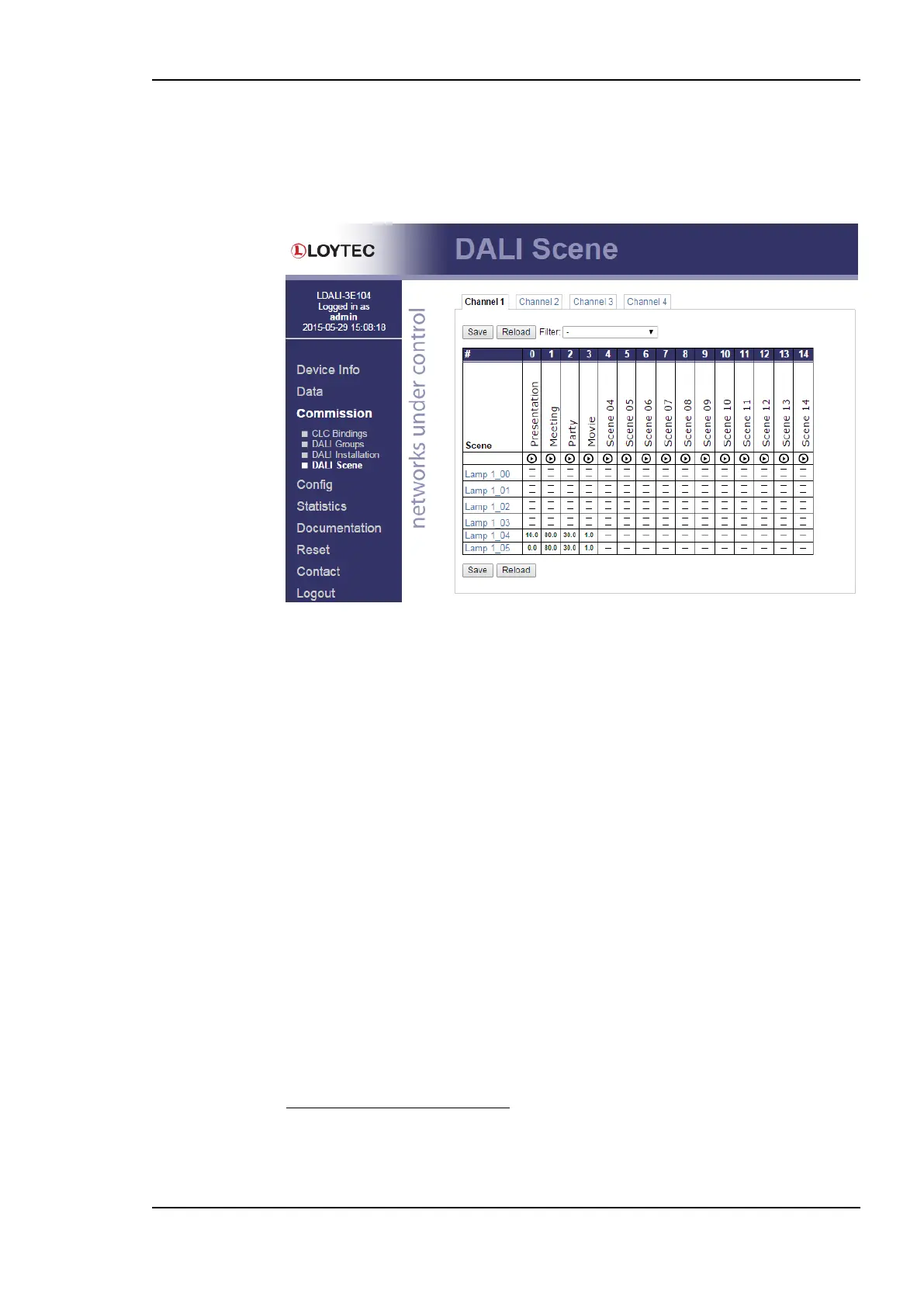
Figure 84 shows the DALI scene page. It allows the manual configuration of DALI scenes.
If the device offers multiple DALI channels, the channel can be selected by clicking on the
different tabs at the top of the page labeled Channel 1, Channel 2, etc.
Figure 84: DALI Scene configuration.
Each DALI ballast allows to store up to 15 scenes
. For each scene a name can be
configured. Click on the scene name to edit it. For each ballast a different dim level can be
configured for each of its scenes. If recalling the scene shall not affect the ballast’s dim
level set the value to ‘--‘.
For ballasts supporting colour control (DALI device type 8) the scene can include colour
information, too. Depending on the colour type(s) supported the colour information is
configured as follows:
Colour Temperature only: For devices supporting Colour Temperature only two
values can be entered for each scene. The upper value is the dim level, the lower value
is the colour temperature for the scene.
XY Coordinates: For devices supporting XY Coordinates a colour picker dialog as
shown in Figure 85 appears when clicking on the lower value. Either manually enter the
x and y coordinate of the scene colour within CIE 1931 colour space or pick the colour
by clicking in the colour diagram on the left side of the dialog. When the check box
Live preview is checked the ballast will dim to the selected colour whenever a new
value is selected. The last six colour values used are shown in the history below the
colour diagram for quick reference. If the ballast supports XY Coordinates and Colour
Temperature the colour temperature value can be entered as alternative to the colour
coordinates.
DALI ballasts support up to 16 scenes. Scene 15 is used by the L-DALI controller and the
LOYTEC DALI buttons to store the last dim value when switching off and therefore is not
available.



 To Next Page