L-DALI User Manual 88 LOYTEC
Version 5.2 LOYTEC electronics GmbH
Note: The resolution of the duration test interval is 7 days, the resolution of the delay to the next
test execution is 15 minutes. In both cases the value entered will be rounded to the next
appropriate value. Further, the time and date of the next test execution is calculated based
on the system time and time zone of the L-DALI as configured in the System Configuration
(see Section 5.2.11).
Test results will be stored in the appropriate emergency light test log (see Section 8.1.4).
5.3.4.9 Changing the DALI Short Address of Devices
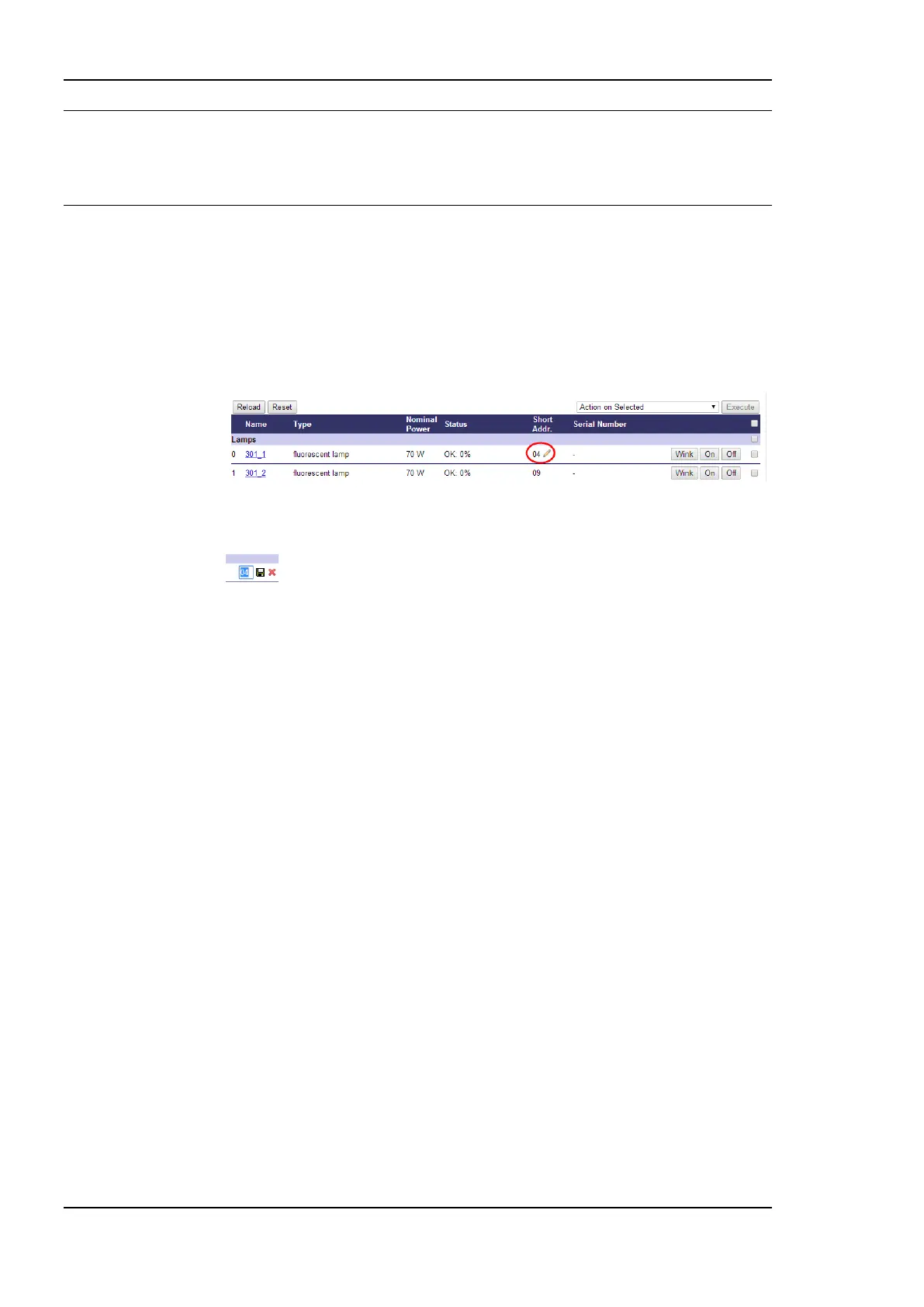
If required, the short address of a DALI device can be changed once it is assigned:
1. Click on the pencil, which appears next to the devices short address when moving the
mouse over it.
2. Enter a valid short address in the text field that appears and press ENTER. A valid
short address is in the range 0 to 63 and must be unique within one DALI channel.
Changing the short address has no effect to the assignment of the device in the L-DALI or
any other function performed by the L-DALI.
5.3.4.10 Mains-Off Handling
When all ballasts on a channel are off the L-DALI allows switching off the ballast mains.
This function allows saving the standby energy consumed by the ballasts. The drop down
box Mains-Off handling and the parameters Mains-On delay and Mains-Off delay allow
configuring this function. For further details see Section 8.4.7.
5.3.4.11 Enable/Disable Internal DALI Bus Power Supply
L-DALI devices with internal DALI bus power supply show the status of the internal DALI
bus power supply in the drop-down box DALI Power (see Figure 72). If supported by the
device the internal DALI bus power supply can be enabled using the drop-down selection.
Changes take effect when pressing the Save button to the right of the drop down box.
5.3.4.12 Maintenance
For maintenance purposes several functions of the DALI Installation web-UI page are
available for the user “operator” as well. These functions are:
Replacing a broken DALI device (including scan).
Reset Run Hours/Energy count.
Start/stop burn in
All Emergency Light functions.
All other functions are not available when logged in as “operator” user.


 To Next Page