L-DALI User Manual 87 LOYTEC
Version 5.2 LOYTEC electronics GmbH
Recall the scene configured with argument 1.
Toggle between recalling scene configured with argument 1
and scene configured with argument 2 whenever button is
pressed or switch is changed.
Ramp up colour temperature as long as button is pressed.
Note: Requires ballasts of type colour control (device type 8)
supporting the colour type colour temperature.
Ramp down colour temperature as long as button is pressed.
Note: Requires ballasts of type colour control (device type 8)
supporting the colour type colour temperature.
Table 11: DALI button functions
5.3.4.8 Emergency Light Auto-Test Configuration
To configure the test calendar for the automatic function and duration tests of self-contained
emergency lights supporting this function check the box at the right of the devices row of
the DALI Installation page, choose Emergency Light: Configure Test from the Action on
Selected drop-down box and click on the Execute button. Now the L-DALI will read the
currently configured test calendar from the selected devices. When done it will show a page
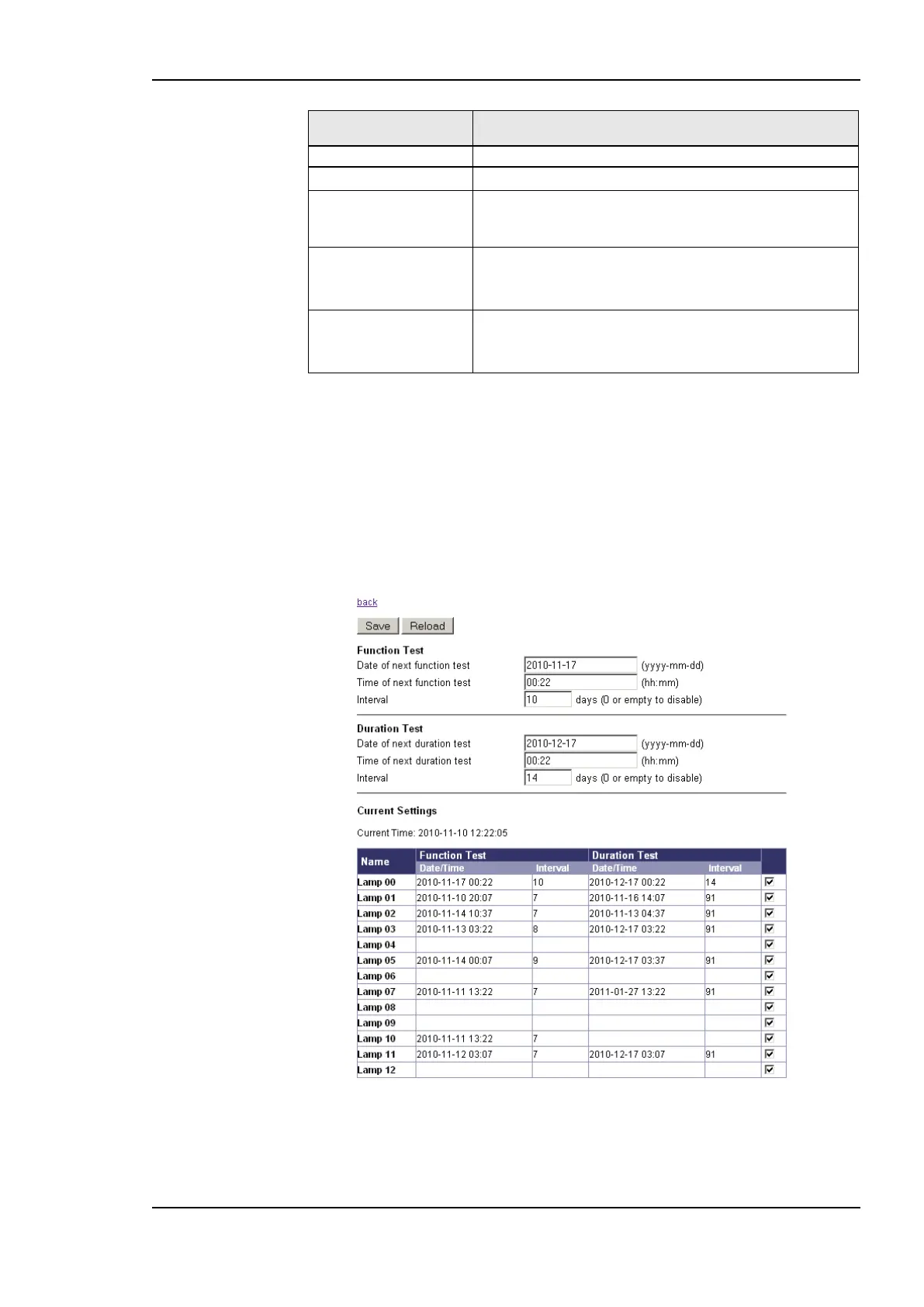
similar to the one shown in Figure 83.
Figure 83: Emergency Light Auto-Test Configuration
For both tests – function and duration test – a test interval in days and the time and date of
the next execution of the test can be specified. Click Save to store the new values in the
devices selected by the check box at the right of the devices row.



 To Next Page