L-DALI User Manual 34 LOYTEC
Version 5.2 LOYTEC electronics GmbH
3.4.3 Assign Lamps, Sensor and Button to LONMARK/BACnet Objects
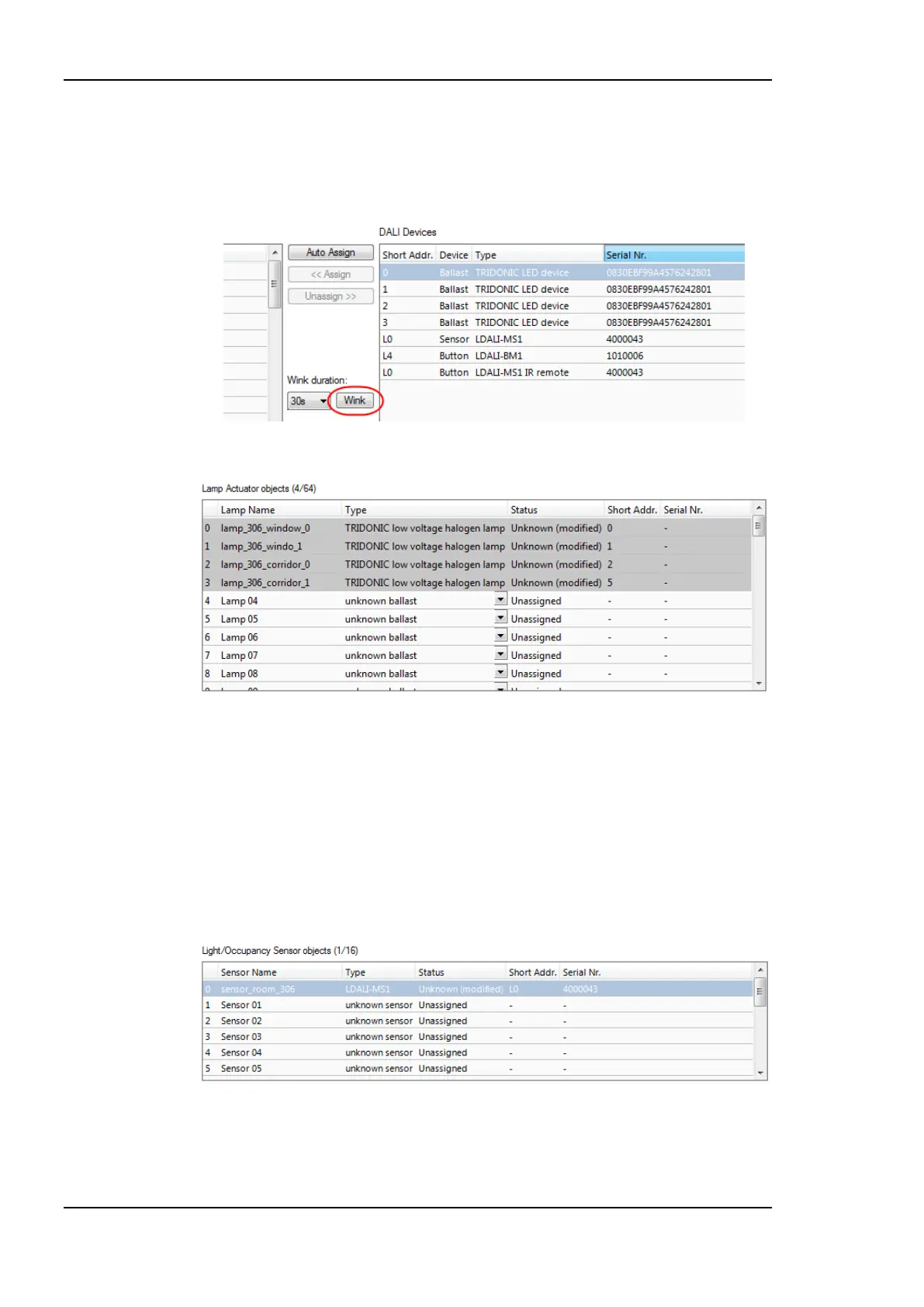
1. To identity which of the four detected DALI ballasts is which physical lamp, select one
and click the Wink button. The corresponding lamp blinks for the configured wink
duration.
Figure 17: LINX Configurator software, Wink button.
Figure 18: LINX Configurator software, assigned Lamp Actuator objects.
2. To assign an DALI ballast to an object, select the ballast in the list of DALI Devices
and drag it to the desired position in the Lamp Actuator objects list on the left side.
You can change the names of the lamp actuator objects. After you have assigned all
lamps and changed the names the configuration should look as shown in Figure 18.
3. To assign the DALI multi-sensor to an object, select the sensor in the list of DALI
Devices and drag it to the desired position in the Light/Occupancy Sensor objects list
on the lower left side. After you have changed the names of the sensor object the
configuration should look as shown in Figure 19.
Figure 19: LINX Configurator software, Assigned Light/Occupancy Sensor Object.
4. Similar, assign the DALI button by dragging it to the desired position in the Button
objects list.



 To Next Page