L-DALI User Manual 77 LOYTEC
Version 5.2 LOYTEC electronics GmbH
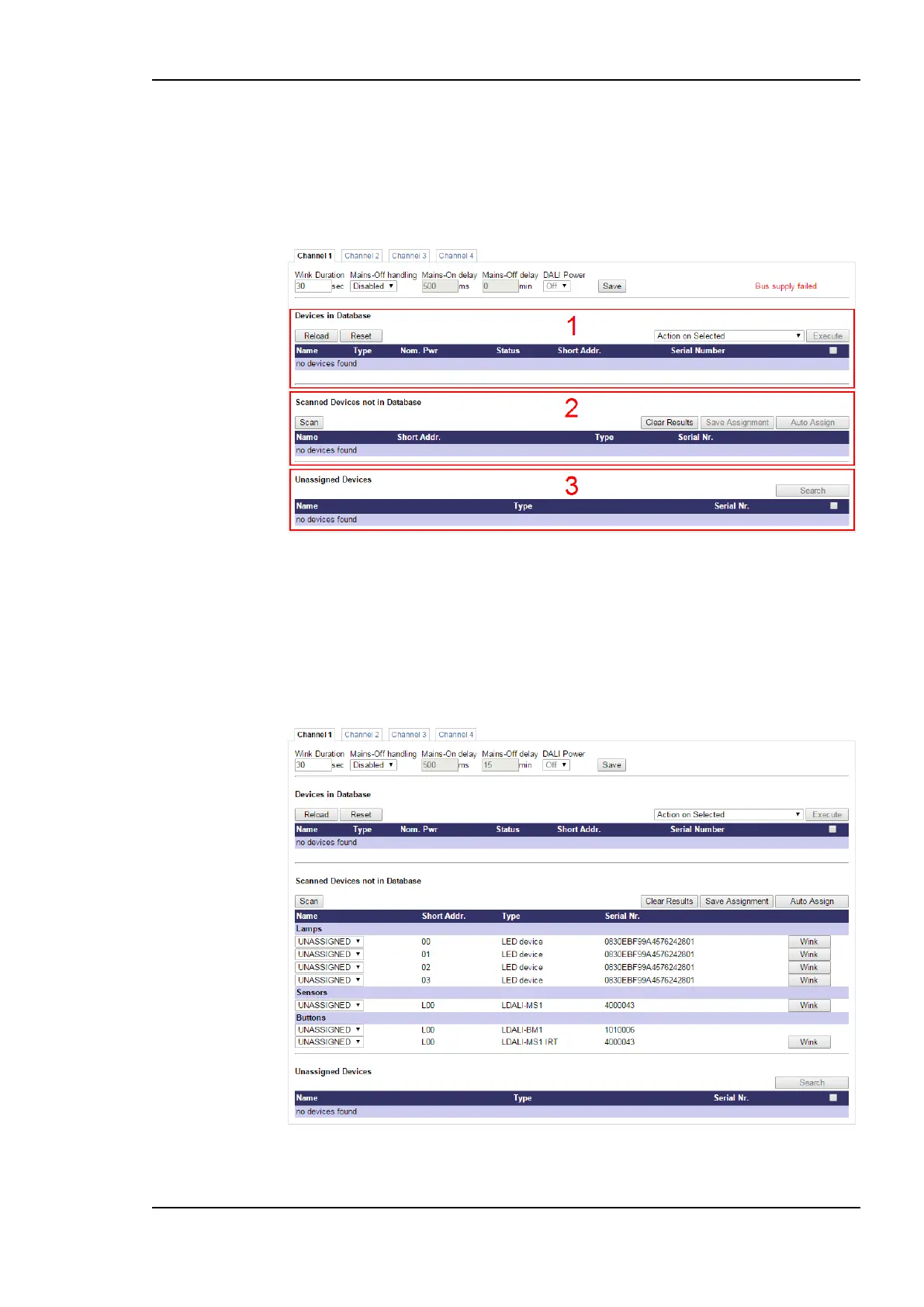
2. Scanned Devices not in Database: Lists the uncommissioned DALI devices found
during the last DALI scan.
3. Unassigned Devices: Lists the devices set up using the LINX Configurator PC
software during an (optional) off-line preparation (see Section 7.5.1.2), which were not
yet assigned to a physical DALI device.
Figure 72: DALI Installation: Initial View
5.3.4.1 Installing DALI devices
To install DALI devices press the Scan button. The L-DALI scans the DALI channel and
lists the detected devices under Scanned Devices not in Database in the middle of the page
(see Figure 73). In case an error occurs see Section 11.4 for a description of the error codes
and possible reasons.
Figure 73: DALI Installation: Scan



 To Next Page