L-DALI User Manual 231 LOYTEC
Version 5.2 LOYTEC electronics GmbH
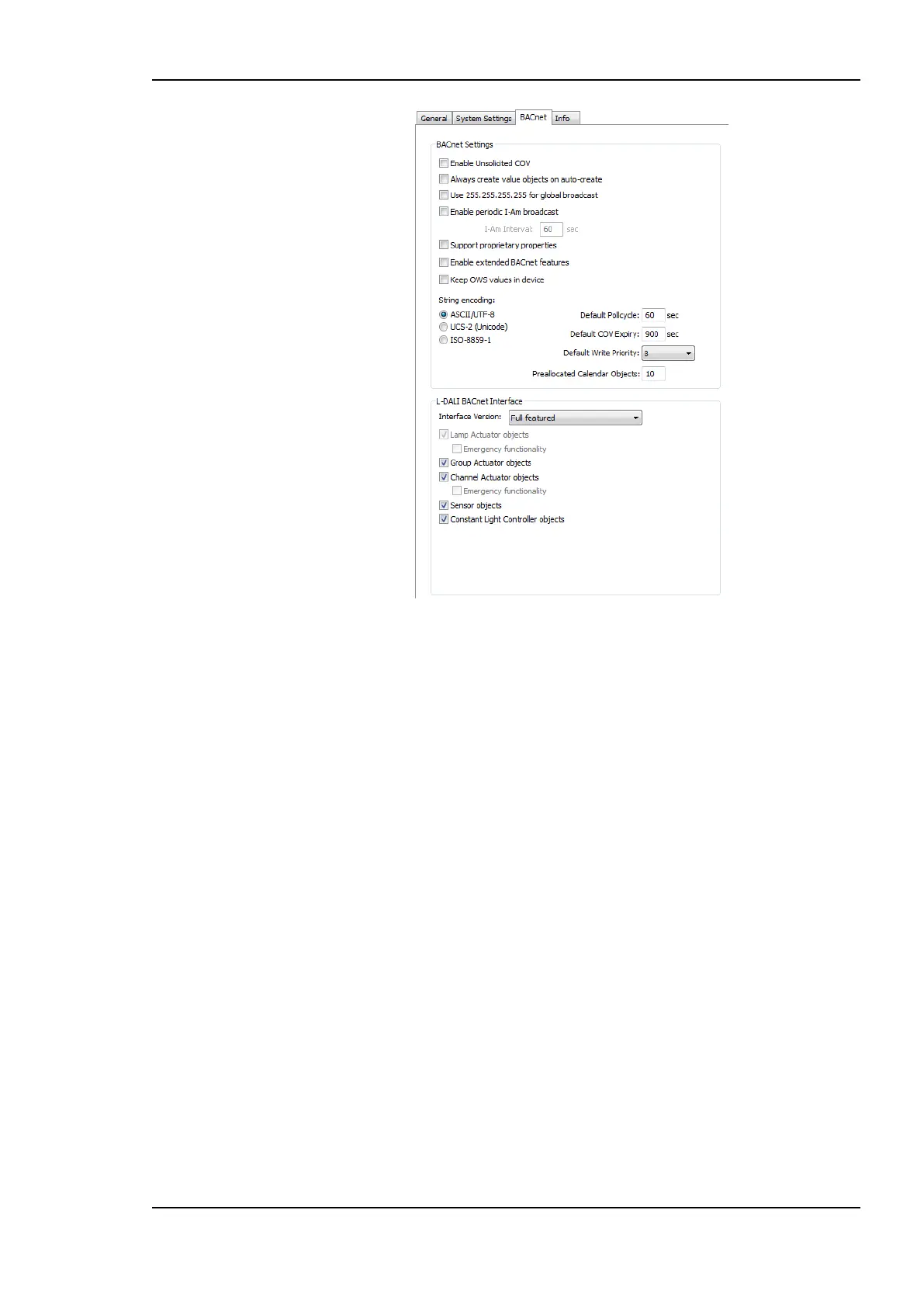
Figure 205: BACnet Project Settings.
Enable periodic I-Am broadcast: This setting enables the periodic transmission of I-
Am broadcasts. Specify the interval in seconds. If disabled, the device sends an I-Am
only when starting up. This is the default behavior of BACnet devices.
Support proprietary properties: Check this option if a scan on a remote device shall
find proprietary properties in addition to the standard properties of supported objects.
Enable extended BACnet features: Check this option to enable additional properties
in BACnet server objects. This affects Elapsed_Active_Time, etc. properties in binary
objects, custom properties in scheduler objects (value labels).
Keep OWS values in device: Check this option, if BACnet properties changed by the
OWS shall be maintained in the device even after a new configuration download.
Without this option, a new configuration will overwrite any changes made by the OWS
with the values defines in the configuration (e.g., high and low limits of alarm
conditions). The default is to overwrite with configuration values.
String encoding: This setting defines, how strings in BACnet objects are encoded. By
default it is ASCII/UTF-8, which is compatible with most BACnet software. To support
characters of Western European languages, choose ISO-8859-1. To support Unicode
character sets (e.g., Japanese) select UCS-2.
Default Poll cycle, Default COV Expiry, Default Write Priority: This setting
defines the default values that are used when creating new client mappings. Changing
this option does not affect already existing client mappings. The default write priority is
also used when writing to commandable server objects.
Preallocated Calendar Objects: This setting defines how many BACnet calendar
objects shall be created as a default. These are filled up with calendar patterns as they
are defined.



 To Next Page