2.5. EXPERT MODE
• Avoid crossing perimeters (Layers and perimeters - Advanced)
- Will force the nozzle to follow perimeters as much as possible
to minimise the number of times it must cross them when moving
around, and between, islands. This has a negative impact on both
G-code generation and print times.
• Randomize starting points (Layers and perimeters - Vertical
shells) - As the extruder moves up to the start of the next layer
any ooze can result in blobs. If the same start point is used for every
layer then a seam can form the length of the object. This setting will
move the start point to a different location for each layer.
See also subsection: Sequential Printing, on page 112 for another
technique which can minimise strings forming between objects.
Skirt
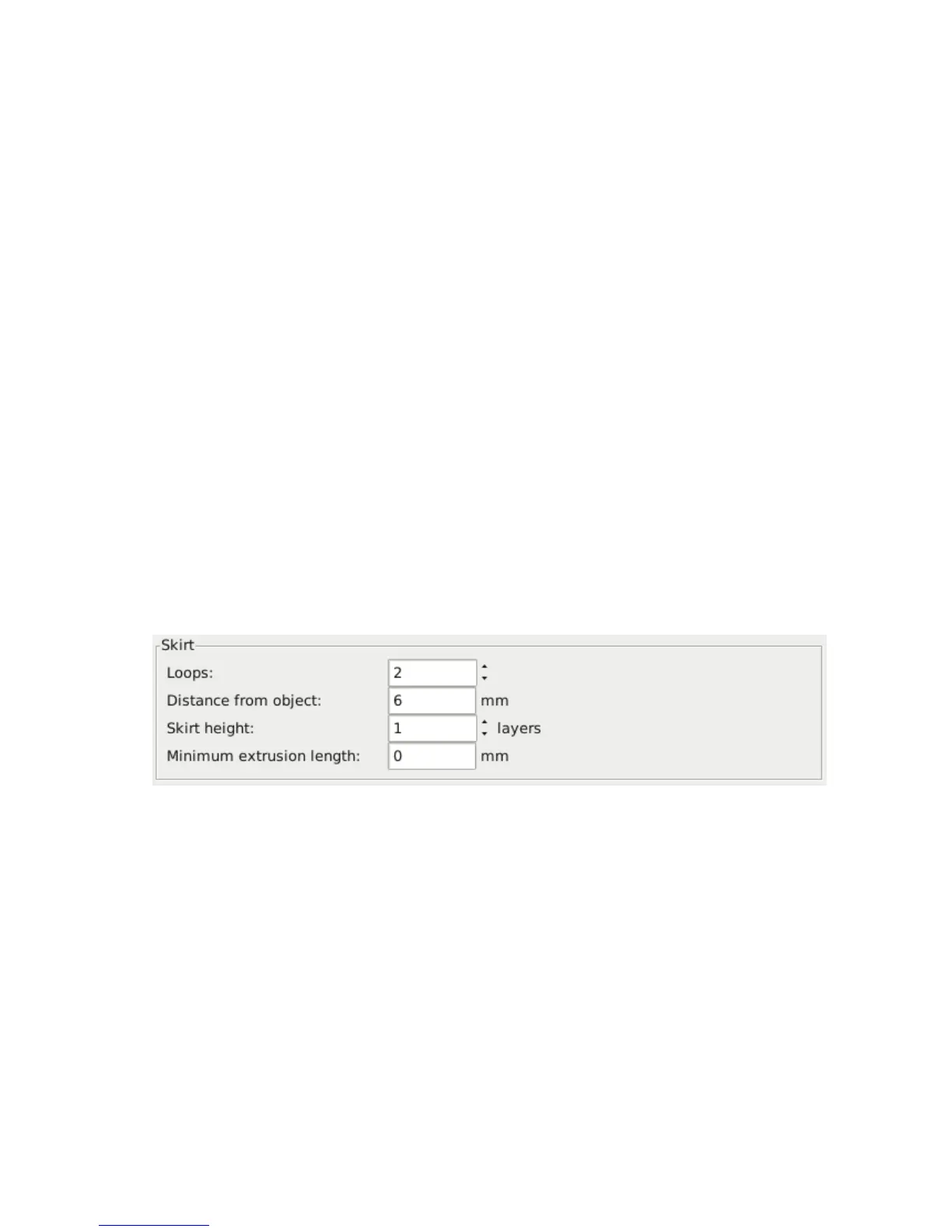
The Skirt setting adds an extrusion a short distance away from the
perimiter of the object. This can ensure that the material is flowing
smoothly from the extruder before it starts on the model proper.
Figure 2.34: Skirt settings.
• Loops - How many circuits should be completed before starting on
the model. One loop is usually sufficient.
• Distance from object - The millimeters between the object and
the skirt. The default of 6mm is usually sufficient.
• Skirt height - The number of layers to lay down a skirt for. For
ensuring the material is flowing smoothly, one layer is sufficient,
91



 To Next Page