214325 56 Revision A
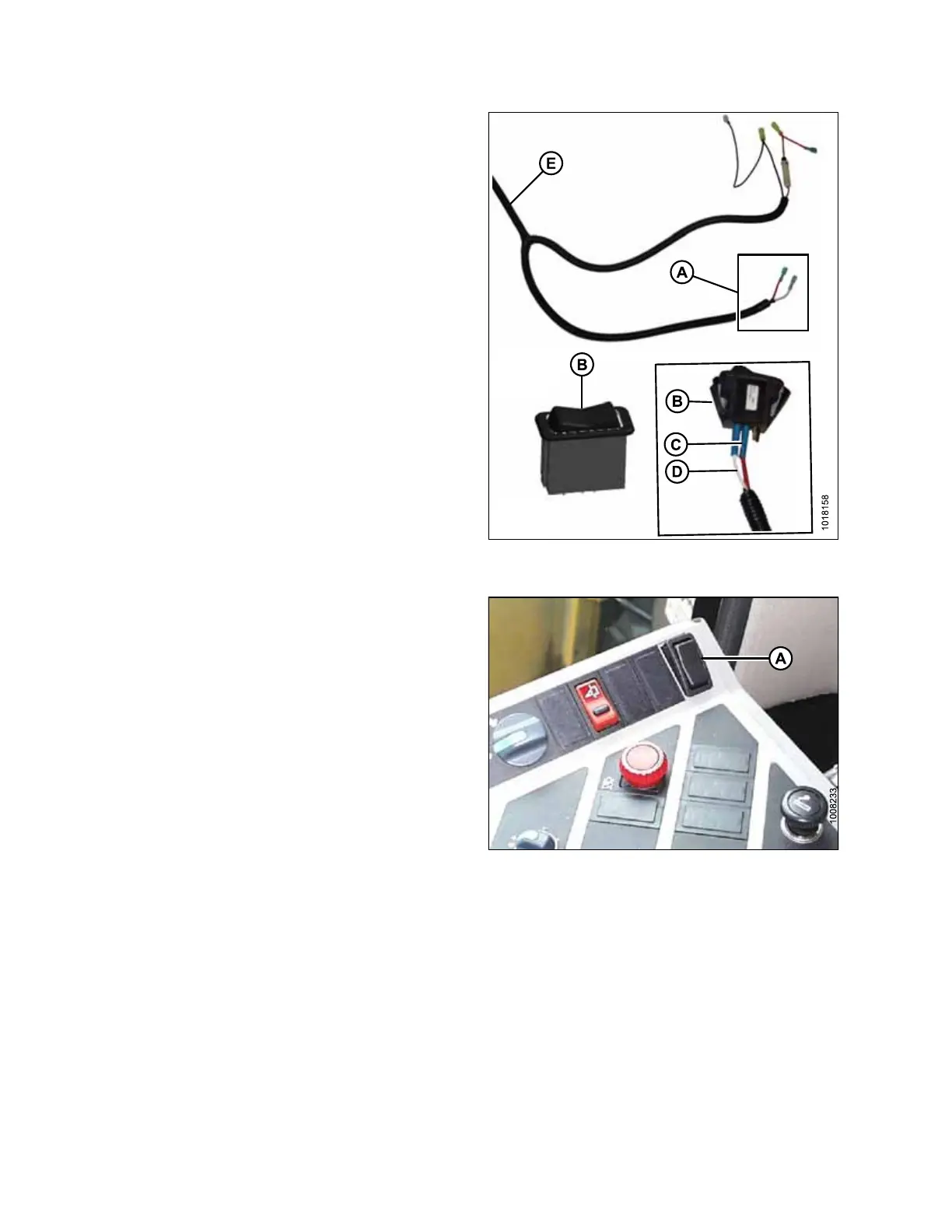
Figure 3.93: Switch End of MacDon Wiring
Harness
9. Connect rocker switch (B) to the switch end (A) of the
MacDon wiring harness (E) as follows:
• red wire (C) to center terminal
• white wire (D) to either outer terminal
NOTE:
Some MacDon wiring harnesses have two red wires
instead of one white and one red. In that case, connect
one red wire to the center terminal, and the second red
wire to either outer terminal. It does not matter which
outer terminal is used.
Figure 3.94: Rocker Switch
10. Snap the rocker switch (A) into place.
ASSEMBLING HEADER AND ADAPTER








 To Next Page