214683 159 Revision A
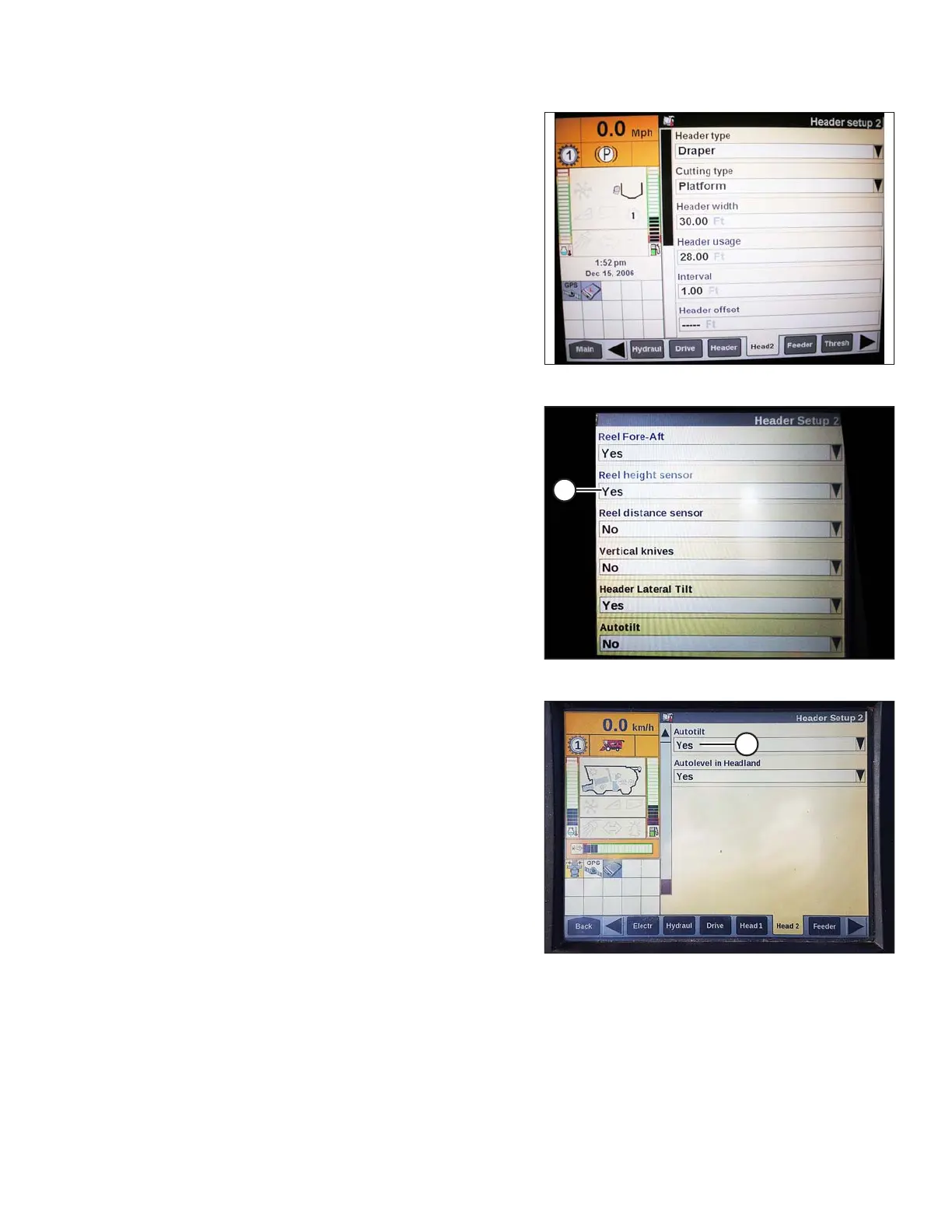
Figure 3.230: Case IH Combine Display
12. Press HEAD2 at bottom of page.
13. Ensure HEADER TYPE is DRAPER.
NOTE:
If recognition resistor is plugged in to header harness,
you will not be able to change this.
14. Set cutting type to PLATFORM.
15. Set appropriate HEADER WIDTH and
HEADER USAGE.
Figure 3.231: Case IH Combine Display
16. From the REEL HEIGHT SENSOR menu, select
YES (A).
Figure 3.232: Case IH Combine Display
17. Locate the AUTOTILT field (A).
• If using a two-sensor system: Select YES in the
AUTOTILT field.
• If using a single-sensor system: Select NO in the
AUTOTILT field.
NOTE:
If float was set heavier to complete the AHHC
calibration procedure, adjust to recommended
operating float after the calibration is complete.
OPERATION









 To Next Page