214683 187 Revision A
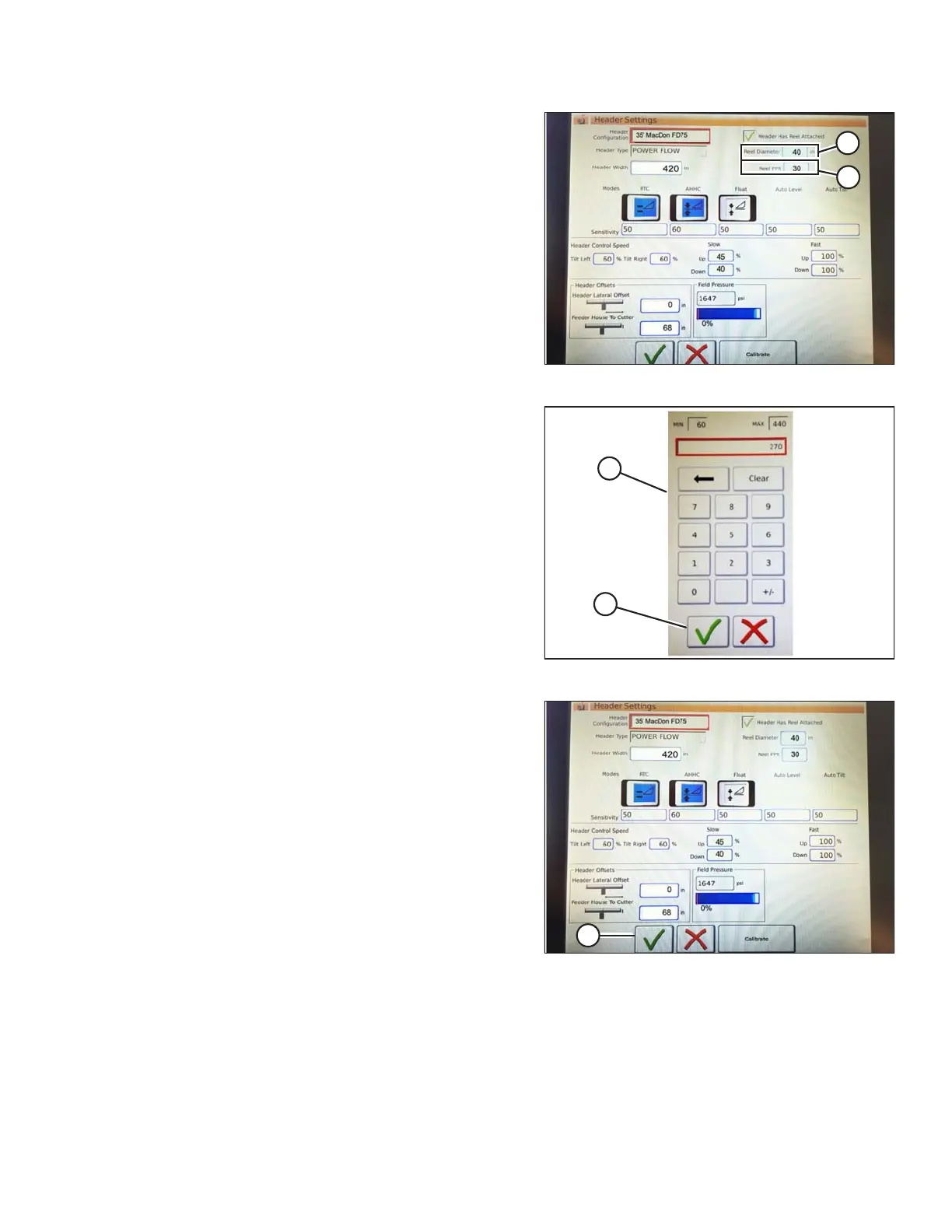
Figure 3.286: Header Settings
7. Touch the REEL DIAMETER field (A) and a numeric
keypad displays. Enter 40 for a MacDon reel.
8. Touch the REEL PPR (Pulses Per Revolution) field (B)
and enter 30 as the value for your MacDon header.
(PPR is determined by the number of teeth on the reel
speed sprocket).
Figure 3.287: Numeric Keypad
9. Touch the green check mark (B) at the bottom of the
numeric keypad (A) when complete, or the red X to
cancel.
Figure 3.288: Header Settings Page
10. When complete, touch the green check mark (A) at the
bottom of the HEADER SETTINGS screen.
OPERATION









 To Next Page