214683 209 Revision A
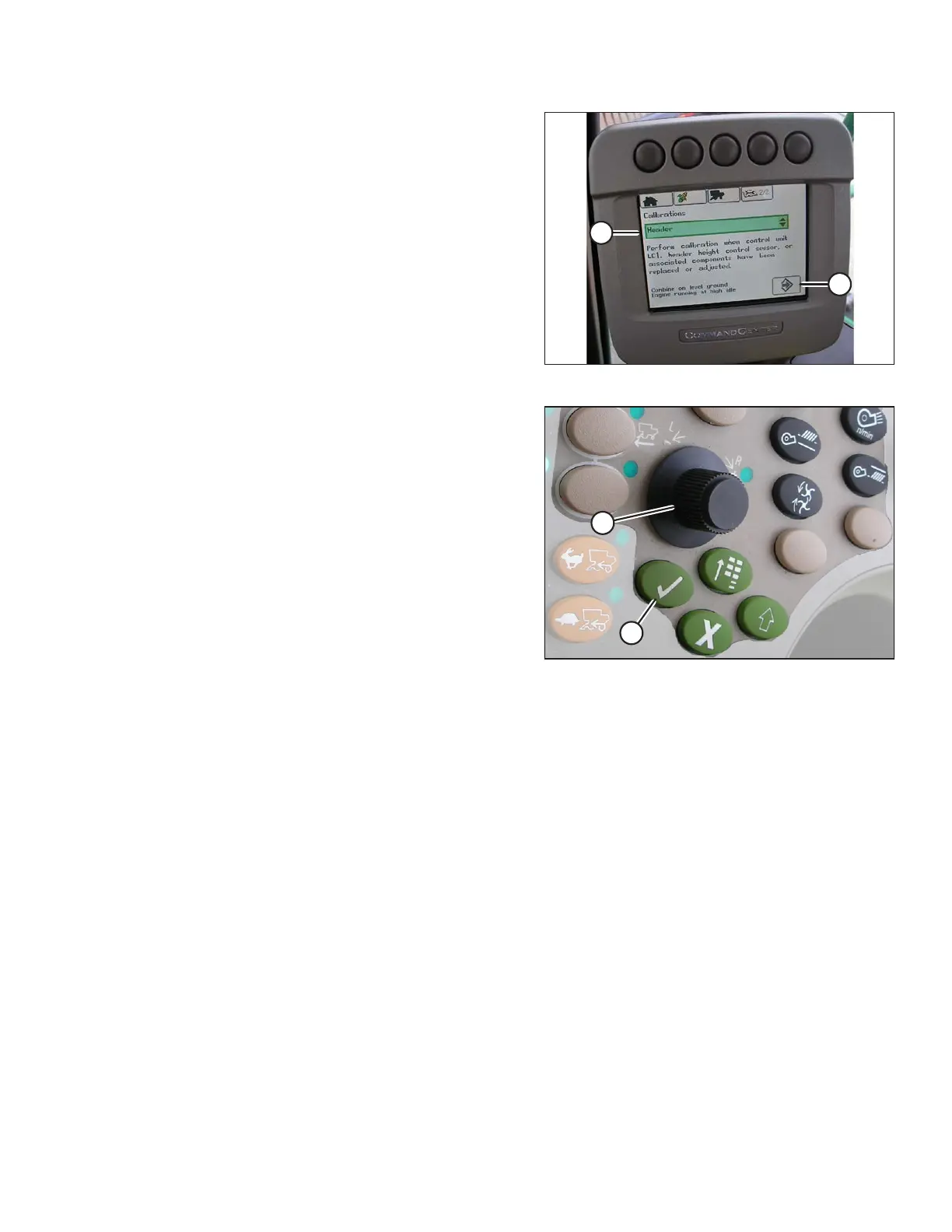
Figure 3.333: John Deere Combine Display
7. Select HEADER in box (A) by scrolling down to the box
using the scroll knob, and then pressing the check mark
button (knob and button are shown in Figure 3.334,
page 209).
8. Scroll down to the lower right icon that resembles an
arrow in a diamond (B) and press the check mark
button to select it.
Figure 3.334: John Deere Combine Control
Console
A - Scroll Knob B - Check Mark Button
9. Follow the steps listed on the monitor to perform the calibration.
NOTE:
If an error code appears on screen, the sensor is not in the correct working range. Refer to Checking Voltage
Range from the Combine Cab (John Deere S and T Series), page 212 to check and adjust the range.
NOTE:
If float was set heavier to complete the AHHC calibration procedure, adjust to recommended operating float
after the calibration is complete.
OPERATION









 To Next Page