214683 68 Revision A
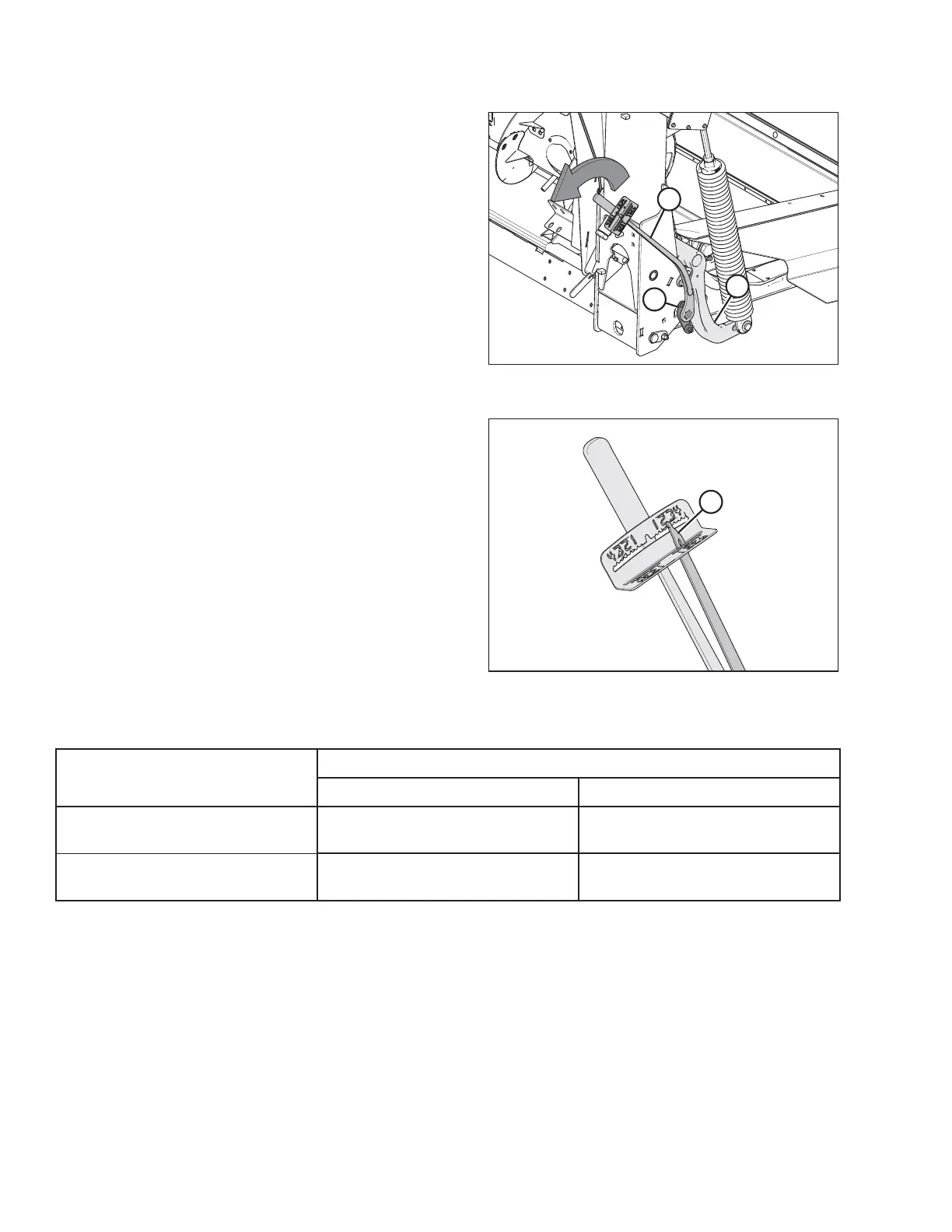
Figure 3.43: Float Module – Right Side
Figure 3.44: Torque Wrench
13. Push down on the wrench until indicator (A) reaches a
maximum reading and then begins to decrease. Note
the maximum reading. Repeat at opposite side.
14. Use the following table as a guide for float settings:
• If reading on the wrench is high, the header is heavy
• If reading on the wrench is low, the header is light
Table 3.12 Float Settings
Header Size
Indicator Reading
Cutting on the Ground Cutting off the Ground
9.1 m and 10.7 m
(30 ft. and 35 ft.)
1-1/2 to 2 2 to 2-1/2
12.2 m and 13.7 m
(40 ft. and 45 ft.)
2 to 2-1/2 2-1/2 to 3
OPERATION









 To Next Page