Installation of Echo™ Software
F6 SMART™ – Volumetric Handheld Camera – User Guide
Installing the Echo™ Software
NOTE:
Prior to the installation of the Echo™ software, verify that the
workstation to be used meets the requirements detailed in
Table 3 in Appendix 2 on page 102 below) and that the F6
SMART™ Camera is
connected to the workstation.
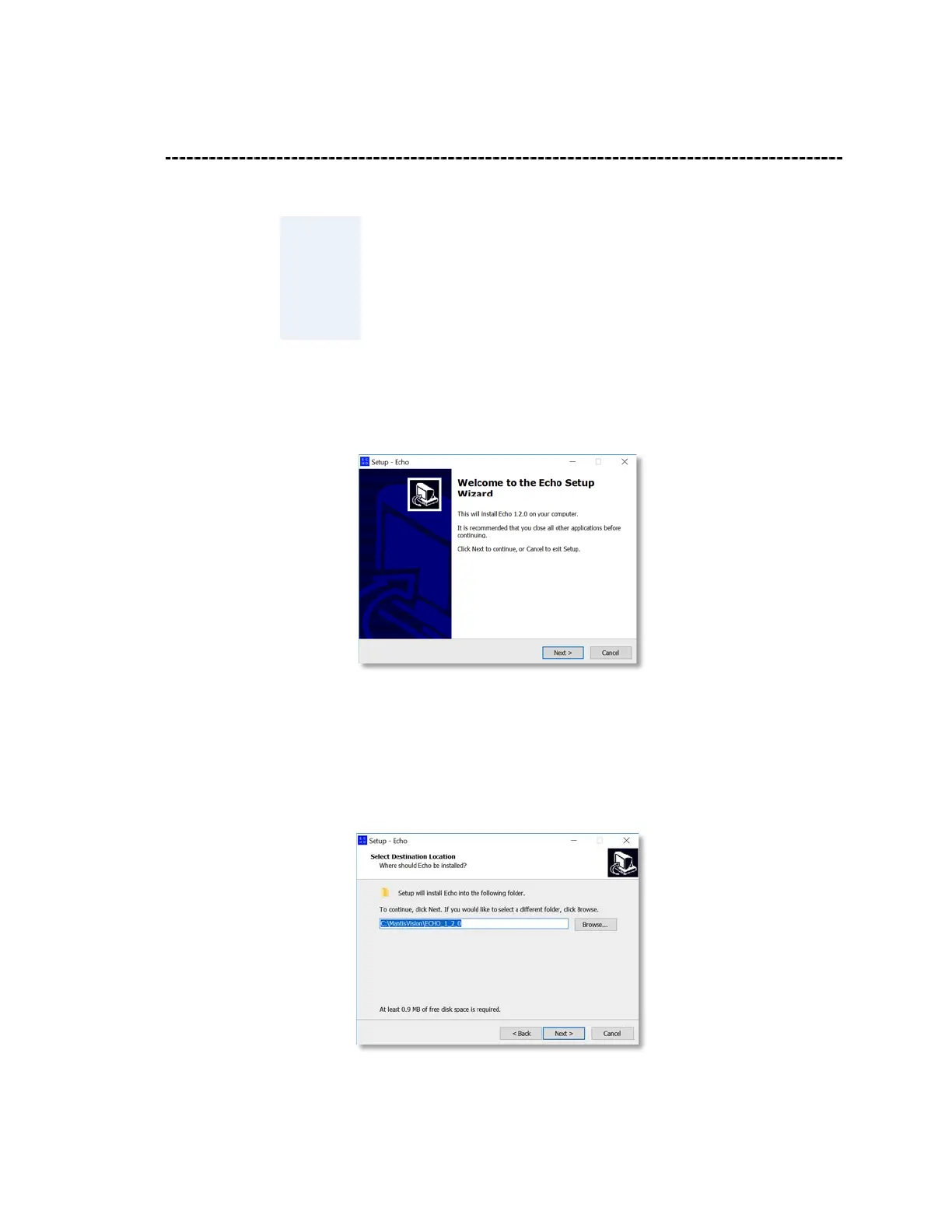
1. Double-click on the self-extracting installation file (
Setup.exe
) to trigger the
installation process. The “Welcome to the Echo Setup Wizard” Dialog-Box opens:
Figure 5 – The “Welcome to the Echo Setup Wizard” Dialog-Box
2. The
Cancel
Command-Button allows immediate termination of the installation. To
install; click on the
Next >
Command-Button. The “Select Destination Location”
Dialog-Box opens:
Figure 6 – The “Select Destination Location” Dialog-Box



 To Next Page