Setting up the F6 SMART™ System
F6 SMART™ – Volumetric Handheld Camera – User Guide
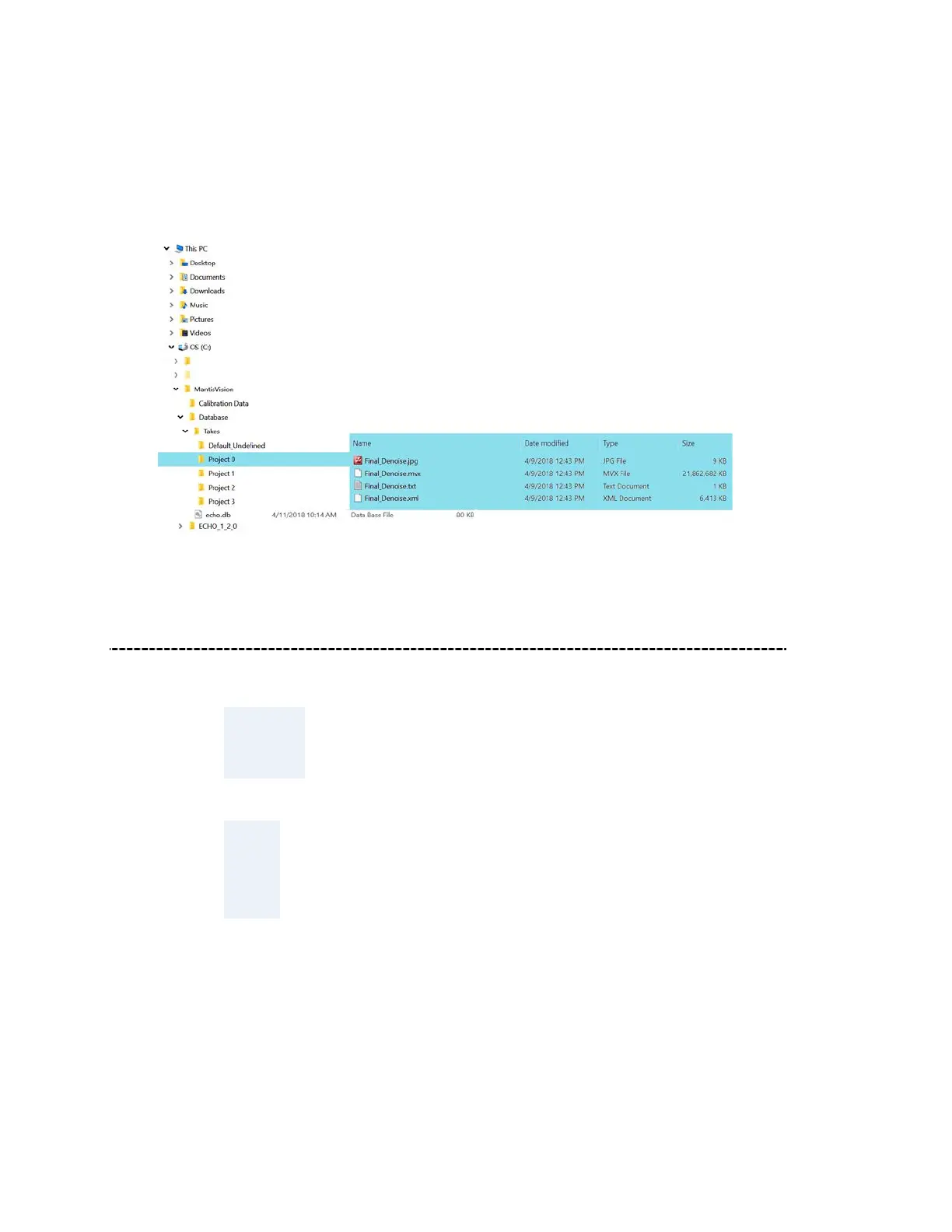
Hierarchical Structure of the Database Repository
Following the setup of the Database Repository as recommended, the hierarchy tree of
the whole Echo™ installation on the workstation’s hard-disk would look like:
Figure 23 – Hierarchical Structure of the Database Repository
Connecting F6 SMART™ Camera to the Workstation
NOTE:
This phase in the setup procedure need to be done while the
workstation is powered
.
TIP:
The electrical connection of the F6 SMART™ Camera to the
workstation is required now for the next steps of verification and
uploading the calibration files.
Connect the cable included in the F6 SMART™ Kit (see Figure 4 – Content of the F6
SMART™ Kit on page 22 above) where:
● The standard USB connector side is connected to a free USB socket of the
workstation, and,



 To Next Page