Installation of Echo™ Software
F6 SMART™ – Volumetric Handheld Camera – User Guide
This Dialog-Box allows manual settings of the folder where the Echo™ software
would be installed.
The default location is C:\MantisVision\ECHOxxx where xxx is the software version
number.
NOTE:
It is recommended to preserve the default location to ease
the support tasks of this product.
a. In case a different location is necessary, click on the
Browse…
Command-Button.
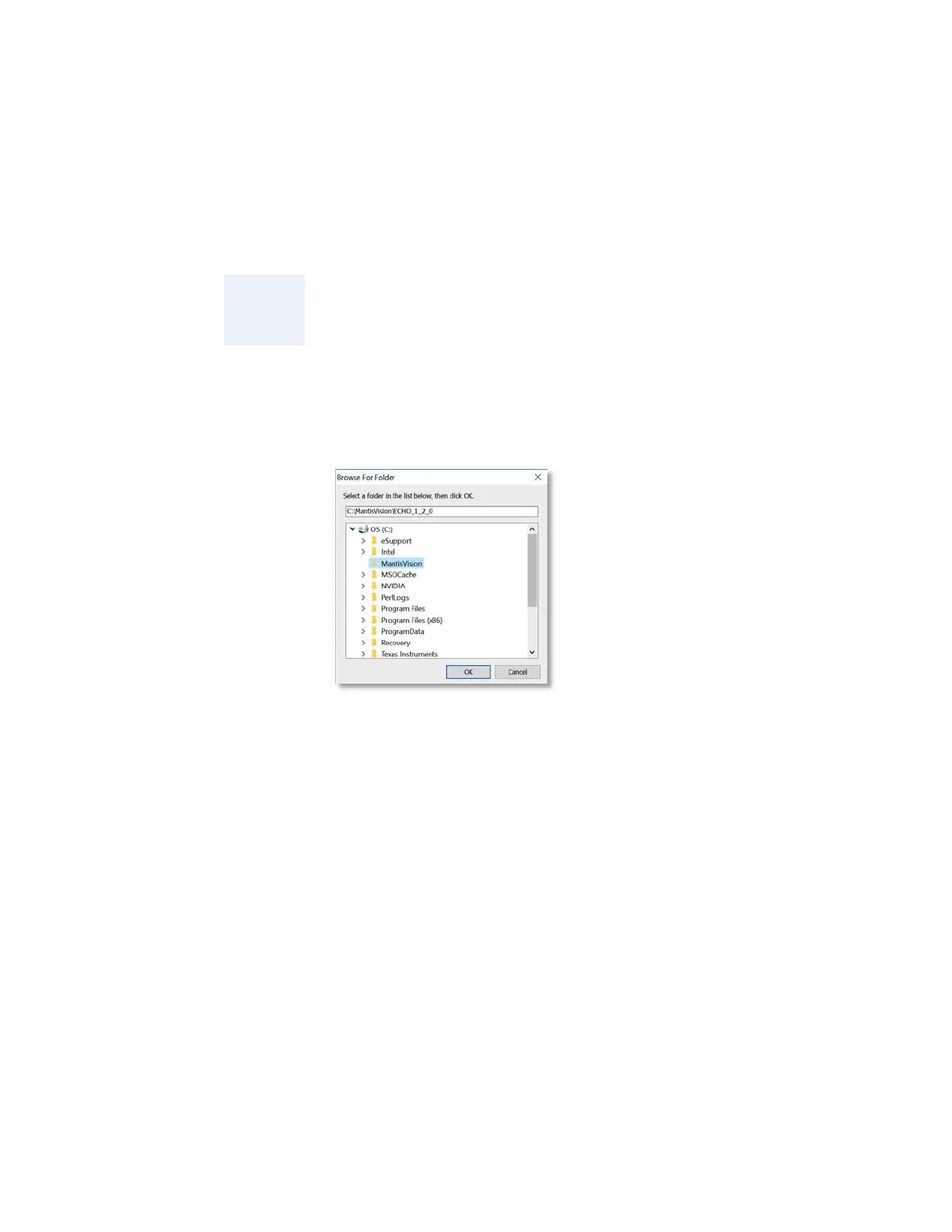
The “Browse For Folder” Dialog-Box opens:
Figure 7 – The “Browse For Folder” Dialog-Box
This Dialog-Box allows manual selection of another folder to install the Echo™
software onto, as well as setting-up a new folder.
Click on the
OK
Command-Button as soon as the installation folder is set, or on
the
Cancel
Command-Button to cancel the manual selection.
The “Browse For Folder” Dialog-Box closes and the “Select Destination Location”
Dialog-Box (see Figure 6 above) turns active again with the recently selected
installation directory presented in the address bar.
b. In case a step back in the installation process is required, click over the
< Back
Command-Button.
c. In case a termination of the installation is required, click over the
Cancel
Command-Button.
3. To continue the installation, click on the
Next >
Command-Button.



 To Next Page