Installation of Echo™ Software
F6 SMART™ – Volumetric Handheld Camera – User Guide
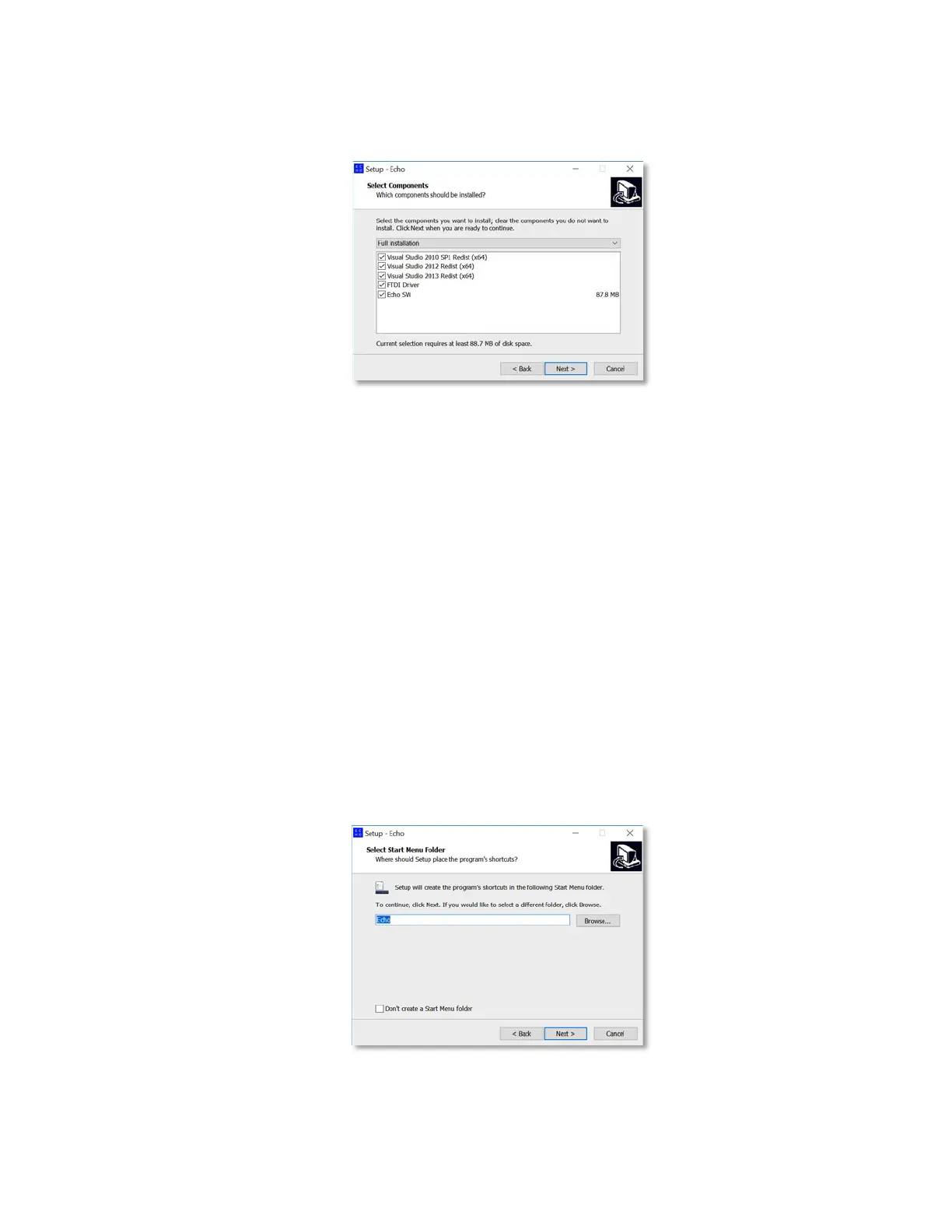
The “Select Components” Dialog-Box opens:
Figure 8 – The “Select Components” Dialog-Box
This Dialog-Box allows selection of which components (out of the options’ list) will be
installed.
♦ The
Echo SW
and
FTDI
(USB communication chip)
Driver
are a MUST in this
installation.
♦ The rest of the options (all are Microsoft™ Visual Studio™ Redistributable
Packages related) will be installed only if not found on the workstation’s
hard-disk.
The
Cancel
Command-Button allows immediate termination of the installation
process, While the
< Back
Command-Button revokes the previous step in the
installation process.
4. To continue the installation, click on the
Next >
Command-Button. The “Select Start
Menu Folder” Dialog-Box opens:
Figure 9 – The “Select Start Menu Folder” Dialog-Box



 To Next Page