4-61
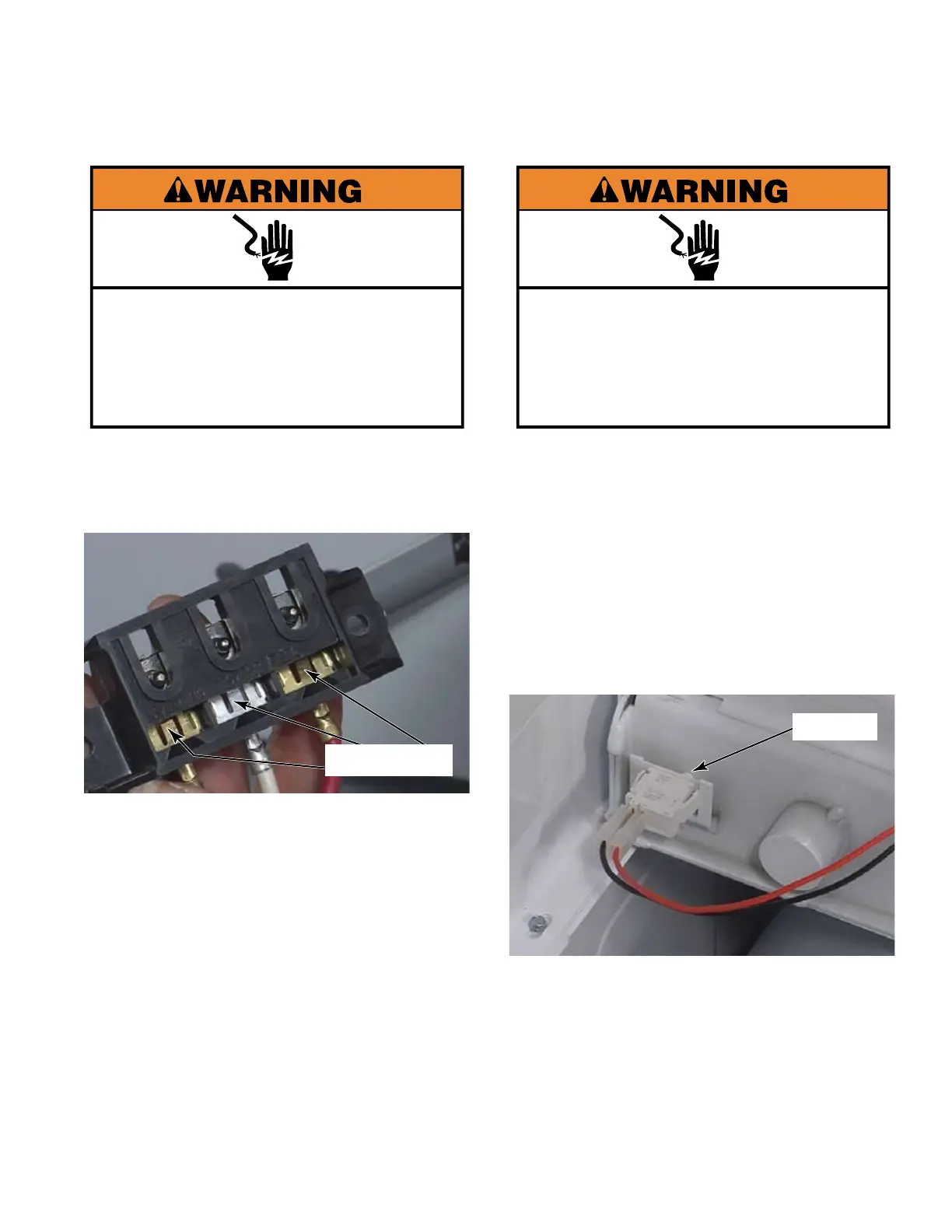
Locking Tab
Electrical Shock Hazard
Disconnect power before servicing.
Replace all parts and panels before
operating.
Failure to do so can result in death or
electrical shock.
Use a small flat blade screwdriver to
straighten the locking tab from the back side
of the terminal block.
Slide the wire connectors down in the
terminal block to remove them.
Keep track of the nuts that secure the wire
connectors that will now be loose in the
terminal block.
Pull the power lead wires through the hole
in the collar into the control panel area.
1.
2.
3.
4.
REMOVE POWER LEADS
FROM TERMINAL BLOCK
Remove the upper dryer. (See page 4-58).
Remove the coin box, reach into the coin
vault cavity and fully press on the button at
the rear of the cavity.
While pressing the button in as far as
possible, slide the switch body up out
of the slots on the back of the coin vault
compartment inside the collar.
Disconnect the two wire connectors from
the switch
Pull the wires into the control panel area.
1.
2.
3.
4.
5.
REMOVE COIN
VAULT SWITCH
Button
Electrical Shock Hazard
Disconnect power before servicing.
Replace all parts and panels before
operating.
Failure to do so can result in death or
electrical shock.


 To Next Page