4-12
Electrical Shock Hazard
Disconnect power before servicing.
Replace all parts and panels before
operating.
Failure to do so can result in death or
electrical shock.
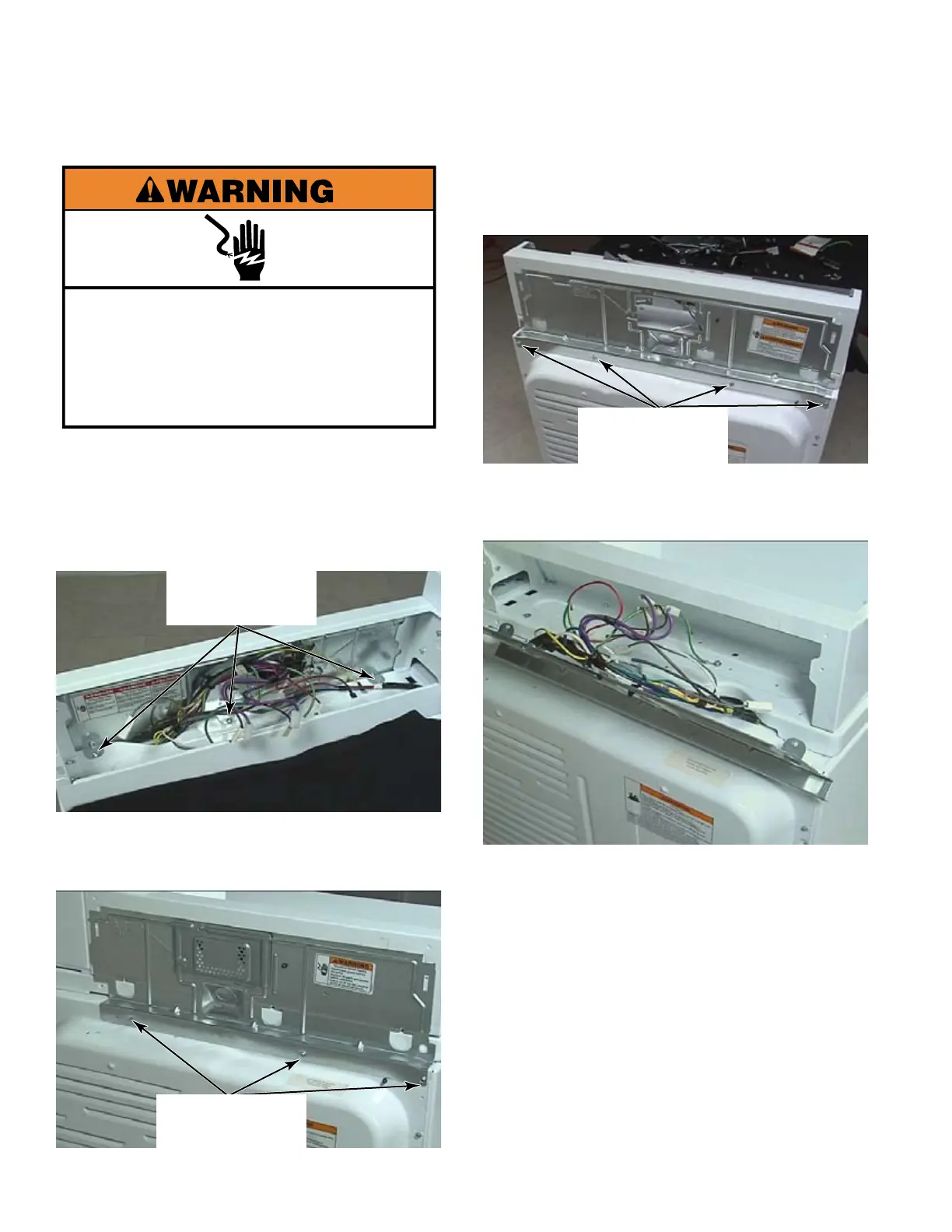
Open the control panel. (See page 4-1).
Remove three 1/4” hex head screws that
secure the tabs of the rear panel to the
dryer top, inside the console.
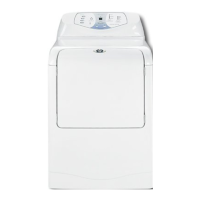
Remove three 1/4” hex head screws, from
the back of the CS model dryer, that secure
the rear panel to the back of the dryer.
1.
2.
3.
REMOVE CONTROL COVER REAR PANEL - CS & MN
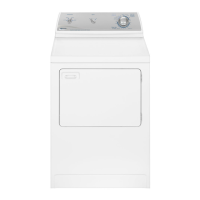
Remove four 1/4” hex head screws, from
the back of the MN model dryer, that secure
the rear panel to the back of the dryer.
Pull the bottom edge out and down to
release the top edge of the rear panel from
inside the control cover.
4.
5.
Three 1/4” Hex
Head Screws
Three 1/4” Hex
Head Screws
Four 1/4” Hex
Head Screws


 To Next Page