4-13
Electrical Shock Hazard
Disconnect power before servicing.
Replace all parts and panels before
operating.
Failure to do so can result in death or
electrical shock.
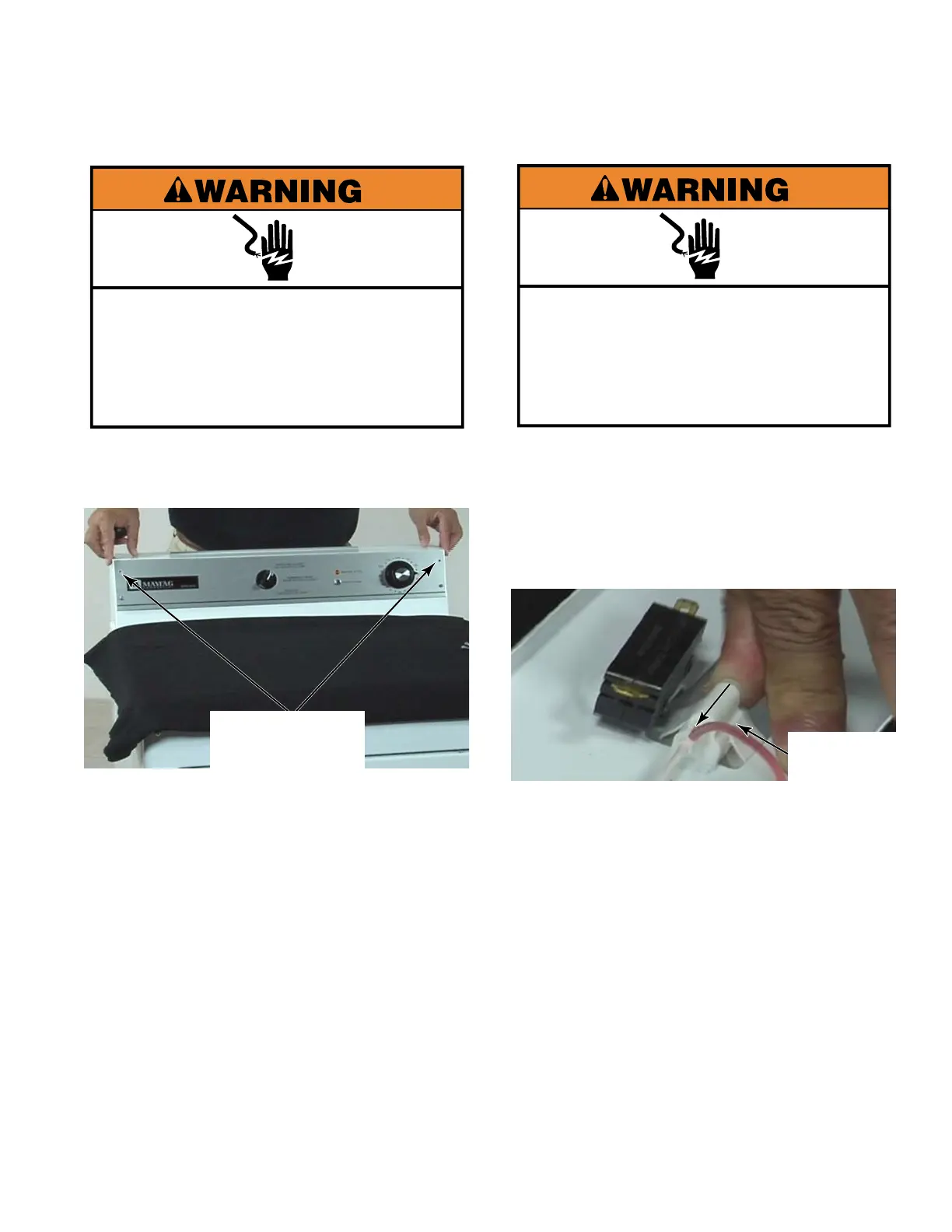
Remove the two top T-20 security screws
on the control panel.
To avoid damage, lay a towel, or another
covering, on the dryer top and place the
control panel, as well as removed hardware
and tools, on the covering.
1.
2.
OPEN CONTROL
PANEL - MN
Two T-20
Security Screws
Electrical Shock Hazard
Disconnect power before servicing.
Replace all parts and panels before
operating.
Failure to do so can result in death or
electrical shock.
Open the control panel (See left column).
Slide the indicator light off the indicator lens
on the back side of the control panel. The
indicator lens will slide out of the control
panel when it is picked up.
Disconnect two wire connectors to remove
the indicator light.
1.
2.
3.
REMOVE INDICATOR
LIGHT - MN/CS
Indicator
Light


 To Next Page